

Are you looking for an intuitive yet powerful online video editing tool that can help you craft stunning, professional-grade videos in minutes? Veed.io stands out as one of the most innovative browser-based platforms available today. Powered by cutting-edge AI technology and designed with a clean, user-friendly interface, it empowers creators, marketers, educators, and businesses to turn their ideas into polished videos without ever downloading complex software. In this in-depth guide from Gamikey, we’ll explore everything you need to know about Veed.io, from its core strengths to advanced features and who can benefit most from using it.
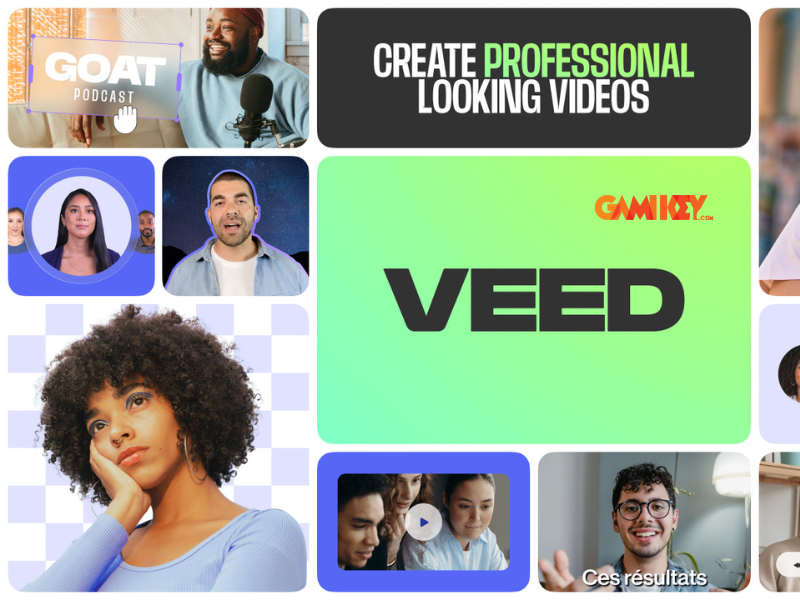
Discovering Veed.io: The All-in-One Online Video Editor
Launched in 2018 by founders Sabba Keynejad and Timur Mamedov and headquartered in London, United Kingdom, Veed.io has quickly become a favorite among content creators worldwide. It operates entirely in the browser, meaning you can access it from any laptop, tablet, or smartphone with an internet connection—no installation required.
What sets Veed.io apart is its seamless blend of simplicity and professional-grade capabilities. Whether you’re a beginner creating your first YouTube video, a social media manager producing short-form content for TikTok and Instagram, or a marketing team working on branded promotional videos, Veed.io offers tools that streamline every step of the process.
The platform’s AI-powered features significantly reduce the time and effort traditionally required for video editing, making high-quality production accessible to everyone, regardless of technical skill level.
Powerful Features That Make Veed.io Stand Out
Veed.io packs an impressive array of tools designed to handle virtually every aspect of video creation and editing. Here are the key features that have earned it widespread praise:
- Intuitive Drag-and-Drop Editing: The timeline-based editor lets you trim, split, rearrange, crop, and rotate clips with simple mouse actions. Add text overlays, transitions, filters (VHS, glitch, cinematic), animated elements, and more in seconds.
- Automatic Subtitles with AI Precision: Upload your video and Veed.io’s speech recognition engine will generate accurate captions in seconds. Supports over 100 languages, allows manual editing, and offers automatic translation into dozens of additional languages (available on paid plans).
- Text-to-Speech with Natural Voices: Choose from more than 100 realistic AI voices across 50+ languages. Perfect for adding narration, explainer voiceovers, or dubbing without hiring voice talent.
- One-Click Background Noise Removal: The AI-powered audio cleaner instantly eliminates unwanted background sounds—fans, traffic, echo—leaving crystal-clear dialogue and professional sound quality.
- Extensive Stock Library: Access thousands of royalty-free music tracks, sound effects, video clips, and professionally designed templates to enhance your projects quickly.
- Real-Time Team Collaboration: Invite team members to edit the same project simultaneously. Changes sync instantly, comments can be added, and cloud storage ensures nothing is ever lost.
- Video Conversion & Compression: Convert between formats (MP4, MOV, AVI, GIF, etc.), optimize file size for faster uploads without noticeable quality loss, and export audio-only versions when needed.
- Advanced AI Tools (Pro Plan): Generate complete videos from text prompts, clone your own voice for consistent narration, create lifelike AI avatars, and produce animated talking heads.
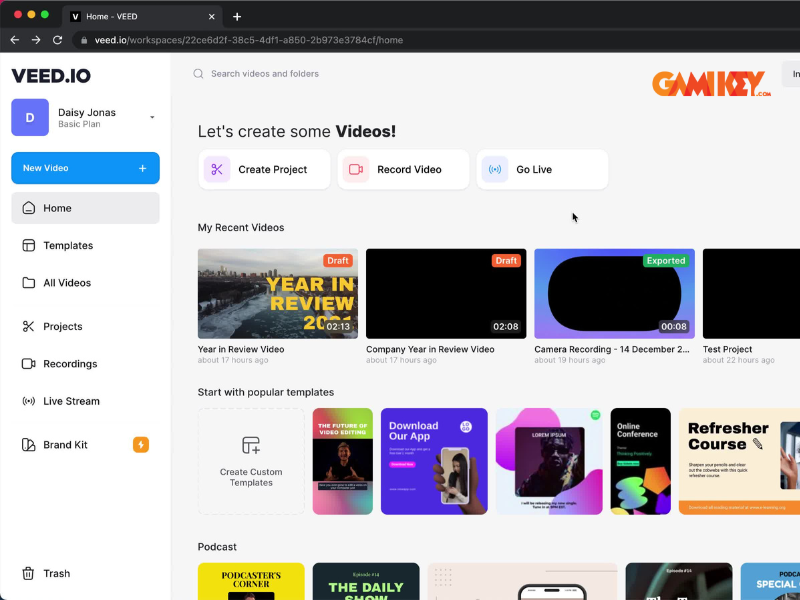
Why Content Creators and Businesses Love Using Veed.io
Here’s why so many professionals have made Veed.io their go-to video editing solution:
- Extremely Beginner-Friendly: No steep learning curve. Pre-made templates, step-by-step tooltips, and a clean interface help new users produce great results from day one.
- Cost-Effective: The free plan is surprisingly generous for basic projects. Paid plans start at just $12/month—far more affordable than most desktop editing software subscriptions.
- Global Audience Reach: Automatic multi-language subtitles and translations make your content accessible to viewers around the world, boosting engagement and reach.
- Device & Platform Agnostic: Works on Chromebooks, low-spec laptops, tablets, and even phones. No need for expensive hardware or powerful GPUs.
- Seamless Remote Collaboration: Cloud-based storage and real-time editing make it ideal for distributed teams, freelancers, and agencies working across time zones.
- Social Media Optimized Exports: Built-in presets for YouTube, Instagram Reels, TikTok, LinkedIn, Facebook, and more ensure your videos look perfect on every platform.
Unlocking Professional Power with Veed.io Pro
For users who need advanced functionality and commercial-grade output, the Pro plan (starting at $29/month or $360/year) unlocks a full suite of premium features:
- Export videos in up to 4K resolution without watermarks
- Unlimited video length and export volume
- Access to premium AI tools: voice cloning, AI avatar generation, text-to-video, auto-translation
- Unlimited access to the entire stock library (music, footage, templates)
- Priority customer support with faster response times
- Brand Kit: save your logo, colors, fonts, and intros for consistent branding across all projects
The Pro plan is especially valuable for growing YouTube channels, small-to-medium businesses, digital marketing agencies, and professional content creators who need consistent, high-quality results at scale.
Who Should Choose Veed.io Pro?
If you regularly produce branded content, need watermark-free exports in high resolution, or want to leverage advanced AI features like voice cloning or AI-generated avatars, upgrading to Pro is a smart investment. The price is significantly lower than many competing professional tools, yet the capabilities rival or exceed them in many areas.
How Veed.io Compares to Other Popular Video Editors
Compared to traditional desktop software like Adobe Premiere Pro or Final Cut Pro, Veed.io is much easier to learn and far more affordable. Against other online editors like Canva, Kapwing, or Clipchamp, Veed.io often wins thanks to its superior AI-powered tools, faster rendering, better subtitle accuracy, and stronger collaboration features.
While it may not yet replace high-end desktop NLEs for Hollywood-level projects, for 90% of everyday video needs—social media content, tutorials, marketing videos, educational material, vlogs—Veed.io delivers professional results in a fraction of the time.
Getting Started with Veed.io: Step-by-Step
- Visit veed.io and sign up with your email or Google account (no credit card required for free plan).
- Upload your video or start with a blank canvas/template.
- Use the timeline to edit clips, add text, music, effects, and subtitles.
- Let AI tools automatically generate captions, remove background noise, or create voiceovers.
- Preview your work in real time.
- Export in your desired format and resolution—download or share directly to social platforms.
The entire process is designed to be fast and frustration-free, even for first-time users.
Final Thoughts: Is Veed.io Worth It?
In 2025, Veed.io remains one of the most complete and accessible online video editors on the market. Its combination of powerful AI features, intuitive design, cloud collaboration, and affordable pricing makes it an ideal choice for individuals, small teams, and businesses looking to create engaging video content quickly and efficiently.
Whether you’re just starting out or already producing content professionally, Veed.io gives you the tools to elevate your videos without the complexity or expense of traditional editing software.
Ready to create your next viral video or polished marketing campaign? Head over to veed.io and experience the future of video editing today!