

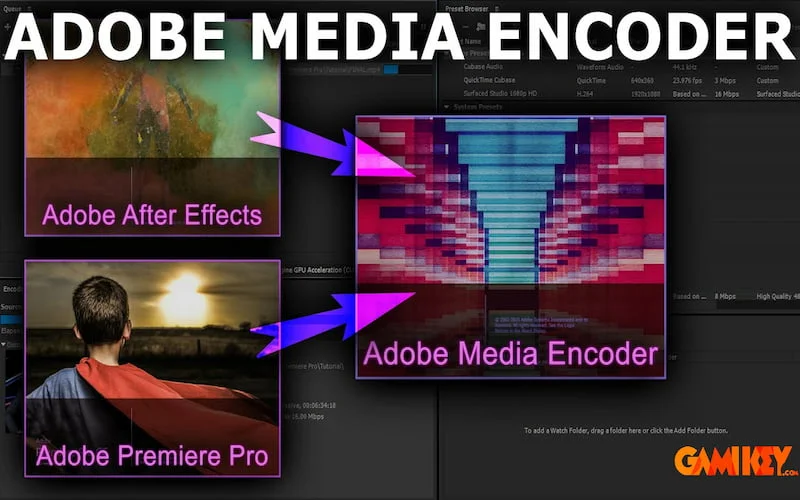
In the dynamic world of digital video production, professionals rely on robust tools to streamline workflows and ensure high-quality outputs across various platforms. Among these, Adobe Media Encoder stands out as an indispensable application developed by Adobe Systems. This powerful encoding engine seamlessly integrates with the Creative Cloud ecosystem, enabling users to ingest, transcode, create proxies, and export media in virtually any format imaginable. Compatible with both Windows and macOS platforms, it serves as the backbone for rendering tasks in applications like Premiere Pro, After Effects, Audition, and more, allowing editors to continue working while exports process in the background.
Adobe Media Encoder excels in handling complex media processing demands, from basic format conversions to advanced batch operations. Its continuous updates, with the latest version reaching 25.6 as of November 2025, introduce enhancements that keep pace with evolving hardware and industry standards. This tool not only optimizes file sizes for web delivery but also supports high-end professional formats, making it essential for filmmakers, content creators, broadcasters, and social media specialists alike.
Comprehensive Overview of Adobe Media Encoder
Adobe Media Encoder is a versatile media processing application that empowers creators to convert audio and video files into optimized formats suitable for diverse delivery channels. At its core, it functions as a standalone tool while offering deep integration with other Adobe products, facilitating a fluid post-production pipeline. Users can queue multiple jobs, apply custom presets, and automate repetitive tasks, significantly boosting productivity.
The software supports an extensive array of codecs and containers, including H.264, HEVC (H.265), ProRes, DNxHD, and emerging formats like ARRIRAW HDE for reduced file sizes without compromising quality. Hardware acceleration leverages modern GPUs from NVIDIA, AMD, and Intel, ensuring faster encoding times, especially for high-resolution content up to 8K and beyond. Recent updates have expanded support for camera-specific formats, such as Sony Venice, ARRI Alexa, and Canon Cinema RAW Light on Apple Silicon devices.
Beyond mere conversion, Adobe Media Encoder incorporates advanced features like loudness normalization, LUT application, time tuning for duration adjustments, and content credentials for verifying asset authenticity. These capabilities make it a go-to solution for ensuring compliance with broadcast standards and platform-specific requirements.
Exploring the Professional Capabilities of Adobe Media Encoder
Adobe Media Encoder distinguishes itself through a suite of sophisticated features designed to address real-world production challenges. From collaborative environments to high-performance rendering, it provides tools that enhance efficiency and creative control. Let’s delve into some of its standout functionalities.
Collaborative Team Projects Integration
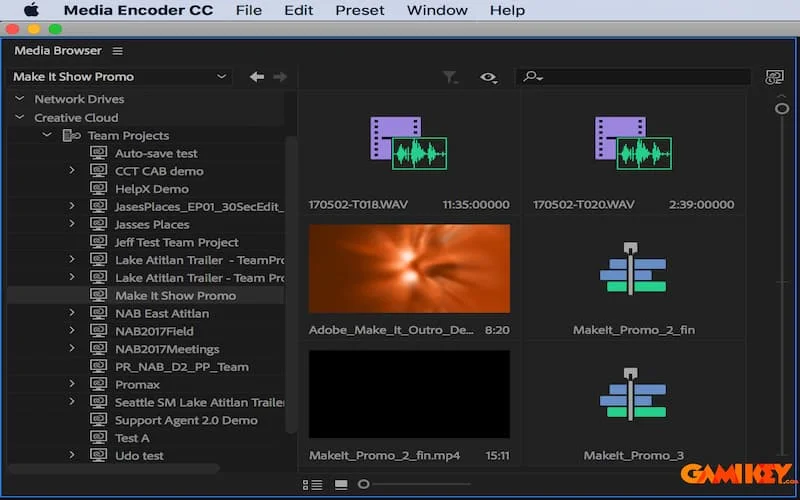
In modern video production, teamwork is paramount. Adobe Media Encoder supports Team Projects via Creative Cloud, allowing multiple editors to access shared media resources remotely. Users can manage assets centrally, link files directly from Premiere Pro or After Effects, and synchronize changes effortlessly. This cloud-based collaboration reduces version conflicts and enables seamless handoffs, ideal for distributed teams working on tight deadlines.
Additionally, shared proxy files ensure that team members edit with lightweight versions, preserving bandwidth while maintaining timeline accuracy. When final renders are needed, the tool relinks to original high-resolution media automatically.
Advanced Proxy Creation and Management
One of the most valuable aspects of Adobe Media Encoder is its proxy workflow, which generates lower-resolution copies of source footage for smoother editing on less powerful systems. Proxies allow real-time playback of 4K, 8K, or RAW material without stuttering, as the heavy lifting occurs during ingest or batch processing.
Users can create proxies in formats like ProRes Proxy or H.264, with customizable resolutions (e.g., half or quarter size). The process integrates directly with Premiere Pro: select clips, choose “Create Proxies,” and Adobe Media Encoder handles encoding in the background. Toggle between proxies and originals effortlessly, with automatic relinking for final export. Recent enhancements include hardware-accelerated proxy generation and support for log color spaces from devices like iPhone ProRes.
Batch Processing and Format Conversion
Adobe Media Encoder shines in batch encoding, where users can queue dozens or hundreds of files for simultaneous conversion. Drag sources into the queue, apply presets tailored for YouTube, Vimeo, Facebook, or custom specifications, and let the engine process them efficiently.
Adaptive bitrate options, watch folders for automated ingestion, and destination publishing streamline repetitive tasks. Convert seamlessly between ecosystems—export After Effects compositions to Premiere-compatible formats or vice versa—while preserving metadata, effects, and quality. GPU acceleration ensures rapid throughput, even for demanding codecs like HEVC 10-bit.
This feature is particularly beneficial for content farms producing multi-platform versions, saving hours compared to individual exports.
Dynamic Editing During Export
A unique advantage of Adobe Media Encoder is the ability to adjust settings mid-export without canceling jobs. Monitor progress, tweak parameters like bitrate or crop, and apply last-minute changes—all while the queue runs. This flexibility minimizes downtime and accommodates client feedback during rendering.
Combined with fast export speeds via hardware encoding, it allows professionals to meet urgent deadlines without compromising on iterations.
Additional Cutting-Edge Functionalities
Adobe Media Encoder continually evolves with innovative tools:
- Support for HLG (Hybrid Log-Gamma) and advanced color management for HDR workflows, ensuring vibrant, accurate reproduction.
- Import and export of animated GIFs for web-friendly motion graphics.
- Direct previewing within the application for quick quality checks.
- Optimized presets for social media uploads, maintaining high quality on platforms like YouTube, Vimeo, and TikTok.
- High-resolution exports up to 8K with H.264/HEVC, plus support for professional camera formats including ARRI, Sony Venice v2, and RED V-RAPTOR.
- Content Credentials (C2PA) integration to verify media authenticity in an era of deepfakes.
- ARRIRAW High Density Encoding (HDE) for 60% smaller files with full fidelity.
- Over 90 GPU-accelerated effects and transitions from Premiere Pro in recent updates.
- Selective third-party plugin loading and reset options for troubleshooting.
These advancements position Adobe Media Encoder as a future-proof solution, regularly updated to incorporate AI enhancements, hardware optimizations, and new standards.
Mastering the Use of Adobe Media Encoder
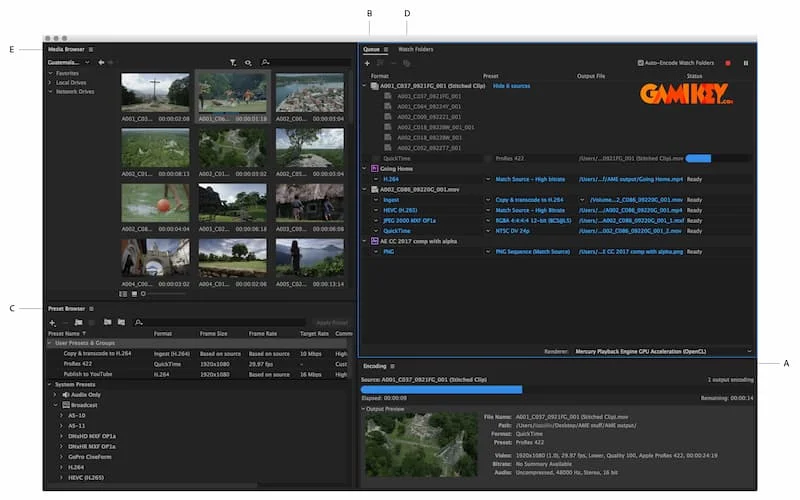
Getting started with Adobe Media Encoder is straightforward, thanks to its intuitive interface comprising key panels: Queue, Encoding, Presets, and Media Browser. Access it as a standalone app or via export commands in integrated Adobe software.
To begin, import media by dragging files into the Queue or using the Add Source button. Apply presets from the extensive library—covering everything from mobile devices to broadcast masters—or create custom ones in the Preset Browser. Configure output settings, including format, resolution, bitrate, and effects like image overlays or subtitles.
For optimal results, leverage Watch Folders: designate directories where new files automatically trigger encoding jobs. Monitor progress in the Encoding panel, with real-time thumbnails and estimated completion times. Once queued, start the process and multitask freely, as Adobe Media Encoder runs independently.
Advanced users can script automations or integrate with third-party tools, but the built-in features suffice for most workflows. Always ensure your Creative Cloud subscription is active for the latest version and seamless syncing.

Adobe Media Encoder remains a cornerstone of professional video workflows, offering unmatched versatility and performance. Its ongoing developments ensure it adapts to new technologies, from AI-assisted features to expanded hardware support. For creators seeking efficiency without sacrificing quality, this tool is unparalleled.
Explore related Adobe tools for a complete creative suite:
- Discover the capabilities of Adobe Dreamweaver
- Learn about Adobe Animate
- Understand Adobe Air
- Explore Adobe Scan