

In the rapidly evolving world of digital design and manufacturing, Autodesk Fusion 360 has emerged as a premier cloud-based platform that seamlessly integrates CAD, CAM, and CAE capabilities. This comprehensive tool empowers engineers, designers, and manufacturers to innovate faster and more efficiently. In this in-depth guide, we will explore every aspect of Autodesk Fusion 360, from its core definition to advanced features, applications, and system requirements, providing professionals with the insights needed to leverage its full potential.
Understanding Autodesk Fusion 360: A Comprehensive Overview
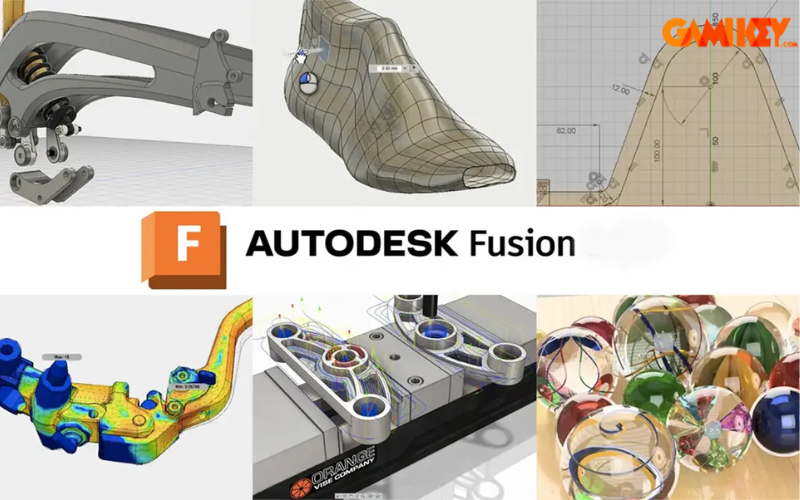
Autodesk Fusion 360 represents a groundbreaking advancement in integrated product development software. Developed by Autodesk, it combines computer-aided design (CAD), computer-aided manufacturing (CAM), and computer-aided engineering (CAE) into a single, unified cloud-based environment. This innovative approach allows users to manage the entire product lifecycle—from initial concept sketching and detailed modeling to simulation, prototyping, and final production—without switching between multiple applications.
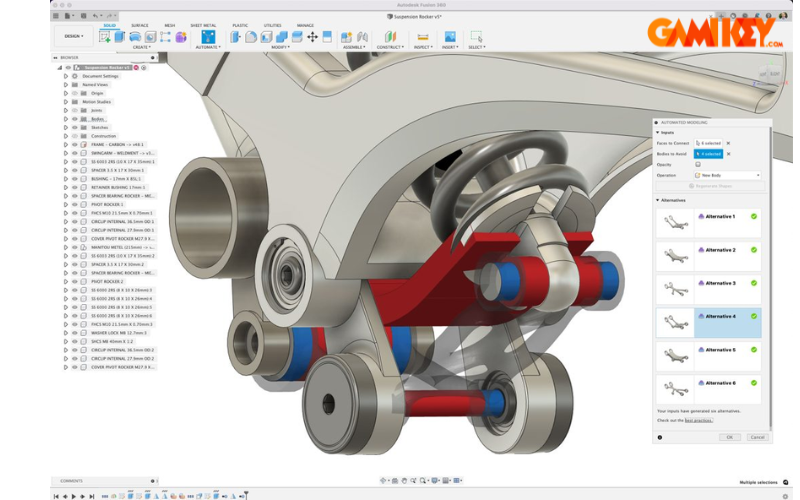
The platform’s cloud architecture distinguishes it from traditional desktop-only solutions by enabling real-time data storage, version control, and seamless collaboration across teams, regardless of geographical location. Designers can access their projects from any device with an internet connection, ensuring continuity and flexibility in workflows. Moreover, Autodesk Fusion 360 incorporates generative design technologies powered by artificial intelligence, which automatically generate optimized design alternatives based on specified constraints such as materials, manufacturing methods, and performance criteria.
This holistic integration not only accelerates time-to-market but also fosters innovation by reducing silos between design, engineering, and manufacturing phases. Professionals across industries rely on Autodesk Fusion 360 to create high-quality, functional products while minimizing errors and resource waste.
Key Applications and Advantages of Autodesk Fusion 360
The versatility of Autodesk Fusion 360 makes it indispensable across diverse sectors. Its applications span from consumer product development to advanced industrial engineering.
- Product Design and Development: Ideal for conceptualizing and refining consumer goods, including electronics enclosures, furniture prototypes, and household appliances. The parametric modeling tools enable rapid iterations and aesthetic refinements.
- Mechanical Engineering: Engineers use it to design intricate assemblies, mechanisms, and machinery components, with built-in tools for motion studies and interference checks.
- Industrial Manufacturing: Supports advanced manufacturing processes such as CNC machining, 3D printing, sheet metal fabrication, and injection molding, complete with toolpath generation and post-processing.
- Educational and Research Institutions: Widely adopted in academic settings for teaching design principles, simulation, and digital fabrication, offering free licenses for students and educators.
- Electronics and PCB Design: Integrated electronics workspace allows for schematic capture, PCB layout, and mechanical-electrical co-design.
Beyond its broad applicability, Autodesk Fusion 360 offers several compelling advantages that set it apart in the competitive landscape of design software:
- All-in-One Integration: Eliminates the need for multiple specialized tools by combining modeling, simulation, rendering, and manufacturing preparation in one platform.
- Intuitive User Interface: Designed with accessibility in mind, featuring contextual commands, customizable workspaces, and extensive learning resources for users at all skill levels.
- Cost-Effective Subscription Model: Flexible pricing options, including free versions for hobbyists, startups, and educational users, make professional-grade tools accessible without hefty upfront investments.
- Robust Collaboration Features: Cloud-based sharing, commenting, and version history enable distributed teams to work concurrently with full traceability.
- Extensibility and Ecosystem Integration: Supports extensions for specialized tasks and seamless data exchange with other Autodesk products as well as third-party software and hardware.
- Continuous Updates: Regular feature enhancements and performance improvements delivered automatically via the cloud.
System Requirements for Optimal Autodesk Fusion 360 Performance
To ensure smooth operation and take full advantage of Autodesk Fusion 360‘s demanding features, particularly rendering and complex simulations, your hardware should meet or exceed the following specifications:
- Operating System: 64-bit versions of Windows 10 or later, macOS 12 (Monterey) or newer, or supported Linux distributions.
- Processor: Multi-core CPU with at least 4 cores; recommended 6+ cores clocked at 3 GHz or higher for intensive tasks.
- Memory (RAM): Minimum 8 GB; 16 GB or more strongly recommended for large assemblies and simulations.
- Storage: At least 5 GB of free disk space for installation, plus additional space for project files (SSD preferred for faster performance).
- Graphics Card: Dedicated GPU with DirectX 11 support and 4 GB VRAM minimum; certified cards from NVIDIA or AMD for best results in rendering and simulations.
- Internet Connection: Broadband required for cloud features, collaboration, and updates; offline mode available for basic modeling.
- Web Browser: Latest versions of Chrome, Firefox, Edge, or Safari for accessing the web-based management portal.
Core Features That Define Autodesk Fusion 360 Excellence
Autodesk Fusion 360 distinguishes itself through a rich suite of professional-grade features that cover every stage of product development. Below, we delve into its most impactful capabilities.
Advanced 3D Modeling Tools
The modeling environment offers both parametric and direct modeling approaches. Users can create solid models, freeform surfaces using T-Splines technology, and sheet metal components with dedicated unfold and flange tools. Sculpting organic shapes is intuitive through push-pull manipulations, while history-based parametric modeling ensures design intent is preserved across modifications.
Assembly design supports top-down and bottom-up methodologies, with joint types ranging from rigid to revolute and planar, enabling realistic mechanism simulations.
Powerful Simulation and Analysis
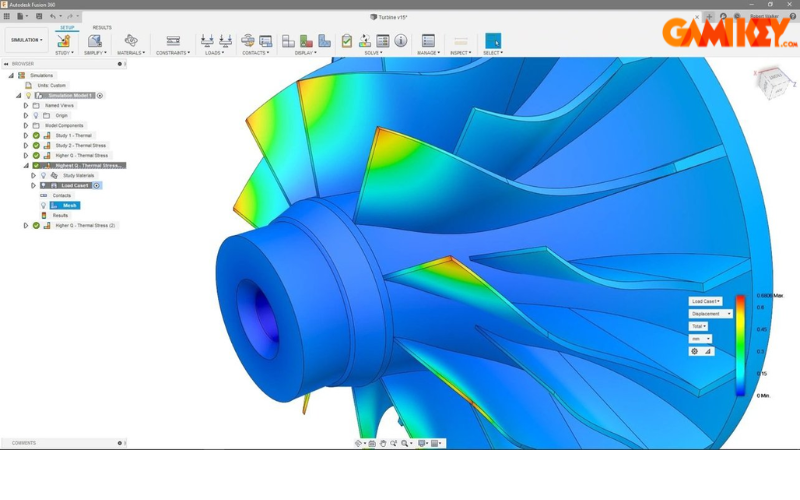
Built-in finite element analysis (FEA) tools allow for static stress, modal frequencies, thermal, buckling, and shape optimization studies. Event simulation predicts dynamic behaviors, while generative design explores thousands of lightweight, high-performance alternatives based on user-defined goals and constraints.
These simulations help identify potential failures early, reducing physical prototyping costs and improving product reliability.
Comprehensive Manufacturing Preparation
The CAM workspace provides 2D to 5-axis milling strategies, turning, additive manufacturing (3D printing) setups, and probing cycles. Tool libraries, post-processors for hundreds of machines, and simulation of machining operations prevent collisions and optimize cycle times.
Sheet metal rules automate flat pattern generation, and nesting tools maximize material usage for cutting operations.
Seamless Data Interoperability
Autodesk Fusion 360 excels in data translation, supporting import of native formats from SolidWorks, Inventor, CATIA, NX, and more via neutral formats like STEP, IGES, and SAT. Export options include STL for 3D printing, DXF for 2D cutting, and proprietary F3D for cloud sharing.
AnyCAD technology enables direct referencing of external files with automatic updates when source models change.
Cloud Collaboration and Version Management
Projects are stored securely in the cloud, with unlimited version history and branching capabilities. Team members can comment directly on designs, assign tasks, and review changes in real-time. Single-source-of-truth data management prevents version conflicts and ensures everyone works on the latest iteration.
Rendering and Visualization
High-quality in-canvas rendering and cloud-based photorealistic renders produce stunning visuals for presentations and marketing. Materials library, lighting setups, and animation tools bring designs to life.
Extensions and Customization
The Fusion 360 ecosystem includes paid extensions for specialized workflows, such as advanced nesting, complex surface modeling, or electronics integration. API access allows scripting in Python or JavaScript for automation and custom tools.
In summary, Autodesk Fusion 360 continues to redefine modern product development by offering an unparalleled combination of power, accessibility, and collaboration. Its ongoing evolution through user feedback and Autodesk’s innovation ensures it remains at the forefront of design technology, enabling creators worldwide to turn ideas into reality with unprecedented efficiency and precision.