

Digital artists and illustrators seeking a powerful, intuitive drawing experience often turn to specialized tools that bridge the gap between traditional media and modern technology. Among these, Adobe Fresco stands out as a premier application designed specifically for touch-enabled devices, delivering an unparalleled natural painting and drawing workflow. Whether you’re sketching ideas, creating detailed illustrations, or producing professional artwork, this app empowers creators with advanced features that mimic real-world art materials while leveraging cutting-edge digital capabilities.
Discovering the Essence of Adobe Fresco
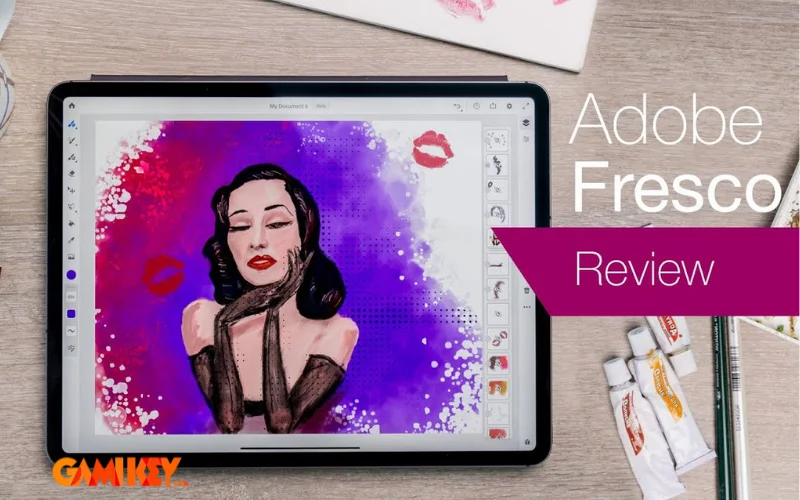
Adobe Fresco represents Adobe’s dedicated foray into the realm of digital painting and illustration, crafted primarily for stylus-equipped devices such as iPads and Windows tablets. Launched initially as an iPad-exclusive tool, it harnessed the precision of the Apple Pencil to offer an authentic drawing experience. Over time, Adobe expanded its compatibility to include Windows surfaces, broadening access for a wider range of professionals and hobbyists who rely on devices like the Microsoft Surface Pro.
At its core, Adobe Fresco differentiates itself from general-purpose editors like Photoshop by focusing exclusively on the act of creation rather than post-production manipulation. It supports both raster and vector workflows within the same canvas, allowing artists to switch seamlessly between pixel-based realism and scalable vector precision. This hybrid approach makes it ideal for illustrators, concept artists, animators, and anyone passionate about digital art who wants tools that respond intuitively to pressure, tilt, and velocity of stylus input.
The application’s name, “Fresco,” evokes the traditional technique of painting on wet plaster, hinting at its emphasis on live, responsive brushes that blend and interact in real time—much like genuine watercolor or oil paints. Powered by Adobe’s Sensei AI engine, these brushes simulate complex physical behaviors, providing depth, texture, and fluidity that elevate digital artwork to gallery-worthy standards.
Unleashing Creative Potential with Adobe Fresco
One of the most compelling aspects of Adobe Fresco is its vast library of brushes engineered to replicate traditional media with astonishing accuracy. Artists can explore thousands of brushes, including pixel brushes for detailed raster work, live oil brushes that allow mixing and smearing, and live watercolor brushes that bloom and diffuse naturally on the canvas.
Beyond basic strokes, the app introduces innovative tools that push creative boundaries. For instance, the ability to layer vector brushes over raster elements ensures scalability without loss of quality, perfect for logo design or illustrations intended for print. The touch shortcut system and customizable toolbar further streamline workflows, reducing interruptions and letting inspiration flow uninterrupted.
Captivating Visual Effects and Brush Dynamics
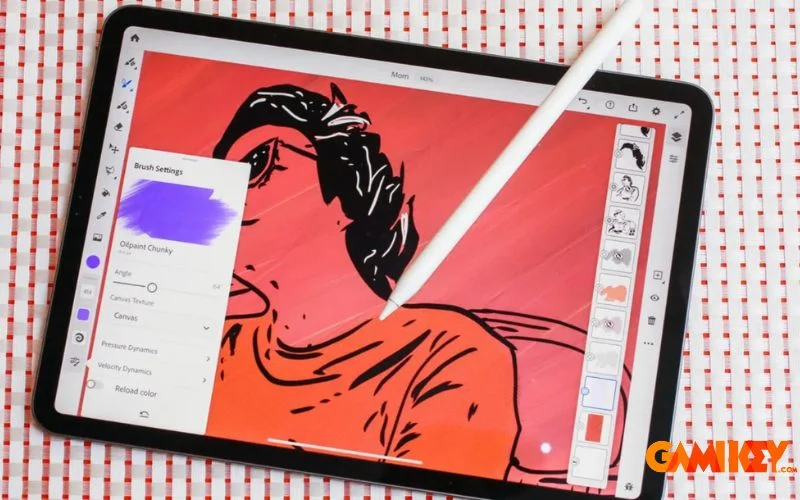
Adobe Fresco harnesses artificial intelligence to deliver brush behaviors that feel remarkably lifelike. Live brushes respond to canvas moisture, pigment load, and blending modes, creating organic interactions such as color bleeding, edge darkening in watercolors, or thick impasto buildup in oils. Users can adjust bristle stiffness, flow, and smoothing to fine-tune each tool for specific artistic styles.
Special effects like distortion, twirl, and pucker tools enable non-destructive transformations, while the smudge tool mimics finger blending with variable strength. These features collectively empower artists to experiment boldly, knowing they can revert changes effortlessly thanks to non-destructive layers and history states.
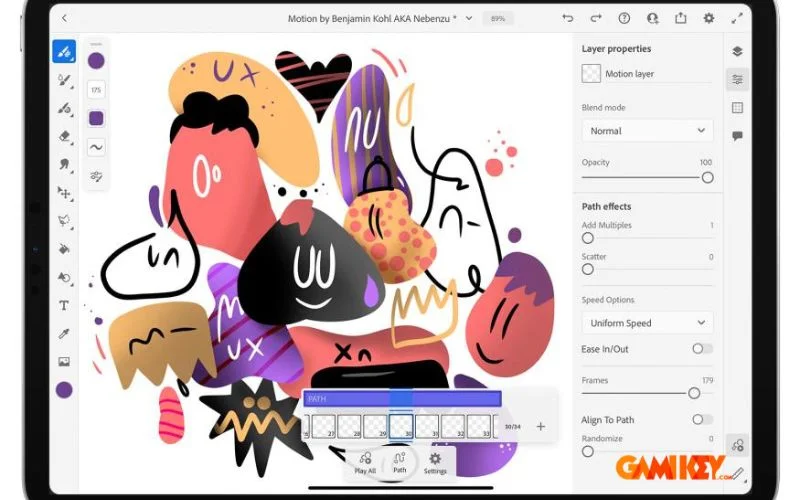
Moreover, the integration of motion paths and animation assists in creating frame-by-frame sequences or simple motion graphics, expanding the app’s utility into storyboarding and basic animation—areas where traditional drawing apps often fall short.
Seamless Multi-Device Integration
Leveraging Adobe Creative Cloud, Adobe Fresco ensures projects remain accessible across compatible devices. Start a sketch on an iPad during a commute, refine details on a Windows tablet at the studio, and finalize compositions in Photoshop on a desktop—all with automatic synchronization.
Cloud documents preserve layer structures, brush presets, color palettes, and even custom assets, eliminating the frustration of file transfers. Quick access to Adobe Fonts, Stock images, and shared libraries further enriches the creative process, allowing instant incorporation of typography or reference materials.
This ecosystem approach not only boosts productivity but also encourages a fluid, device-agnostic workflow that adapts to modern nomadic lifestyles of creators.
Latest Innovations and Feature Updates
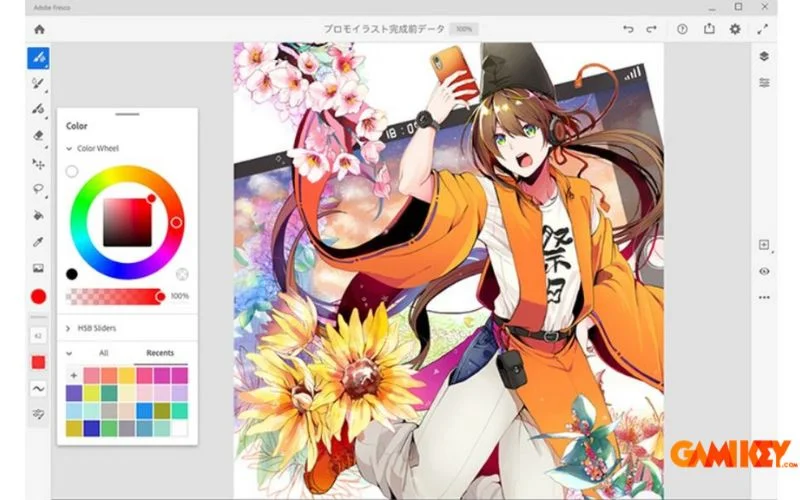
Adobe consistently evolves Adobe Fresco with updates that introduce groundbreaking tools. Recent additions include the Liquify persona, offering precise control over warping and reshaping elements with push, pull, bloat, and twirl actions—ideal for character design adjustments or surreal effects.
The enhanced selection tools, such as the Magic Wand with refinement edges, simplify complex color changes and masking. Multicolor eyedropper sampling allows picking multiple hues simultaneously for richer palettes, while perspective grids and clipping masks aid in architectural or product illustrations.
Advanced text integration supports curved paths and variable fonts, and the improved export options ensure compatibility with professional pipelines, including PSD preservation of live brushes for continued editing in Photoshop.
These ongoing enhancements demonstrate Adobe’s commitment to keeping Adobe Fresco at the forefront of digital art technology, responding directly to community feedback through forums and beta programs.
Common Questions About Adobe Fresco
Is a Paid Subscription Required to Use Adobe Fresco?
Adobe Fresco offers a free starter plan with basic functionality and a limited brush set, suitable for casual exploration. However, unlocking the complete premium brush library, unlimited cloud storage, advanced export options, and full integration with other Creative Cloud apps requires a subscription.
The premium version is included in various Creative Cloud plans, such as the Photography plan or All Apps package, providing exceptional value for professionals already invested in Adobe’s ecosystem. For standalone access, a dedicated Adobe Fresco subscription delivers the full experience at an affordable monthly rate.
How to Obtain a Licensed Adobe Fresco Account
Acquiring a legitimate license ensures access to continuous updates, customer support, and ethical usage. Official purchases can be made directly through Adobe’s website or authorized resellers offering competitive pricing and reliable activation.
Many users appreciate bundled deals that include additional storage or complementary tools, maximizing creative potential without unnecessary expenses.
In summary, Adobe Fresco redefines digital drawing by combining the tactile joy of traditional art with the limitless possibilities of modern technology. Its sophisticated brushes, intelligent tools, and seamless integration make it an indispensable companion for artists striving to bring visions to life with precision and flair. As digital creation continues to evolve, this application remains a beacon of innovation, inviting creators of all levels to explore new horizons in visual expression.
For those eager to delve deeper into Adobe’s suite of creative tools, consider exploring related applications that complement Adobe Fresco‘s capabilities:
- Adobe Media Encoder for efficient media processing
- Adobe Dreamweaver for professional web design
- Adobe Animate for interactive animations
- Adobe Air for cross-platform application development
Embarking on a journey with Adobe Fresco opens doors to endless artistic possibilities—whether refining techniques, collaborating on projects, or simply enjoying the pure act of creation.