

In the realm of digital collaboration tools, Adobe Connect stands out as a sophisticated web conferencing platform engineered by Adobe. This robust solution empowers organizations to host immersive virtual meetings, interactive webinars, and comprehensive online training sessions with unparalleled professionalism. Renowned for its adaptable features and intuitive design, it has earned the trust of enterprises, educational institutions, and professionals globally. This in-depth exploration delves into the essence of Adobe Connect, highlighting its core capabilities, reliability factors, practical usage guidelines, and essential considerations for optimal deployment.
Understanding Adobe Connect: A Comprehensive Overview
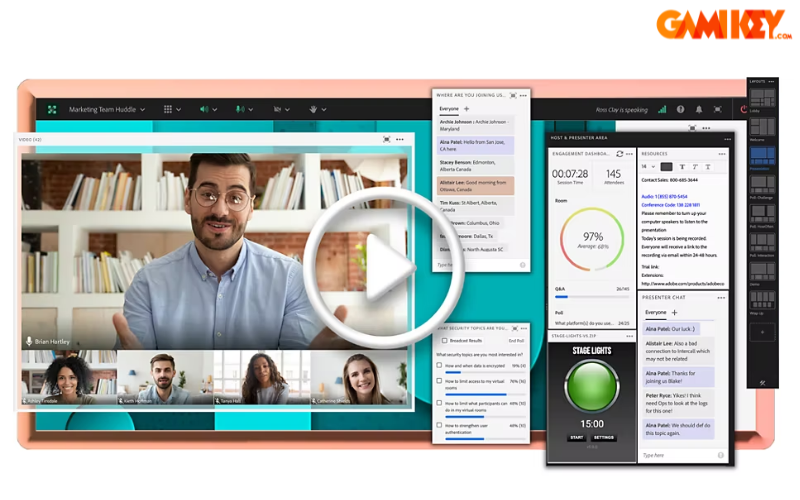
Adobe Connect represents a premier virtual communication ecosystem crafted by Adobe, specializing in high-definition video conferencing and dynamic webinar orchestration. It excels in facilitating remote education, large-scale seminars, and seamless team collaborations across geographical boundaries. By bridging physical distances with real-time interaction tools, the platform transforms conventional meetings into engaging digital experiences that foster productivity and knowledge sharing.
At its foundation, Adobe Connect prioritizes flexibility, allowing hosts to tailor virtual environments to specific objectives—whether conducting corporate strategy sessions, delivering academic lectures, or running interactive workshops. Its persistent room functionality ensures that customized layouts, uploaded materials, and participant preferences remain intact between sessions, providing continuity that rivals in-person gatherings.
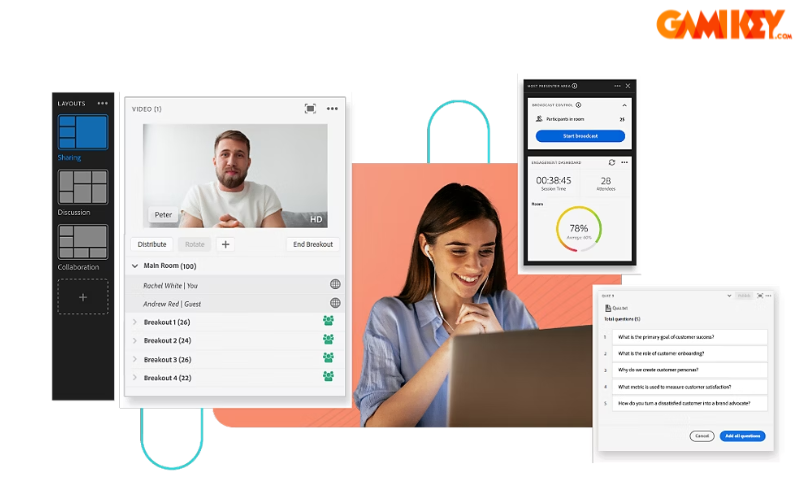
Beyond basic video calls, the platform integrates advanced multimedia support, breakout rooms for subgroup discussions, and polling mechanisms to gauge audience engagement. These elements collectively position Adobe Connect as a versatile tool for modern hybrid workforces and distributed learning communities.
Key Features and Capabilities of Adobe Connect
The strength of Adobe Connect lies in its extensive array of functionalities designed to enhance virtual interactions. Here are some of the standout features that distinguish it in the competitive landscape of online collaboration tools:
- High-Quality Video Conferencing: Participants enjoy crystal-clear audio and video streams, complete with multi-camera support and background customization options, creating a lifelike meeting atmosphere that minimizes communication barriers.
- Advanced Screen and Content Sharing: Hosts can effortlessly broadcast their desktop, specific applications, or individual files, including PowerPoint presentations with embedded animations, ensuring precise and impactful information delivery.
- Custom Pod Integration: The modular “pod” system allows administrators to incorporate specialized components—such as chat windows, attendee lists, Q&A panels, file libraries, and even third-party applications—enabling highly personalized room configurations.
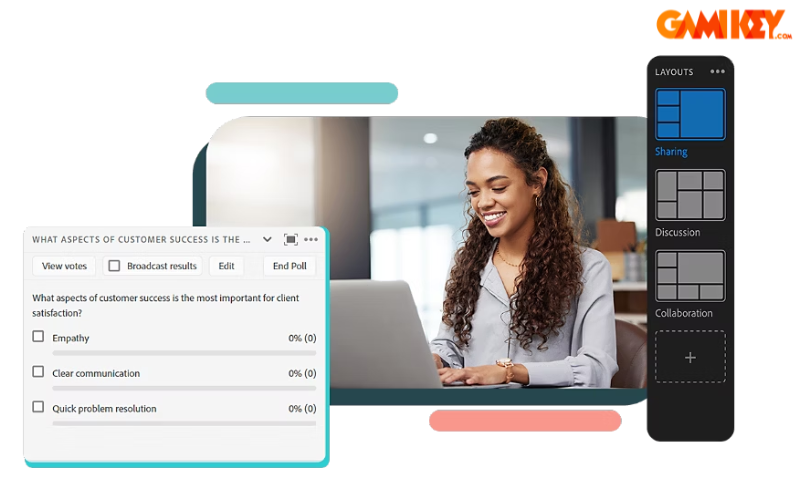
- Interactive Webinar Tools: Features like live polls, quizzes, whiteboards, and real-time annotations promote active participation, making webinars not just informative but truly engaging for large audiences.
- Recording and Playback: Sessions can be recorded in high fidelity, with editable timelines that allow post-production adjustments, ideal for on-demand training or compliance archiving.
- Breakout Rooms: Facilitators can divide large groups into smaller sub-sessions for focused discussions, then reconvene seamlessly, mirroring traditional classroom or workshop dynamics.
- Mobile Accessibility: Dedicated apps for iOS and Android ensure participants can join from anywhere, with optimized interfaces that maintain core functionality on smaller screens.

These capabilities collectively enable organizations to replicate—and often surpass—the richness of face-to-face interactions in a virtual setting, making Adobe Connect particularly valuable for training programs, sales demonstrations, and cross-functional team alignments.
Evaluating the Reliability and Performance of Adobe Connect
Adobe Connect delivers enterprise-grade stability through Adobe’s robust cloud infrastructure, ensuring minimal downtime and secure data transmission. Its architecture supports scalable deployments, from small team huddles to thousand-person webinars, with features that prioritize both functionality and security.
- Customizable Virtual Rooms: Persistent meeting spaces with multiple layout presets allow quick adaptation to different session types, from panel discussions to hands-on training.
- Streamlined Setup Process: Creating new meetings involves intuitive wizards that guide users through essential configurations in minutes.
- Comprehensive Collaboration Tools: Integrated chat (public, private, and host-only), screen sharing, full-session recording, and high-definition VoIP audio contribute to seamless communication flows.
- Security Protocols: End-to-end encryption, role-based access controls, and compliance with standards like GDPR and HIPAA make it suitable for sensitive industries such as finance, healthcare, and government.
- Analytics and Reporting: Hosts gain insights into attendance, engagement metrics, and poll results, enabling data-driven improvements for future events.

While the platform excels in depth and customization, it maintains a more traditional interface compared to newer competitors, which some users perceive as dated. Additionally, entry-level plans impose participant caps that may necessitate upgrades for larger events. Nonetheless, its proven track record in mission-critical applications underscores its reliability for professional use cases.
Step-by-Step Guide to Creating a Meeting in Adobe Connect
Setting up a virtual meeting in Adobe Connect is straightforward, empowering even novice hosts to launch professional sessions quickly. Follow this detailed walkthrough:
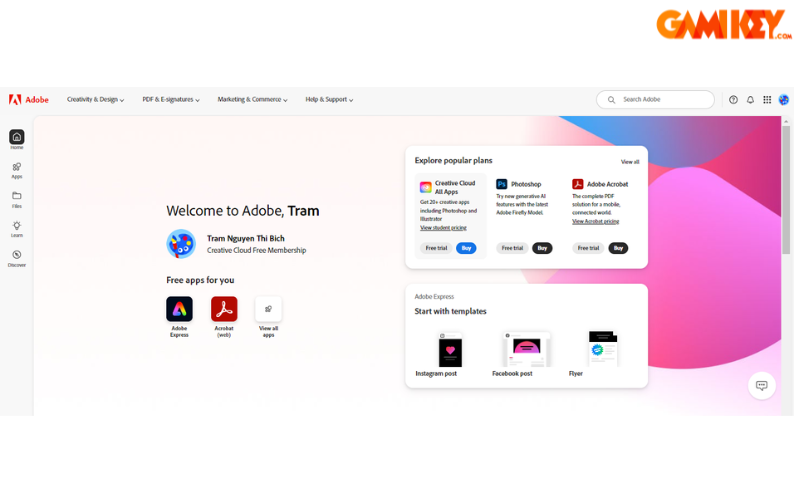
- Initiate Your Trial or Account: Navigate to the official Adobe site at https://www.adobe.com/sea/products/adobeconnect/trial to register for a free evaluation period, receiving administrator credentials via email.
- Access the Dashboard: Log in using the provided details. From the main navigation, select “Meetings” followed by “New Meeting” to begin configuration.
- Configure Meeting Details: Provide a descriptive title, summary, date/time, duration, and access settings. Customize participant permissions, enable recording if needed, and select an appropriate template or layout.
- Finalize and Distribute: Review settings, click “Finish” to generate the meeting room. Copy the unique URL from the meeting information page and share it with invitees via email or calendar invitations.
- Enhance the Room (Optional): Enter the room early to upload presentations, arrange pods, test audio/video, and rehearse transitions for a polished delivery.
This process ensures that your Adobe Connect session is professionally prepared, with all necessary resources readily available for participants upon joining.
Essential Considerations When Using Adobe Connect
To maximize the benefits of Adobe Connect, users should be mindful of several practical aspects:
Participant and Host Limitations
Standard licensing tiers may restrict concurrent attendees and presenter roles. For events exceeding these thresholds—typically around 25 participants in basic configurations—consider upgrading to higher-capacity plans tailored to enterprise needs.
Technical Prerequisites
Optimal performance requires reliable broadband connectivity (minimum 1-2 Mbps upload/download), modern browsers or the desktop application, and compatible hardware. Testing audio/video devices in advance prevents disruptions during live sessions.
User Interface Familiarity
The platform’s depth offers immense customization but introduces a moderate learning curve. New users benefit from Adobe’s extensive tutorials and practice rooms to master pod management and layout switching efficiently.
Integration Opportunities
Adobe Connect seamlessly integrates with learning management systems (LMS) like Moodle or Canvas, CRM platforms, and Adobe’s own creative suite, enabling automated enrollment, content synchronization, and enriched multimedia experiences.
Best Practices for Engagement
Encourage interaction through polls, chat moderation, and breakout activities. Prepare backup materials for potential connectivity issues, and designate co-hosts for larger events to manage technical support discreetly.
By addressing these considerations proactively, organizations can leverage Adobe Connect to deliver consistently high-impact virtual experiences that drive collaboration, learning, and business outcomes.
This comprehensive guide has illuminated the multifaceted nature of Adobe Connect, from its foundational definition and feature-rich ecosystem to practical implementation and strategic usage tips. As remote and hybrid models continue to dominate professional landscapes, platforms like this remain indispensable for fostering meaningful connections in the digital age.
For those interested in exploring additional Adobe solutions, related resources cover tools such as Adobe Portfolio, Adobe Presenter, Adobe Express, and Adobe Dimension, each offering specialized capabilities within the broader creative and collaborative suite.