

Microsoft Office, now widely recognized as Microsoft 365, stands as the premier suite of productivity applications globally adopted by individuals, educational institutions, and enterprises alike. This comprehensive platform empowers users to excel in document creation, data management, presentations, collaboration, and much more. In this in-depth exploration, we delve into the essence of Microsoft Office, its core components, supported platforms, business advantages, and the latest mobile enhancements that make it indispensable in today’s dynamic work environment.
Understanding Microsoft Office: Core Components and Capabilities
Microsoft Office represents a sophisticated ecosystem of interconnected tools designed by Microsoft to streamline professional workflows. It integrates essential applications into a unified subscription-based service, offering seamless cloud synchronization, real-time collaboration, and advanced security features. This suite caters to diverse needs, from basic text editing to complex data analytics and virtual team coordination.
The foundation of Microsoft Office lies in its flagship applications, each engineered to address specific productivity challenges while maintaining interoperability. These tools enable users to handle everything from drafting reports and crunching numbers to delivering impactful presentations and managing communications efficiently.
Microsoft Word: Advanced Document Processing
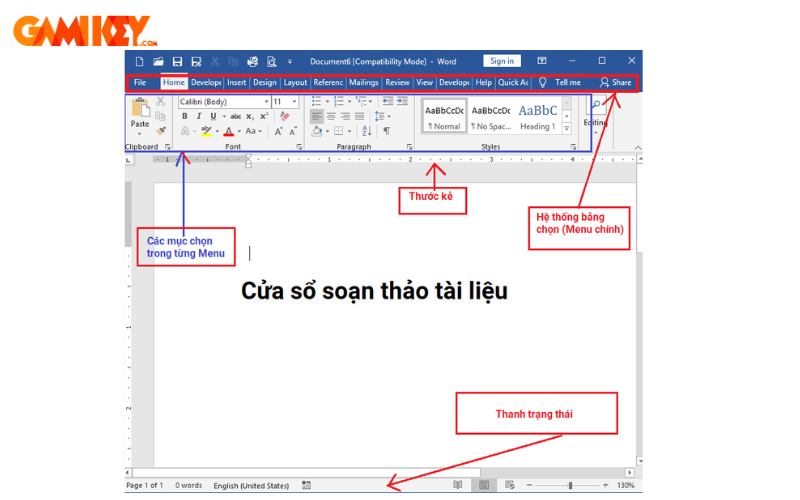
At the heart of Microsoft Office is Microsoft Word, a robust word processor renowned for its versatility and depth. Professionals rely on it for crafting everything from simple memos to elaborate reports, leveraging an extensive array of formatting options, templates, and automation tools.
Key strengths include real-time co-authoring, where multiple team members can edit the same document simultaneously with changes tracked instantly. Advanced features such as grammar and style suggestions powered by AI, reference management with citations and bibliographies, mail merge for personalized communications, and integration with cloud storage ensure documents remain accessible and secure across devices.
Microsoft Excel: Powerful Data Analysis and Visualization
Microsoft Excel remains the gold standard for spreadsheet management within Microsoft Office. It excels in organizing vast datasets, performing intricate calculations, and generating insightful visualizations that drive informed decision-making.
Beyond basic formulas, Excel offers dynamic arrays, XLOOKUP for precise data retrieval, Power Query for data import and transformation, and PivotTables for multidimensional analysis. Modern additions like Ideas (AI-driven insights) and stock/geography data types transform raw numbers into actionable intelligence, making it invaluable for financial modeling, inventory tracking, and performance reporting.
Microsoft PowerPoint: Engaging Presentation Design
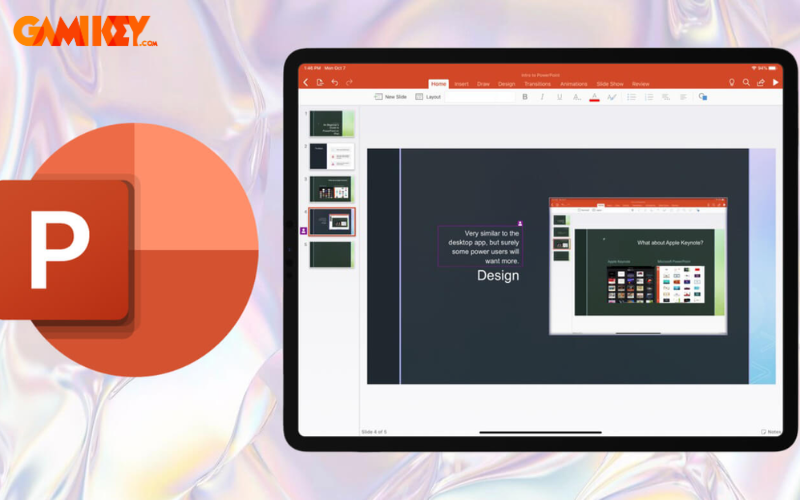
Microsoft PowerPoint elevates storytelling through visually compelling slides, making it a cornerstone of Microsoft Office for educators, marketers, and executives. It provides sophisticated design tools to create polished decks that captivate audiences.
Features such as Designer (AI-powered layout suggestions), Morph transitions for smooth animations, and Presenter Coach for rehearsal feedback enhance delivery. Integration with media libraries, 3D models, and real-time collaboration ensures presentations are not only aesthetically superior but also collaboratively refined.
Microsoft OneNote: Flexible Digital Note-Taking
OneNote serves as a digital notebook within Microsoft Office, revolutionizing how users capture and organize ideas. It supports freeform input, allowing handwriting, drawings, audio recordings, and web clippings to coexist on infinite canvases.
Organizational tools like sections, pages, and tags facilitate quick retrieval, while search functionality extends to handwritten text via OCR. Synchronization across devices ensures notes are always current, making it ideal for meeting minutes, research compilation, and personal knowledge management.
Microsoft Teams: Seamless Collaboration and Communication
Microsoft Teams has emerged as the collaboration hub of Microsoft Office, enabling hybrid workforces to connect effortlessly. It combines chat, video meetings, file sharing, and app integrations in one platform.
Supporting meetings with up to thousands of participants (depending on licensing), features like breakout rooms, live captions, transcription, and background effects foster inclusive discussions. Deep integration with other Office apps allows co-editing files during calls, streamlining project coordination.

Microsoft Outlook: Professional Email and Calendar Management
Outlook anchors communication in Microsoft Office with enterprise-grade email, calendar, and task management. It provides generous storage, focused inbox filtering, and robust scheduling tools.
Intelligent features like suggested replies, @mentions in emails, shared calendars, and integration with Teams meetings enhance productivity. Security measures including encryption, anti-phishing, and compliance tools safeguard sensitive correspondence.

Microsoft OneDrive: Secure Cloud Storage
OneDrive delivers ample cloud storage as part of Microsoft Office, typically 1TB per user, for safeguarding files with automatic backups and version history.
Features like file-on-demand, ransomware detection, personal vault for sensitive items, and seamless sharing with expiration links or password protection ensure data accessibility without compromising security. Cross-device synchronization keeps files current everywhere.
Platforms Supporting Microsoft Office Today
Desktop and Mobile Applications
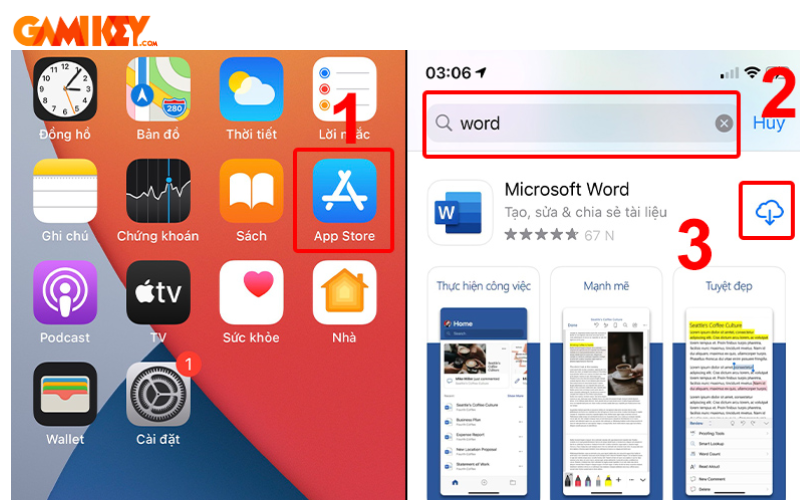
The traditional Microsoft Office apps install natively on Windows, macOS, iOS, and Android devices, offering full-featured offline access. Once authenticated, users enjoy the complete toolset with periodic cloud sync for updates and backups.
This approach maximizes performance on powerful hardware while mobile versions adapt interfaces for touch interaction, ensuring productivity on the go despite occasional offline limitations for auto-save.
Web-Based Microsoft Office Online
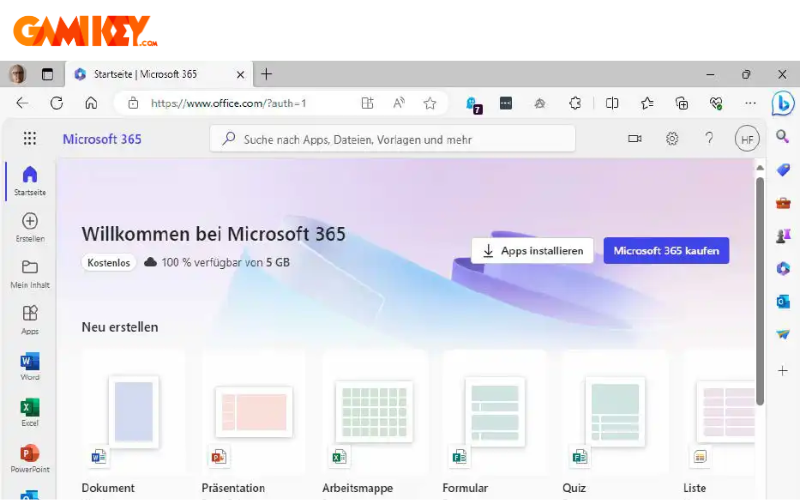
Office on the web provides browser-based access to core applications without installation, ideal for lightweight devices or shared computers. It requires only an internet connection and supports most features, including real-time co-editing and automatic cloud saving.
This version excels in cross-platform compatibility and quick deployment, making it a preferred choice for remote teams and occasional users seeking hassle-free access.
Key Advantages of Microsoft Office for Enterprises
Adopting Microsoft Office (Microsoft 365) delivers transformative benefits that extend far beyond individual productivity, fostering organizational efficiency, innovation, and resilience.
- Streamlined Data Organization and Sharing: Leverage OneDrive and SharePoint for centralized repositories with advanced search, versioning, and permission controls, reducing duplication and enhancing collaboration.
- Anytime, Anywhere Accessibility: Cloud integration enables seamless work across devices and locations, supporting hybrid models while maintaining consistency through synchronization.
- Continuous Innovation and Updates: Subscribers receive regular feature rollouts, including AI enhancements like Copilot, Designer suggestions, and analytical tools, keeping the suite cutting-edge without additional costs.
- Enhanced Internal Communication: Build intranet sites with SharePoint and conduct dynamic discussions via Teams channels, improving knowledge sharing and team alignment.
- Effective External Engagement: Securely collaborate with partners through guest access, shared channels, and compliant communication tools.
- Enterprise-Grade Security: Multi-layered protections including data loss prevention, conditional access, encryption at rest/transit, and threat intelligence safeguard intellectual property.
- Workflow Automation: Power Automate and Power Apps enable no-code/low-code solutions to automate repetitive tasks, freeing resources for strategic initiatives.
- Cost Optimization: Consolidated licensing reduces IT overhead, while scalability and predictable subscription pricing align expenses with usage.

Recent Mobile Enhancements in Microsoft Office
Microsoft continues to prioritize mobility, regularly updating the unified Microsoft Office app for smartphones with features that bridge desktop capabilities and on-the-go convenience.
- Unified Interface for Core Apps: Word, Excel, and PowerPoint now reside under one app with fluid tab switching, simplifying navigation and reducing app clutter on mobile devices.
- Office Lens Integration: Advanced scanning converts physical documents, whiteboards, or business cards into editable digital formats, with OCR extracting text directly into Word or Excel.
- Expanded Productivity Actions: New shortcuts include PDF creation/capture, digital inking for signatures, QR code file access, and effortless cross-device file transfers via nearby sharing or cloud links.
- AI-Powered Assistance: Emerging Copilot features provide contextual suggestions, content generation, and data insights directly within mobile workflows.
- Improved Touch Optimization: Refined gestures, ribbon adaptations, and dark mode support enhance usability on smaller screens for prolonged sessions.

In summary, Microsoft Office evolves continually to meet modern demands, blending powerful desktop heritage with cloud agility and mobile flexibility. Its ecosystem not only boosts individual efficiency but also drives organizational success through collaboration, security, and innovation. For enterprises seeking a reliable, future-proof productivity foundation, Microsoft 365 remains the benchmark solution.