

In the era of digital transformation, cloud storage has become an indispensable tool for individuals and organizations alike. Among the leading solutions, Google Drive stands out as a powerful, versatile platform that revolutionizes how we store, manage, and collaborate on files. This comprehensive guide delves deep into every aspect of Google Drive, from its core functionality to advanced features, benefits, limitations, and practical usage tips.
What is Google Drive?
Google Drive is a cloud-based storage and file synchronization service developed by Google, enabling users to securely store files online, access them from any internet-connected device, and collaborate in real-time with others. Launched in 2012, it has evolved into a cornerstone of Google’s productivity suite, seamlessly integrating with tools like Gmail, Google Calendar, and the office applications.
At its core, Google Drive offers more than mere storage—it’s a dynamic workspace where users can create, edit, and share documents, spreadsheets, presentations, and various other file types. Its deep integration with Google’s ecosystem provides a unified experience, making it ideal for personal use, education, and professional environments.
One of the standout aspects is its robust sharing capabilities. Users can grant granular permissions—ranging from view-only to full editing rights—ensuring controlled collaboration while maintaining data security. This makes Google Drive particularly valuable for team projects, remote work, and sharing resources with clients or family members.
Advantages and Disadvantages of Google Drive
Key Advantages
- Generous free storage: Every user receives 15 GB of space at no cost, shared across Google services, allowing substantial file storage without immediate expenses.
- Seamless integration with Google Workspace: Direct access to Google Docs, Sheets, and Slides eliminates the need for separate software installations, streamlining workflows.
- Cross-device synchronization: Changes made on one device instantly reflect across all linked devices, ensuring consistency and accessibility.
- Advanced collaboration tools: Real-time editing, comment threads, and version history foster efficient teamwork without version conflicts.
- Powerful search functionality: Powered by Google’s search engine, finding files by name, content, or even text within images is remarkably efficient.
- Offline access options: Select files can be made available offline, with changes syncing upon reconnection.
Potential Drawbacks
- Storage limitations on free tier: The 15 GB cap can fill quickly with high-resolution media, necessitating paid upgrades for heavier users.
- Internet dependency: Full functionality requires a stable connection; while offline mode exists, it’s limited to certain file types.
- Privacy considerations: Data resides on Google’s servers, raising potential concerns despite strong encryption and compliance standards.
- Performance variability: Upload/download speeds are tied to internet bandwidth, which can hinder large file transfers on slower connections.
- Account requirement: Access is tied to a Google account, which may inconvenience users preferring alternative ecosystems.
Standout Features of Google Drive
Effortless File Sharing via Gmail Integration
Google Drive allows direct attachment of files from your storage when composing emails in Gmail. Recipients can preview, download, or save directly to their own Drive, bypassing traditional attachment size limits and reducing email clutter.
Native Integration with Google Workspace Apps
The platform’s synergy with Google Docs (word processing), Google Sheets (spreadsheets), and Google Slides (presentations) creates a comprehensive office suite accessible from any browser or mobile device. These tools support advanced features like formulas, charts, add-ons, and template galleries.
Real-Time Collaboration Excellence
Multiple users can simultaneously edit the same document, with changes appearing instantly. Color-coded cursors, suggested edits, and a detailed revision history ensure transparency and prevent data loss.
Creating Surveys and Forms with Google Forms
From within Google Drive, users can launch Google Forms to design surveys, quizzes, or data collection tools. Responses automatically populate linked Sheets for analysis.
Broad File Format Support
Google Drive previews and stores a vast array of formats without requiring third-party software:
- Archives: ZIP, RAR, TAR, GZIP
- Audio: MP3, WAV, OGG, MPEG
- Images: JPEG, PNG, GIF, BMP, and more
- Code files: HTML, CSS, JS, PHP, Python, etc.
- Video: MP4, AVI, MOV, WMV, FLV
- Documents: PDF, Microsoft Office files (with conversion options)
Comprehensive Guide to Using Google Drive
Uploading Files and Folders
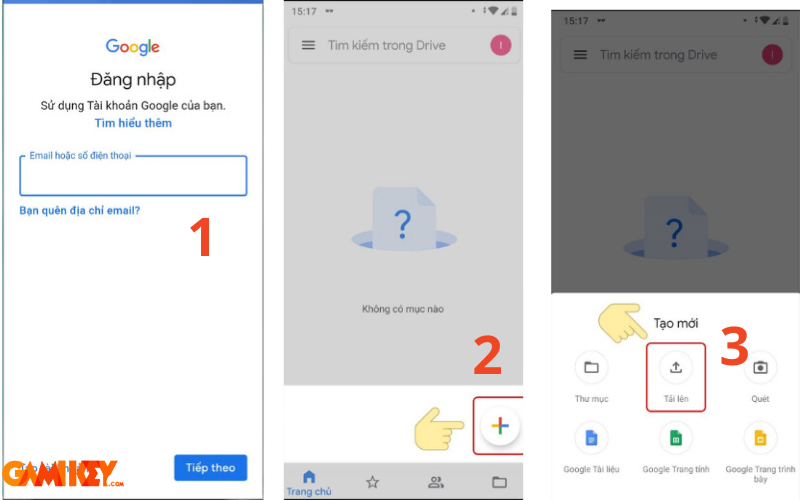
To upload content:
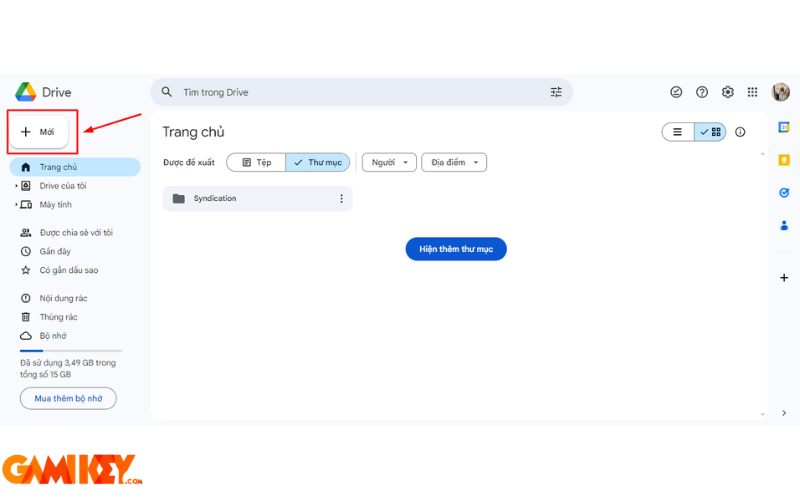
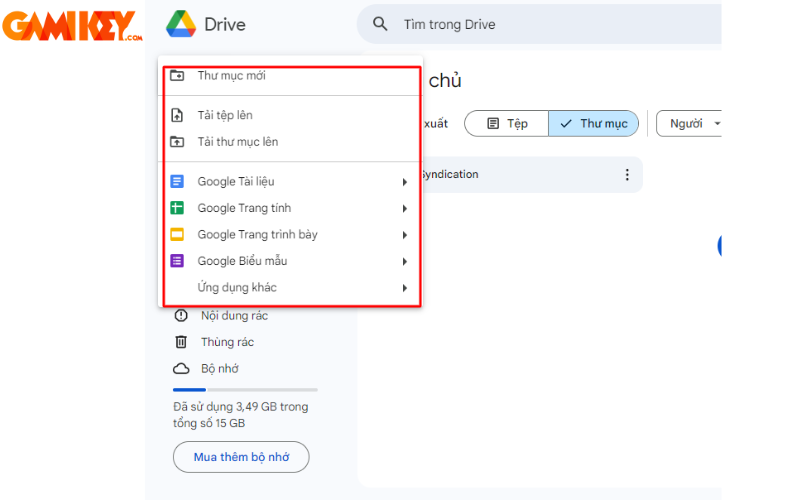
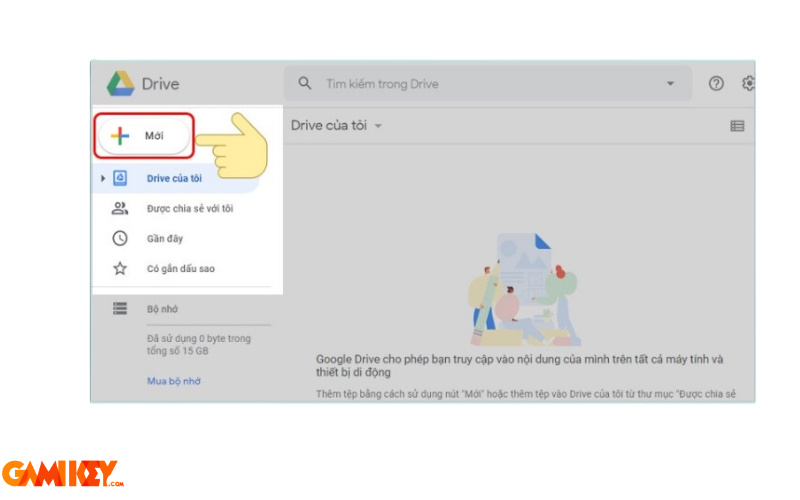
- Click the “+” button and select “File upload” or “Folder upload”.
- Browse and select items from your device.
- Monitor progress in the bottom-right corner.
Downloading Files to Your Device
Right-click a file or folder and select “Download”. On mobile, tap the three-dot menu and choose “Download”.
Creating New Documents
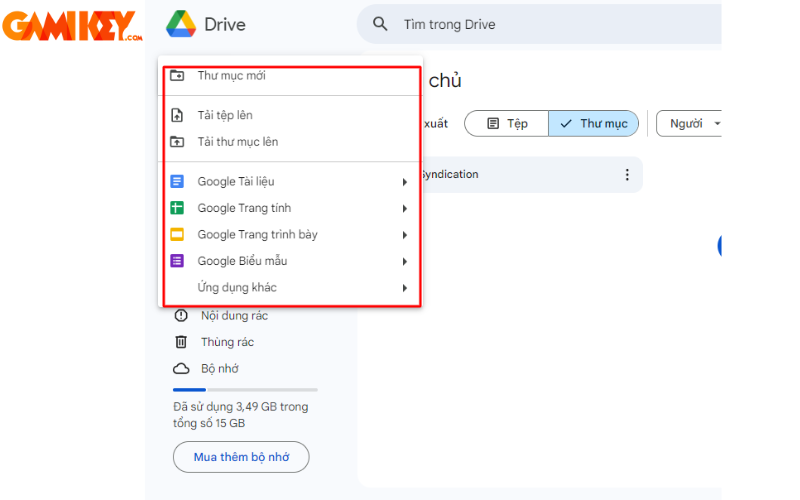
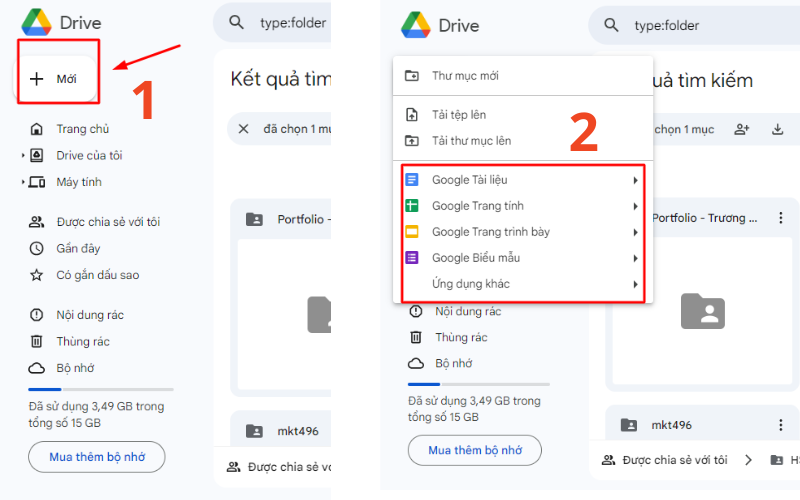
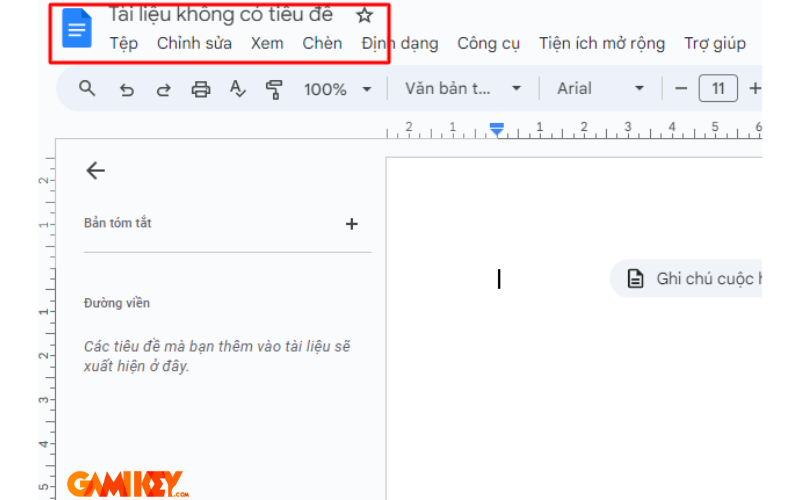
Use the “+” button to create blank Docs, Sheets, Slides, or Forms. Name files immediately for better organization.
Sharing Files and Folders
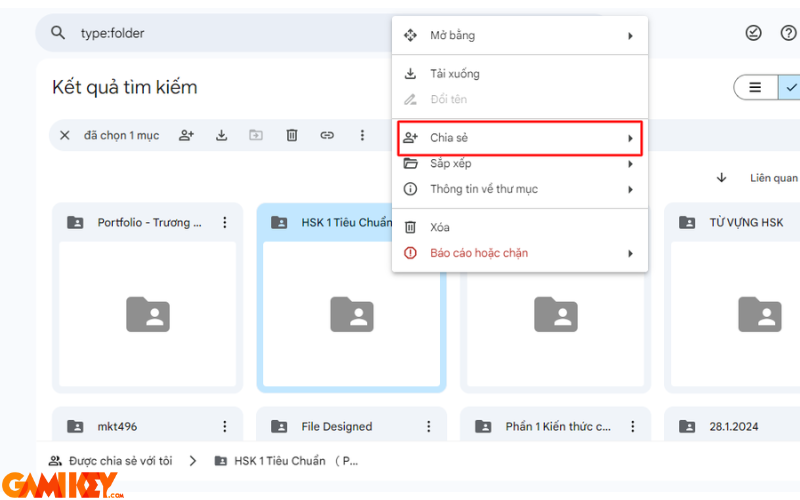
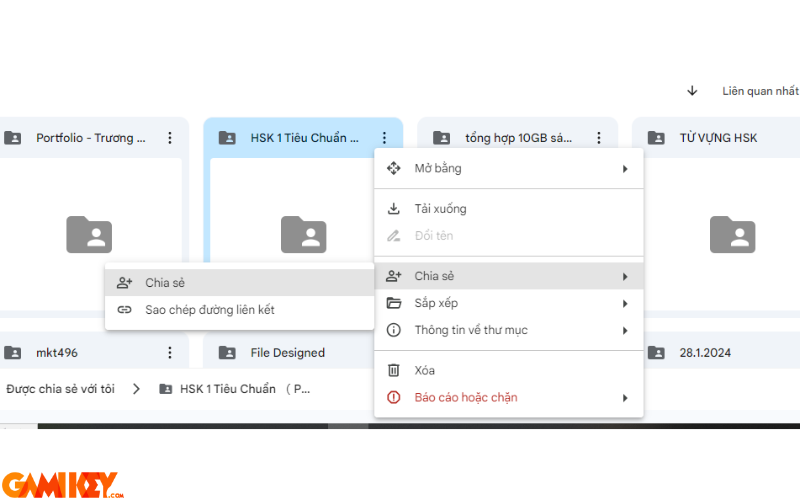
Right-click an item, select “Share”, then add emails or generate a link. Adjust permissions: Viewer, Commenter, or Editor.
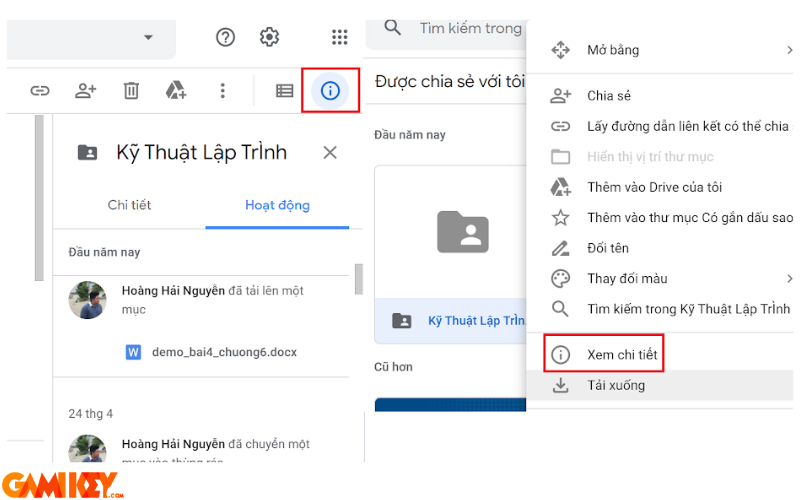
Team Collaboration Features
Shared files appear in the “Shared with me” section. View activity logs and revision history for accountability.
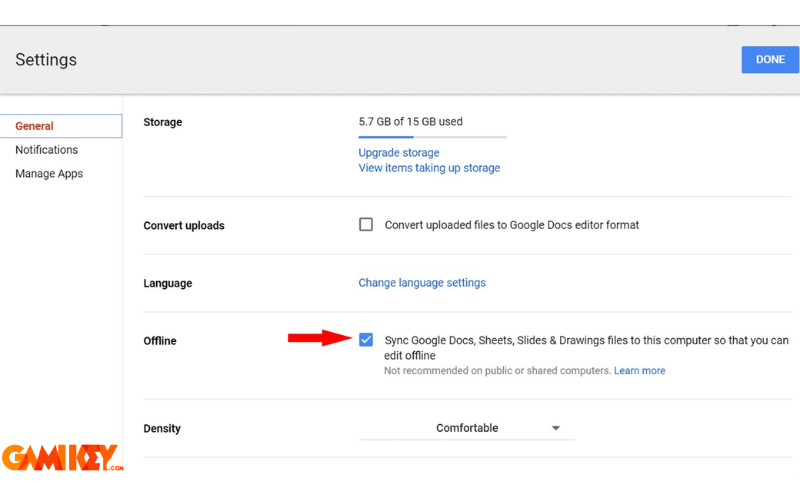
Offline Access Setup
Install the Google Drive Offline Chrome extension and enable offline syncing in settings for uninterrupted work.

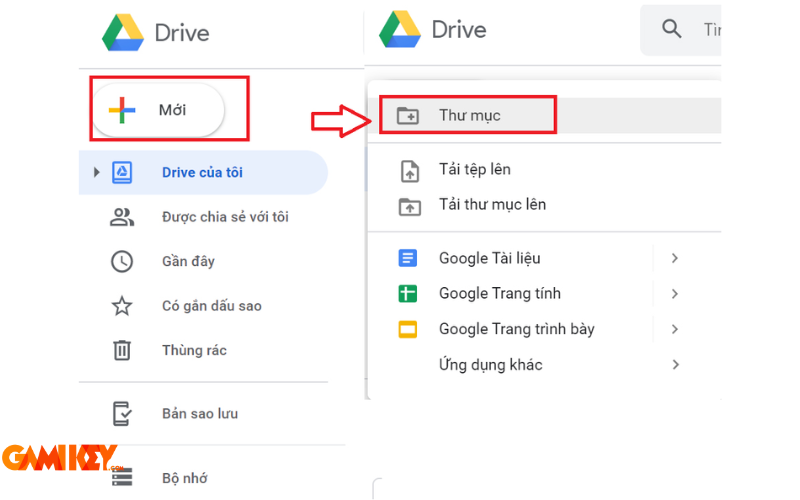
Organizing Your Drive
Create folders, use color coding, star important items, and apply filters for efficient file management.
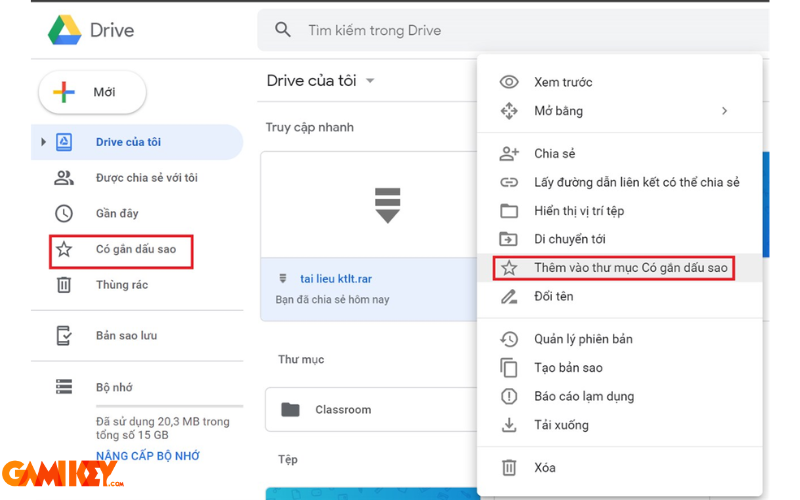
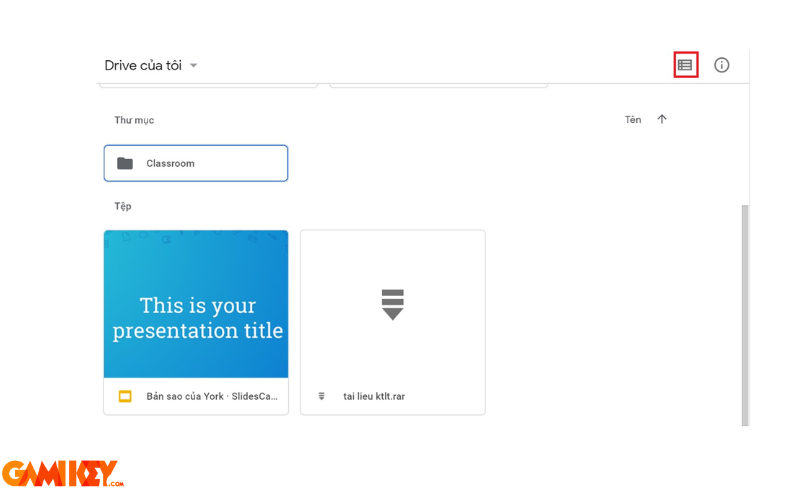
Customizing View Layout
Toggle between grid and list views to suit your preference—grid for visual previews, list for detailed overviews.
Using Google Drive on Desktop Computers
The web interface offers full functionality. For seamless local integration, download “Backup and Sync” or the newer “Drive for desktop” app, which creates a synced folder on your computer.

Using Google Drive on Mobile Devices
The dedicated app for iOS and Android provides intuitive touch controls, quick scanning of documents, and notifications for shared activity.
Google Drive remains one of the most accessible and feature-rich cloud storage solutions available today. Its combination of free storage, powerful collaboration tools, and cross-platform availability makes it suitable for a wide range of users—from students managing assignments to enterprises handling complex projects.