

Google has introduced a groundbreaking experimental application called Google AI Edge Gallery, revolutionizing how everyday users access advanced artificial intelligence directly on their Android devices. This innovative tool enables powerful generative AI capabilities to run completely offline, eliminating the need for constant internet connectivity while prioritizing user privacy and delivering lightning-fast responses. In this comprehensive guide, we explore everything you need to know about trải nghiệm AI ngoại tuyến trên Android với ứng dụng mới từ Google, including its core features, setup process, and why it represents a major leap forward in mobile AI technology.
What is Google AI Edge Gallery?
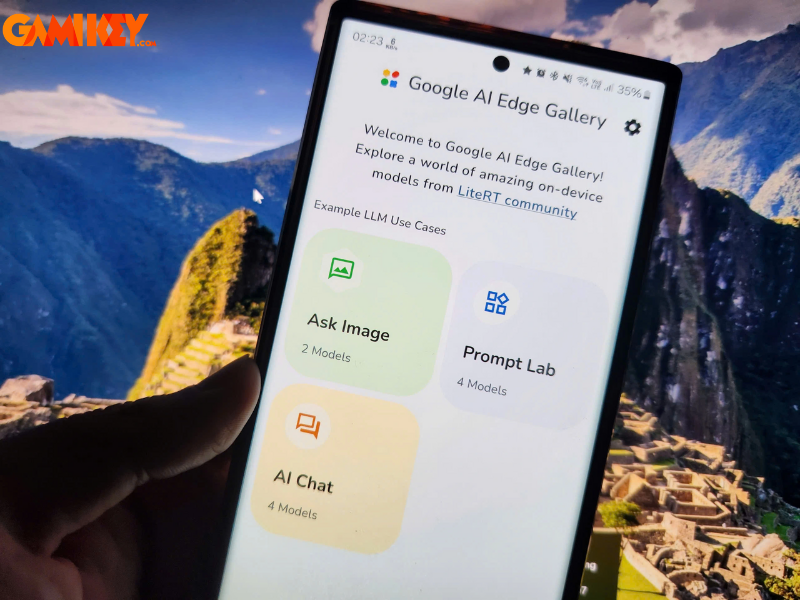
Google AI Edge Gallery serves as an experimental showcase application developed by Google, designed specifically to demonstrate and enable the execution of sophisticated machine learning and generative AI models directly on mobile hardware. Unlike conventional AI solutions that rely heavily on cloud servers for processing, this app shifts the entire computation to the user’s device. The result is significantly reduced latency, enhanced data security, and the freedom to utilize AI functionalities in any environment — even without Wi-Fi or mobile data.
By leveraging Google’s advanced LiteRT runtime (the evolution of TensorFlow Lite) combined with MediaPipe frameworks, the application optimizes performance for resource-constrained smartphones. It empowers users to explore real-world generative AI scenarios while maintaining complete control over their personal information.
Extensive Model Library Powered by Hugging Face Integration
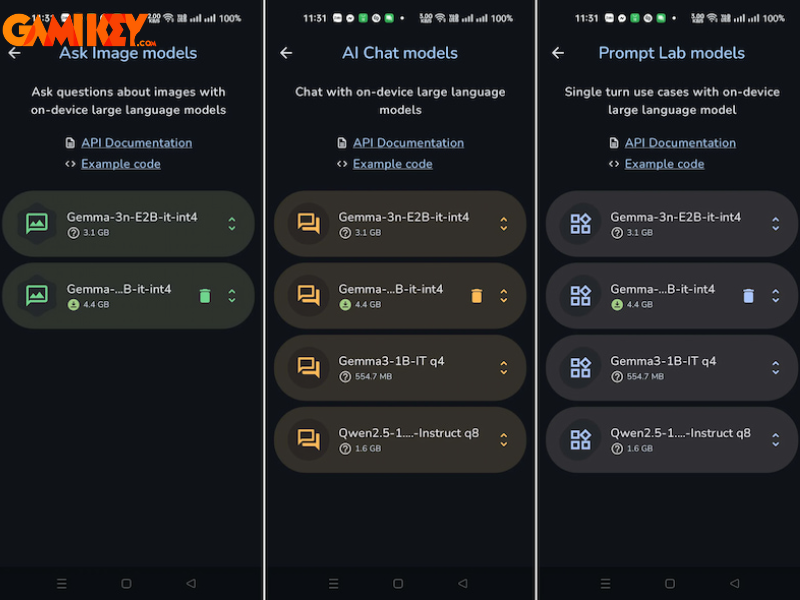
One of the most compelling aspects of Google AI Edge Gallery lies in its seamless connection to Hugging Face, the world’s leading open-source platform for machine learning models. This integration grants users instant access to a vast and constantly growing collection of high-quality, community-contributed AI models optimized for on-device deployment.
Popular categories available for download include:
- Multimodal models capable of understanding and reasoning about both text and visual content
- Conversational agents designed for natural, context-aware dialogues
- Specialized tools for text transformation, condensation, creative writing, and basic code generation
- Lightweight variants of Google’s own Gemma family, such as Gemma 3n, offering excellent balance between capability and efficiency
Once downloaded, these models operate independently of any network, ensuring consistent performance regardless of location or connectivity status. Model sizes typically range from approximately 500 MB to over 4 GB, depending on the chosen variant and quantization level.

Key Features That Make Google AI Edge Gallery Stand Out
The application delivers a suite of practical, user-friendly interfaces that bring powerful AI directly into daily workflows. Here are the primary capabilities currently available:
AI Chat – Natural Conversations Anytime, Anywhere
AI Chat transforms your smartphone into a personal, always-available intelligent assistant. Engage in fluid, multi-turn conversations using everyday language on topics ranging from academic questions and technical explanations to everyday advice and creative brainstorming.
Major advantages include:
- Instantaneous replies thanks to local processing
- Full functionality in airplane mode or remote areas
- Zero risk of data transmission to external servers
Ask Image – Intelligent Visual Understanding
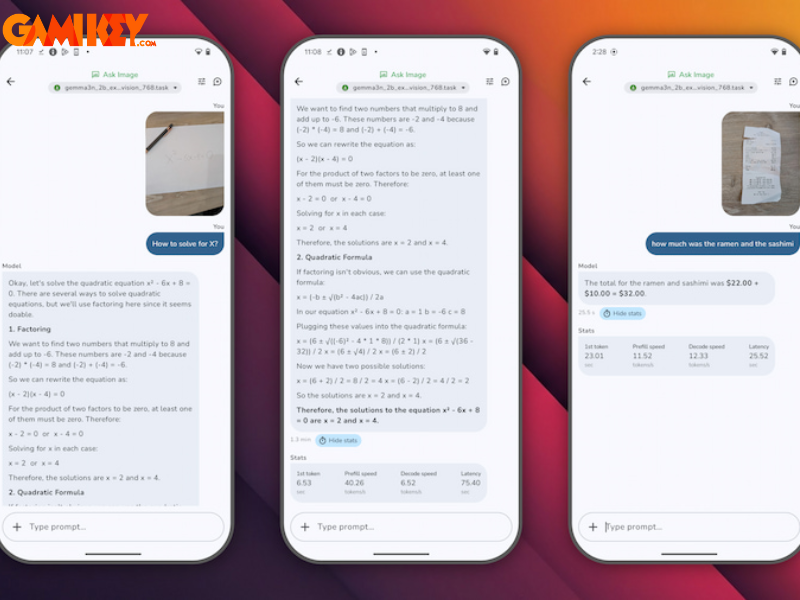
The Ask Image feature allows users to upload photographs from their gallery or capture new ones directly within the app. The selected multimodal model then analyzes the visual content and provides detailed descriptions, answers specific questions, or extracts information.
Practical applications include:
- Automatic text recognition (OCR) from documents, signs, or handwritten notes
- Object identification and scene understanding
- Assistance with shopping decisions, troubleshooting products, or studying visual materials
Prompt Lab – Creative and Productivity Powerhouse
Prompt Lab focuses on single-turn generative tasks, making it ideal for quick content manipulation and development work. Users input instructions and receive refined output almost instantly.
Core functionalities encompass:
- Rewriting passages in different tones, lengths, or styles
- Condensing lengthy articles, reports, or emails into concise summaries
- Generating code snippets, explaining algorithms, or debugging simple scripts
- Brainstorming ideas for writing, marketing, or problem-solving

Why Google AI Edge Gallery Represents the Future of Mobile AI
Complete Offline Operation – True Independence from Connectivity
The ability to function entirely without internet access sets Google AI Edge Gallery apart in an era dominated by cloud-dependent services. This characteristic proves invaluable during travel, in areas with unreliable networks, or when deliberately avoiding data usage. Users gain peace of mind knowing their inputs and outputs never leave the device, addressing growing concerns about data privacy and surveillance.
Advanced, Optimized Models for Mobile Hardware
The application supports highly efficient models, including multiple variants of Google’s Gemma 3n series, alongside other community favorites such as Qwen 2.5, Phi, and DeepSeek distilled versions. These models undergo careful optimization through quantization techniques (int4, int8), dramatically reducing memory footprint and computational demands while preserving impressive reasoning abilities.
This flexibility allows both casual enthusiasts and professional developers to experiment with state-of-the-art open-source AI without expensive hardware or recurring subscription costs.
Superior Speed, Privacy, and Resource Efficiency
Local inference eliminates network round-trips, resulting in near-instantaneous responses even on mid-range smartphones. Privacy reaches its highest level since no personal data is transmitted externally. Additionally, offline processing conserves battery life by avoiding constant data transfers and reduces mobile data consumption significantly.

Step-by-Step Guide: Installing and Using Google AI Edge Gallery
Getting started with this powerful tool requires a few manual steps, as the application remains in active development and is primarily distributed through official channels.
Step 1: Download the Latest APK
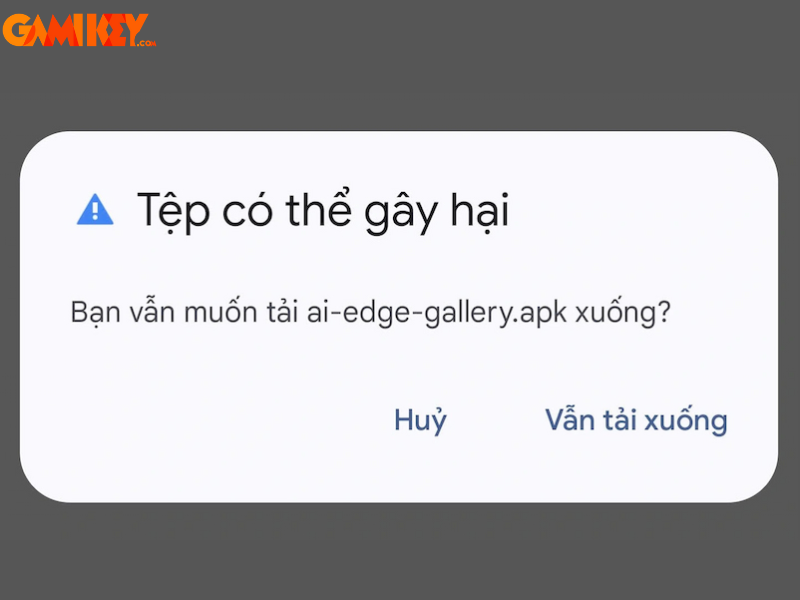
Visit the official GitHub repository at github.com/google-ai-edge/gallery and navigate to the Releases section. Download the most recent APK version compatible with your device (for example, v1.0.x or newer).
Step 2: Enable Installation from Unknown Sources
On your Android phone, go to Settings → Security (or Privacy) → activate the option to Install unknown apps for your preferred file manager or browser.
Step 3: Install and Launch the Application
Open the downloaded APK file and follow the standard Android installation prompts. Once completed, launch Google AI Edge Gallery.
Step 4: Select and Download Your First Model
From the main screen, browse available models such as various Gemma 3n configurations, Qwen 2.5, or others. Sign in with a Hugging Face account when prompted (free registration required). Choose your preferred model, accept any license terms, and initiate the download. After installation finishes, select your desired mode: AI Chat, Ask Image, or Prompt Lab to begin exploring.

Google AI Edge Gallery marks a pivotal advancement in making sophisticated generative AI accessible, private, and truly mobile. Android users can now harness cutting-edge intelligence directly on their devices, opening doors to enhanced productivity, learning, creativity, and problem-solving without boundaries imposed by connectivity.
As the application continues to evolve with community feedback, regular updates, and potential iOS availability, it stands as a testament to the exciting future of on-device AI. Stay tuned for the latest developments and start experiencing the next generation of mobile intelligence today!