

In the rapidly evolving landscape of digital education, professionals seek powerful tools to craft immersive and effective online learning experiences. Among these, Adobe Captivate stands out as a premier eLearning authoring platform developed by Adobe. This sophisticated software empowers instructional designers, educators, and corporate trainers to produce high-quality, interactive courses that engage learners across various devices. With its intuitive interface and advanced capabilities, Adobe Captivate has become an essential asset for creating responsive eLearning content that adapts seamlessly to desktops, tablets, and smartphones.
Originally evolving from a simple screen recording utility, Adobe Captivate has transformed into a comprehensive solution for modern digital training needs. The latest iteration, version 13.0 released in late 2025, incorporates cutting-edge generative AI technologies, making course development faster and more creative than ever. Whether you’re building software simulations, branched scenarios, or multimedia-rich modules, this tool provides the flexibility and precision required to deliver impactful educational content.

Understanding Adobe Captivate: A Comprehensive Overview
Adobe Captivate is a next-generation eLearning authoring tool designed to streamline the creation of professional, interactive digital courses. Available primarily through Adobe’s subscription model, it supports both Windows and macOS platforms, with native optimization for Apple Silicon in recent updates. At its core, the software enables users to develop fully responsive content that automatically adjusts to any screen size, ensuring optimal viewing experiences on mobile devices and desktops alike.
One of the standout aspects of Adobe Captivate is its evolution into an AI-enhanced platform. The 2025 release of version 13.0 introduces powerful generative AI features that automate much of the repetitive work in course design. Users can now generate custom images, text scripts, transcripts, and even avatar-based narrations directly within the application. This integration not only accelerates production timelines but also allows creators to focus on pedagogical innovation rather than technical details.
Beyond basic slide creation, Adobe Captivate excels in producing complex interactions, including software demonstrations, compliance training modules, and virtual reality experiences. Its robust library of ready-to-use assets, templates, and widgets provides a solid foundation for rapid development, while advanced customization options cater to experienced designers seeking unique outcomes.
The tool’s commitment to accessibility is noteworthy, with built-in compliance tools for standards like WCAG 2.1 and Section 508. Features such as automatic alt text suggestions, keyboard navigation support, and closed captioning ensure that courses are inclusive for all learners, including those with disabilities.
Key Features That Define Adobe Captivate
To fully appreciate the capabilities of Adobe Captivate, exploring its core features reveals why it remains a leader in the eLearning industry. These functionalities combine ease of use with professional-grade tools, enabling creators to build engaging content efficiently.
Multimedia Integration and Enhancement
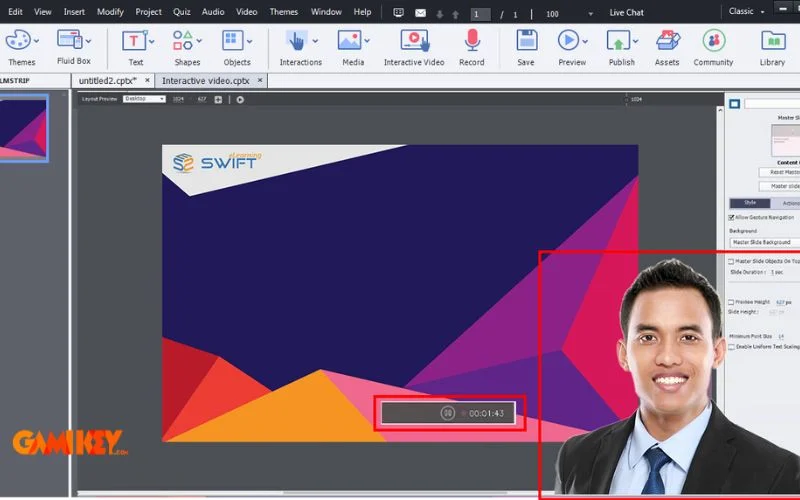
Adobe Captivate offers robust support for incorporating diverse media types into courses. Users can effortlessly embed high-quality audio tracks, videos, animations, and images to enrich learning materials. Advanced options include branching scenarios triggered by media interactions, special effects for transitions, and 360-degree video support for immersive experiences.
This flexibility allows designers to create dynamic lessons where learners explore virtual environments, such as simulated workplace tours or interactive product demonstrations. The software’s media compression tools ensure files remain optimized for quick loading, even on slower connections, maintaining a smooth user experience.
Additionally, integration with Adobe’s ecosystem means seamless access to stock assets from Adobe Stock, further expanding creative possibilities without leaving the workspace.
Advanced Screen Recording and Simulations
A hallmark feature of Adobe Captivate is its sophisticated screen capture technology. Creators can record desktop activities, webcam footage, or both simultaneously to produce professional-grade demonstrations and tutorials. The tool automatically generates interactive simulations, complete with clickable areas, hint messages, and feedback captions.
Recent enhancements include full-motion recording with editable elements like blur effects for sensitive information and customizable mouse pointers. These simulations are ideal for software training, allowing learners to practice in a risk-free environment with guided or assessment modes.
Uploading recorded content to platforms like YouTube is straightforward, enabling wider distribution and increased engagement through video-based learning.
Seamless PowerPoint Import and Transformation
Transforming existing presentations into interactive eLearning modules is effortless with Adobe Captivate‘s enhanced PowerPoint integration. Import slides directly, preserving animations, text, and layouts, then enrich them with quizzes, characters, themes, and branching logic—no coding required.
This feature significantly reduces development time for organizations with legacy PowerPoint content, converting static decks into engaging, responsive courses. Users can add interactive elements like hotspots, drag-and-drop activities, and knowledge checks to boost retention.
Generative AI-Powered Content Creation
The groundbreaking addition in recent versions is generative AI, revolutionizing workflow efficiency. Adobe Captivate now allows users to prompt the system for custom images illustrating complex concepts, scripted text for slides, automated transcripts from audio, and lifelike avatar narrations in multiple languages and accents.
These AI tools not only speed up initial drafting but also ensure consistency and professionalism. For instance, generating voiceovers from captions eliminates the need for external recording, while AI-suggested layouts optimize visual appeal.
Interactive Widgets and Assessments
Adobe Captivate includes a rich set of widgets, such as accordions, timelines, and web objects, for adding sophisticated interactions. Quiz features have been expanded with question pools for randomization, diverse question types, and text-to-speech for audio feedback.
These elements promote active learning, with branching based on responses and detailed reporting for tracking progress.
Time-Saving Automation and Collaboration
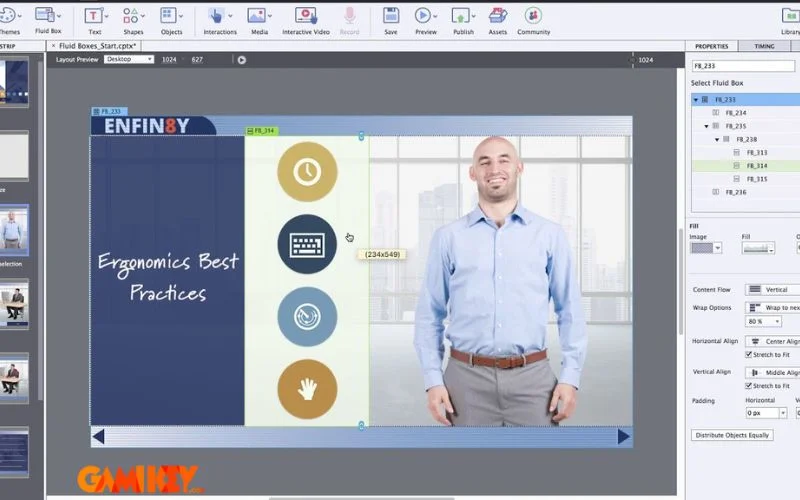
Automation in Adobe Captivate extends to responsive design, where fluid boxes automatically rearrange content for different devices. Collaboration tools like Share for Review allow stakeholders to provide feedback directly on projects.
Overall, these features dramatically reduce production time while enhancing module quality and learner retention.
Advantages of Choosing Adobe Captivate
The popularity of Adobe Captivate stems from its numerous strengths that address real-world challenges in eLearning development.
Intelligent and Intuitive Interface
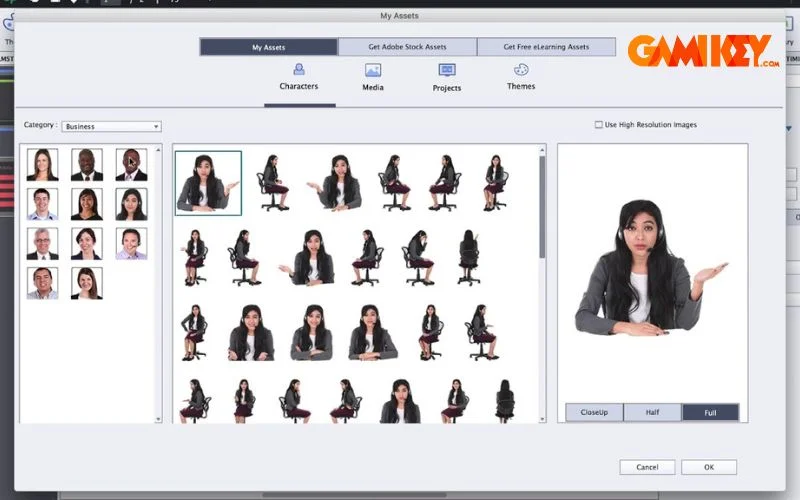
The modern UI of Adobe Captivate is designed for accessibility, with logical organization of tools and drag-and-drop functionality. Smart features like auto-completion and predictive layouts simplify processes, making it suitable for novices while offering depth for experts.
Visually Appealing and Customizable Designs
With extensive themes, templates, and Adobe Fonts integration, courses created in Adobe Captivate are aesthetically superior. Customizable elements ensure brand consistency, and multimedia enhancements add vibrancy.
Regular updates introduce new assets and improvements, keeping the tool current with design trends.
Enhanced Productivity and Scalability
By automating repetitive tasks and providing reusable components, Adobe Captivate enables rapid scaling of content production. Integration with LMS platforms like Adobe Learning Manager facilitates easy deployment and tracking.
Robust Accessibility and Inclusivity
Built-in tools ensure compliance with global standards, promoting equitable learning opportunities.
Getting Started with Adobe Captivate: Acquisition and Usage Guide
To unlock the full potential of Adobe Captivate, obtaining a licensed version is recommended. Subscription plans provide access to all features, continuous updates, and cloud storage. Free trials are available for evaluation.
Upon activation, the intuitive dashboard presents options for new projects, templates, or imports. Workflow involves planning content, adding interactions, previewing on devices, and publishing in formats like HTML5 or SCORM for LMS compatibility.
Exporting completed courses supports various outputs, including standalone executables or web-hosted modules.
In summary, Adobe Captivate represents the pinnacle of eLearning authoring technology, blending innovation with practicality to empower creators in delivering transformative educational experiences.
For those interested in complementary Adobe tools, consider exploring related resources on creative software solutions.