

In the rapidly evolving landscape of artificial intelligence, OpenAI has introduced an innovative tool that redefines web browsing on macOS. ChatGPT Atlas represents a groundbreaking AI-powered browser designed to seamlessly integrate advanced intelligence into everyday online activities. This comprehensive guide explores the precise methods for acquiring and installing ChatGPT Atlas on your Mac, while delving deeply into its transformative features and optimal usage strategies to elevate your productivity.
Detailed Installation Process for ChatGPT Atlas on macOS
Acquiring and setting up ChatGPT Atlas is a straightforward yet crucial process that ensures you harness its full potential from the outset. Follow these expanded steps to integrate this sophisticated AI browser into your macOS environment efficiently.
Accessing the Official Download Portal
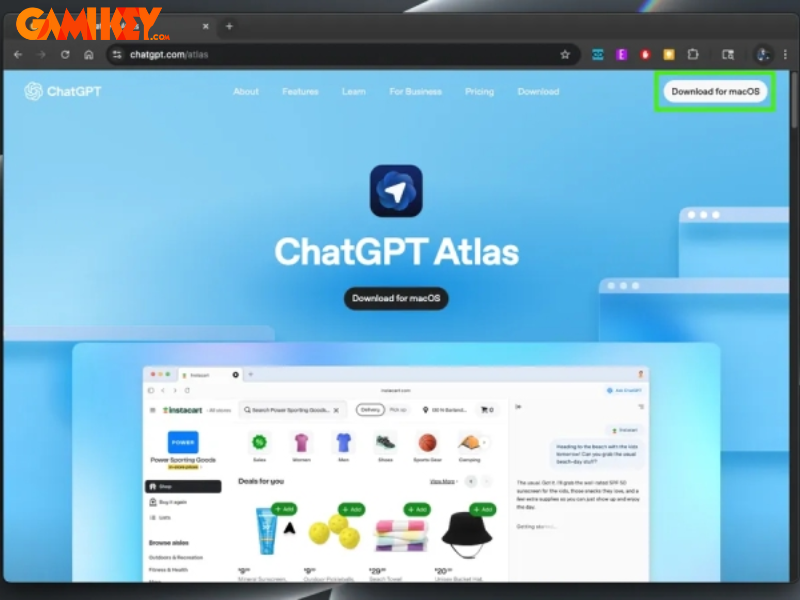
To initiate the journey with ChatGPT Atlas, launch your preferred web browser and navigate directly to the dedicated download page at chatgpt.com/atlas. Here, you will encounter a prominent option labeled for macOS compatibility. Selecting this will promptly commence the download of the application package, tailored specifically for Apple’s ecosystem to ensure optimal performance and security integration.
Integrating the Application into Your System
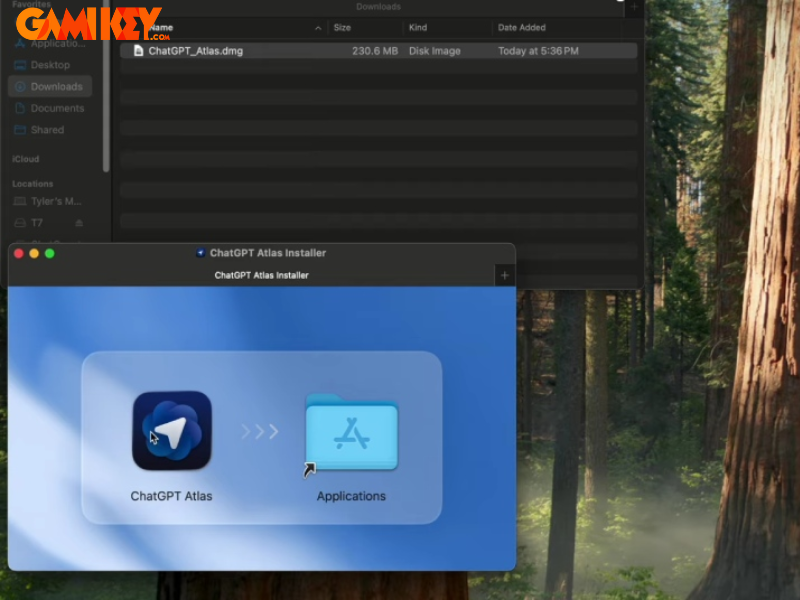
Upon completion of the download, locate the installer file typically in your Downloads folder. The installation involves a simple drag-and-drop action: move the ChatGPT Atlas icon into the Applications directory. macOS may present a security prompt due to the application’s origin outside the App Store; in such cases, confirm your intent to proceed by selecting the appropriate override option, allowing the system to recognize it as a trusted program.
Authenticating with Your Existing Credentials
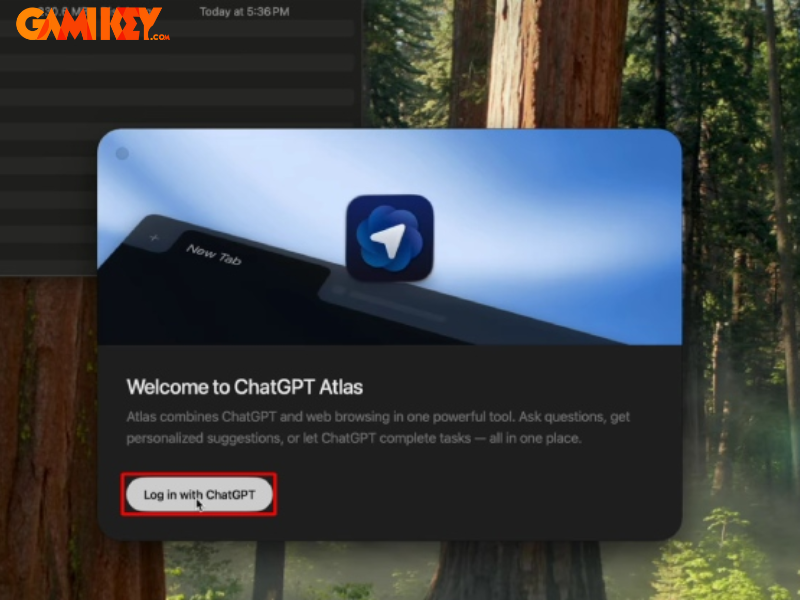
Launch ChatGPT Atlas for the first time, and you will be greeted with an intuitive login interface. Opt for authentication via your established ChatGPT account to unlock personalized features, conversation history synchronization, and access to premium capabilities if applicable. This step bridges your web-based interactions with the desktop experience, creating a unified AI ecosystem.
Optional Browser Data Migration
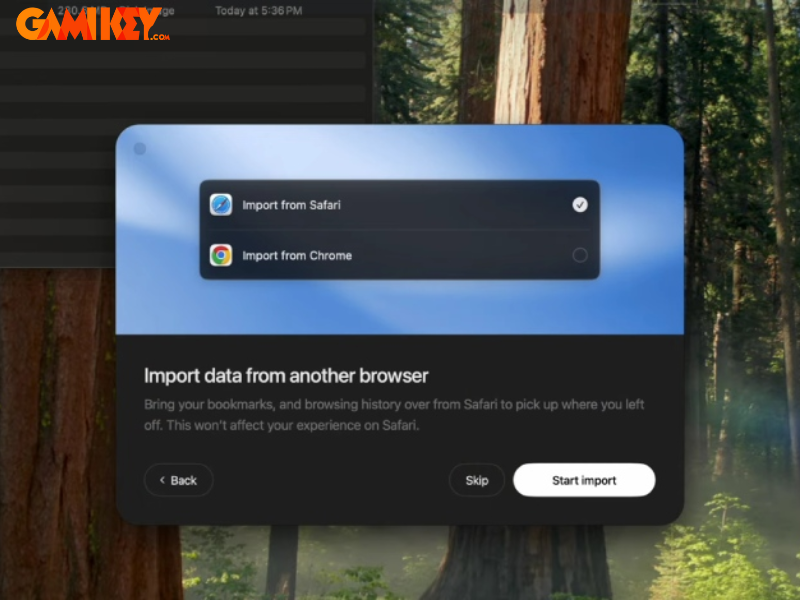
During initial setup, ChatGPT Atlas offers the convenience of importing bookmarks, history, and passwords from popular browsers such as Chrome or Safari. This migration streamlines your transition, preserving your curated web environment. If privacy concerns arise or you prefer a fresh start, this step can be deferred or skipped entirely, with the option to configure imports later through settings.
Configuring Contextual Awareness Features
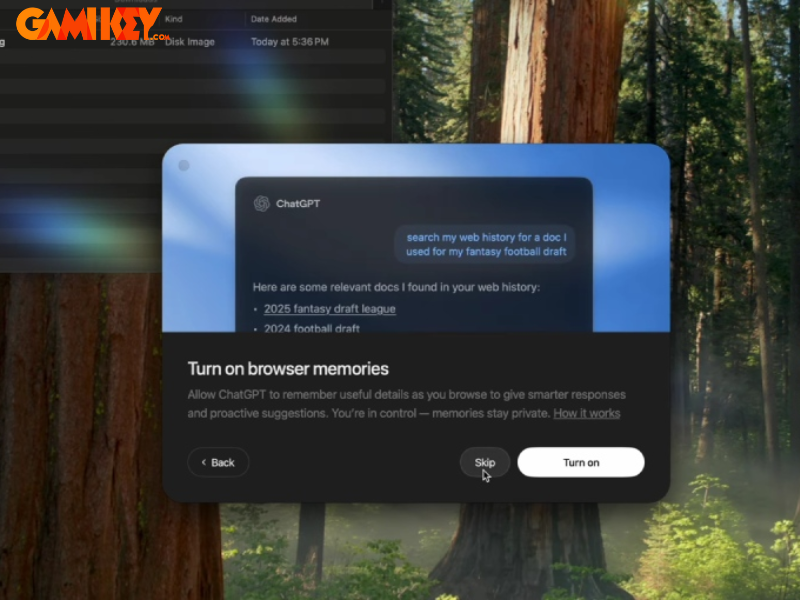
A pivotal decision during onboarding involves enabling Browser Memory. Activating this allows ChatGPT Atlas to retain contextual information from your sessions, enhancing future interactions with deeper understanding and more relevant suggestions. Users prioritizing privacy can opt out, maintaining full control over data retention policies.
Finalizing Setup and Launch
With configurations complete, ChatGPT Atlas is fully operational. Explore the interface, customize settings, and consider designating it as your default browser for immersive AI integration across all web activities. The setup culminates in a powerful tool ready to transform your digital workflow.
Unveiling the Revolutionary Capabilities of ChatGPT Atlas
ChatGPT Atlas transcends traditional browsing paradigms by embedding cutting-edge artificial intelligence directly into the user experience. Developed by OpenAI, this next-generation browser empowers users with proactive assistance, automated task execution, and intelligent information processing, making it an indispensable asset for professionals, researchers, and everyday users on macOS.
At its core, ChatGPT Atlas combines robust web navigation with conversational AI, enabling seamless interactions that anticipate needs and streamline processes. The following sections highlight its standout innovations that set it apart from conventional browsers.
- Advanced Intelligent Search Engine: Unlike legacy browsers that merely list hyperlinks, ChatGPT Atlas delivers comprehensive, reasoned responses directly within the interface. It synthesizes information from multiple sources, presenting concise summaries backed by verifiable references, aligning closely with human cognitive patterns for superior comprehension and efficiency.
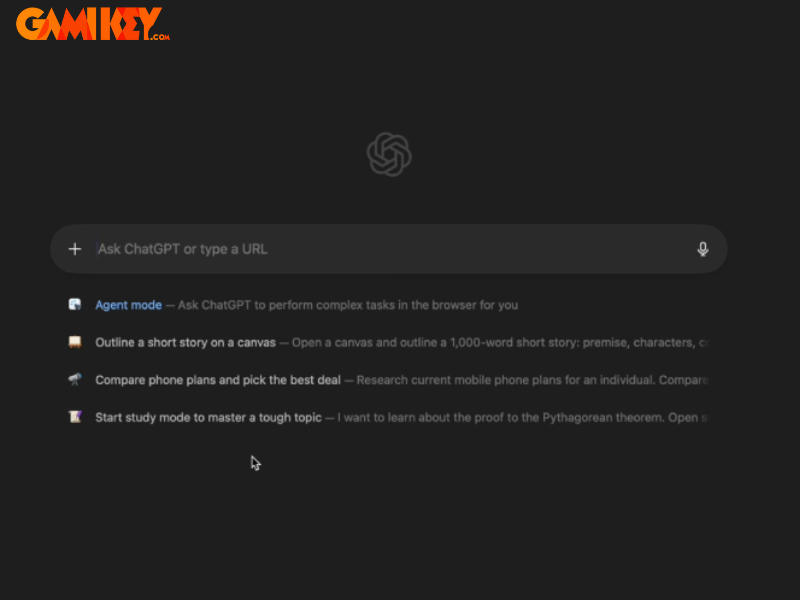
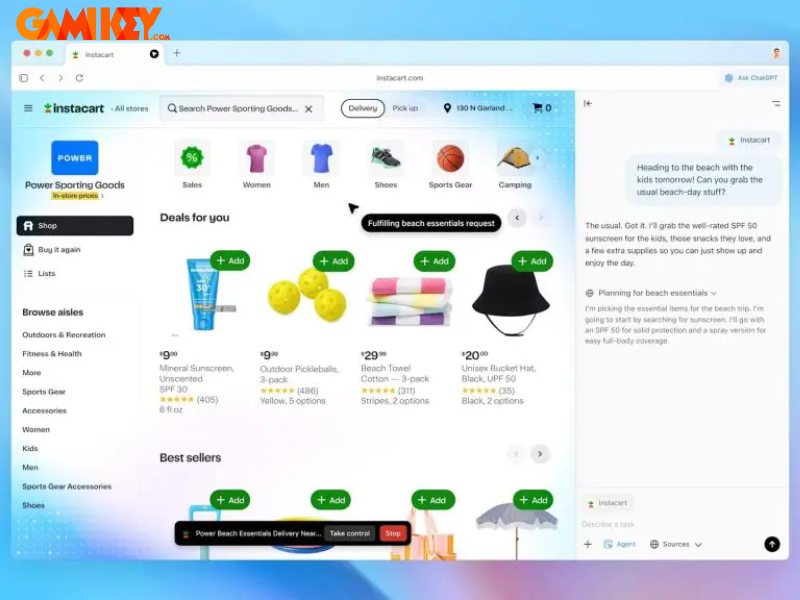
- Agent Mode for Autonomous Operations: This flagship feature empowers the AI to execute multi-step tasks on your behalf, such as data migration between applications, form completion, or workflow automation. For instance, while collaborating on documents, instruct Atlas to transfer content to project management tools, significantly reducing manual intervention and enhancing productivity.
- Contextual Sidebar Assistant: Accessible on any webpage, the integrated ChatGPT sidebar provides instantaneous analysis, summarization, comparisons, and insights without disrupting your current session. Whether evaluating product specifications or extracting key takeaways from research papers, this tool delivers real-time value.
- In-Place Content Enhancement: Highlight text in emails, documents, or forms, and invoke AI suggestions for rewriting, refinement, or expansion. This on-the-fly editing capability accelerates content creation, ensuring polished communication with minimal effort.
- Persistent Browser Memory System: By optionally retaining session contexts, ChatGPT Atlas builds a personalized knowledge base, enabling more accurate and anticipatory assistance in subsequent interactions. Users maintain granular control, with options to review, edit, or purge stored data for privacy assurance.
- Robust Security Architecture: Prioritizing user safety, Atlas enforces strict boundaries: AI agents cannot perform unauthorized installations, downloads, or access restricted sites. Additional safeguards include incognito modes, agent disconnection, and explicit confirmation prompts for sensitive actions.
- Personalized Home and Recommendations: The new tab page evolves into an intelligent dashboard, surfacing relevant links, media, and suggestions based on your habits, fostering a tailored browsing journey.
- Modern Interface Enhancements: Features like vertical tab management, intuitive drag-and-drop organization, improved download handling, and native integration with iCloud Keychain exemplify thoughtful design focused on usability and macOS synergy.
Mastering ChatGPT Atlas: Expert Strategies for Maximum Efficiency
To truly unlock the potential of ChatGPT Atlas, adopting refined interaction techniques is essential. These expert recommendations focus on precision, security, and workflow optimization, transforming casual use into professional-grade productivity.
Crafting Precise and Contextual Prompts
Effectiveness in AI interactions hinges on prompt quality. Provide detailed context, specify desired outputs, and outline constraints. For research queries, include parameters like recency, source credibility, or format preferences. This specificity yields targeted, high-value responses, minimizing iterations and maximizing insight extraction.

Leveraging Agent Mode Responsibly
Deploy Agent Mode for complex, repetitive tasks while maintaining oversight. Operate in restricted modes for sensitive operations to limit access privileges. The system intelligently pauses for confirmation on critical actions, blending automation with human control for secure, efficient execution.
Utilizing the Sidebar as an On-Demand Analyst
Treat the persistent sidebar as your dedicated research companion. Invoke it for instant page summaries, cross-site data synthesis, or visual element interpretations, all without navigation disruptions. This contextual superpower accelerates decision-making across diverse scenarios.
Strategic Management of Browser Memory
Balance the benefits of contextual retention with privacy needs. Selectively enable memory for productivity-focused sessions while disabling for personal or confidential browsing. Regular reviews of stored contexts ensure alignment with your preferences and data governance standards.
Prioritizing Data Privacy and Security
Adhere to best practices by defaulting to minimal data sharing for training purposes. Employ incognito sessions for ephemeral tasks, routinely clear sensitive histories, and monitor agent activities. These measures align with enterprise-grade security protocols while preserving functionality.
Optimizing Daily Workflows
Integrate ChatGPT Atlas into routines by automating checklist generation, meeting note synthesis, or multi-tab research orchestration. Historical context awareness further refines recurring tasks, creating compounding efficiency gains over time.
Embracing Emerging Innovations
Stay abreast of updates introducing features like enhanced vertical tab navigation, seamless extension importation, and deeper macOS integrations. These incremental advancements continually expand the browser’s utility, solidifying its position as a forward-thinking platform.
In conclusion, ChatGPT Atlas heralds a paradigm shift in intelligent browsing, where artificial intelligence becomes an active collaborator rather than a passive tool. By mastering its installation, features, and advanced techniques outlined here, users can achieve unprecedented levels of productivity, insight, and control in their digital endeavors on macOS.