

Google Drive stands as one of the most powerful cloud-based platforms for storing, synchronizing, and collaborating on digital files. Developed by Google, it empowers users to securely upload, organize, and access documents from virtually anywhere. Beyond simple backup solutions, this service excels in real-time teamwork, seamless integration with other tools, and efficient file management. In this comprehensive guide, we delve deeply into the advantages and disadvantages of Google Drive, highlighting why it remains a preferred choice for millions while addressing its limitations.
Key Benefits of Using Google Drive
Google Drive offers a robust set of features that make it an indispensable tool for individuals, students, professionals, and businesses alike. Here are the primary advantages that set it apart in the competitive landscape of cloud storage services:
- Generous Free Storage and Intuitive Interface: Every Google account comes with 15GB of complimentary storage shared across Drive, Gmail, and Photos. This allocation is sufficient for most personal needs without any upfront costs. The platform’s clean, user-friendly design ensures that even beginners can navigate folders, upload files, and manage permissions effortlessly from the first login.
- Seamless Cross-Device Synchronization: One of the standout capabilities is automatic syncing across devices. Whether you’re working on a desktop computer, laptop, smartphone, or tablet, changes made to a file on one device instantly reflect on all others connected to the same account. This ensures consistency and prevents version conflicts, making it ideal for mobile professionals and remote workers.
- Advanced File Sharing Options: Sharing is streamlined through customizable links or direct invitations. Users can grant view-only access, allow comments, or permit full editing rights. Additional controls like expiration dates for links and password protection enhance security. This flexibility supports everything from casual file exchanges to structured project collaborations.
- Broad File Format Compatibility: The service natively supports hundreds of file types, including documents, spreadsheets, presentations, images, videos, PDFs, and archives. Preview functionality lets users view content without downloading, while built-in editors for Google Docs, Sheets, and Slides enable direct modifications in the browser—no extra software required.
- Integrated Productivity Suite: Tight integration with Google’s ecosystem (Gmail attachments, Google Photos backups, Calendar events) creates a unified workflow. For instance, attaching large files via email becomes effortless by linking directly from Drive.
- Powerful Search Functionality: Leveraging Google’s search expertise, Drive allows quick location of files using keywords, file types, owners, or even text within documents thanks to optical character recognition (OCR) for scanned images.
- Version History and Recovery: Automatic versioning tracks changes over time, enabling users to revert to previous iterations or recover accidentally deleted files from the trash for up to 30 days (or longer with certain plans).
These strengths collectively position Google Drive as a versatile, cost-effective solution that boosts productivity and simplifies digital asset management.
Potential Drawbacks of Google Drive
While highly capable, Google Drive is not without constraints. Understanding these limitations helps users make informed decisions and implement workarounds where necessary.
- Limited Free Storage Capacity: The 15GB free tier, while generous compared to some competitors, fills up quickly for heavy users—especially those storing high-resolution photos or videos. Upgrading to paid plans (Google One) is required for more space, starting at additional costs for 100GB or higher.
- Dependency on Internet Connectivity: Core functionality relies on an online connection. Without internet, accessing or editing cloud-stored files becomes impossible unless offline mode has been pre-enabled for specific items.
- Privacy and Security Concerns: As a third-party service, data resides on Google’s servers. Although encrypted in transit and at rest, high-profile breaches in cloud services generally raise concerns. Sensitive information may warrant additional client-side encryption or alternative storage for maximum privacy.
- File Size Upload Restrictions: Individual files cannot exceed 5TB (for paid users), but more practically, uploads via the web interface have performance limits, and very large files (e.g., multi-gigabyte videos) can be slow or prone to interruptions.
- Shared Storage Pool: The 15GB (or upgraded amount) is divided among Drive, Gmail, and Photos, meaning large email attachments or photo backups can unexpectedly consume Drive space.
- Occasional Sync Issues: In rare cases, synchronization delays or conflicts arise, particularly with poor network conditions or simultaneous edits by multiple users.
- Advertisement Exposure in Free Tier: Google may scan file contents for targeted ads (though not for personal files in the same way as emails), and the ecosystem encourages deeper integration with other Google services.
Despite these challenges, the overall reliability, feature depth, and continuous improvements make Google Drive a strong contender for most use cases.
Essential Tips for Secure and Efficient Google Drive Usage
To maximize benefits while minimizing risks, adopt these best practices:
- Verify File Compatibility: Before uploading, confirm the format is fully supported for previewing and editing. Convert unsupported files to compatible alternatives (e.g., proprietary formats to open standards) to avoid access issues.
- Implement Strong Authentication: Enable two-factor authentication (2FA) on your Google account. Use a unique, complex password and consider a password manager. Regularly review active sessions and connected devices.
- Regular Backups Beyond Drive: Treat Drive as one layer of backup, not the only one. Periodically download critical folders or use third-party tools to mirror data locally or to another cloud provider (following the 3-2-1 backup rule: three copies, two media types, one offsite).
- Organize and Declutter: Create a logical folder structure with descriptive names. Routinely archive or delete obsolete files to maintain performance and free up space. Use the “Starred” feature for quick access to important items.
- Manage Sharing Permissions Carefully: Default to the most restrictive settings needed. Regularly audit shared links and revoke access for former collaborators.
- Enable Offline Access Proactively: In the Drive settings, turn on offline mode for key files to ensure productivity during connectivity lapses.
- Monitor Storage Usage: Check the storage dashboard frequently and prioritize compression or lower-resolution versions for media files when appropriate.
- Utilize Activity Logs: Review the “Recent” and “Activity” views to track changes and detect unauthorized access early.
Hidden Features That Enhance Google Drive Experience
Many users underutilize advanced capabilities that significantly improve workflow:
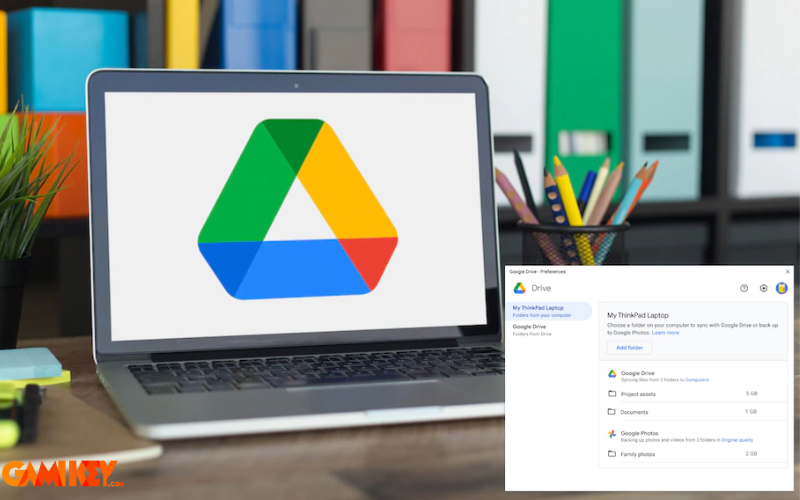
- Robust Backup Automation: Install the Backup and Sync desktop app (or Drive for Desktop) to automatically mirror selected local folders to the cloud, protecting against hardware failure.
- Real-Time Collaboration Tools: Multiple editors can work simultaneously with visible cursors, live chat, and suggested edits—perfect for team projects or academic group work.
- Native Office Suite Integration: Create Docs, Sheets, Slides, and Forms directly within Drive. These files don’t count heavily toward storage since they’re stored efficiently.
- Third-Party App Ecosystem: Connect Drive to thousands of apps via the marketplace (e.g., DocuSign for signatures, AutoCAD for drawings, or Slack for notifications).
- Advanced Search Operators: Use queries like “type:spreadsheet after:2025-01-01” or “from:colleague@example.com” to pinpoint files rapidly.
- Priority and Workspaces: Organize frequently used files into themed workspaces for quicker navigation.
- Scan Documents via Mobile App: The Android/iOS app includes a built-in scanner that converts physical papers to searchable PDFs using OCR.
- Quick Access Predictions: Machine learning suggests relevant files on the home screen based on usage patterns.
How Google Drive Operates Behind the Scenes
At its core, Google Drive leverages distributed cloud infrastructure. Files are uploaded to Google’s global data centers, replicated across multiple locations for redundancy and fast access. Encryption protects data both in transit (HTTPS) and at rest (AES-256).
Synchronization employs delta syncing—only modified portions of files are transferred, conserving bandwidth. Client applications on desktops and mobiles continuously monitor local changes and propagate them upward.
Collaboration relies on operational transformation algorithms to merge concurrent edits without conflicts, displaying real-time updates via WebSocket connections.
Search indexing occurs in the background, extracting text from various file types to enable content-based queries. Machine learning further enhances features like Smart Compose in Docs or photo organization in integrated services.
In summary, the advantages and disadvantages of Google Drive reveal a highly capable platform with minor trade-offs. Its free tier, synchronization prowess, collaboration tools, and ecosystem integration outweigh the drawbacks for most users. By following security best practices and exploring lesser-known features, you can harness its full potential effectively.