

Understanding Adobe Presenter: A Comprehensive Overview
In the realm of digital education and professional presentations, Adobe Presenter stands out as a specialized tool designed to elevate standard slide decks into dynamic, interactive e-learning experiences. Originally developed as a plugin for Microsoft PowerPoint, it empowered creators to infuse their content with multimedia elements, quizzes, and seamless video integration, making it particularly valuable for educators, trainers, and corporate professionals focused on online learning.
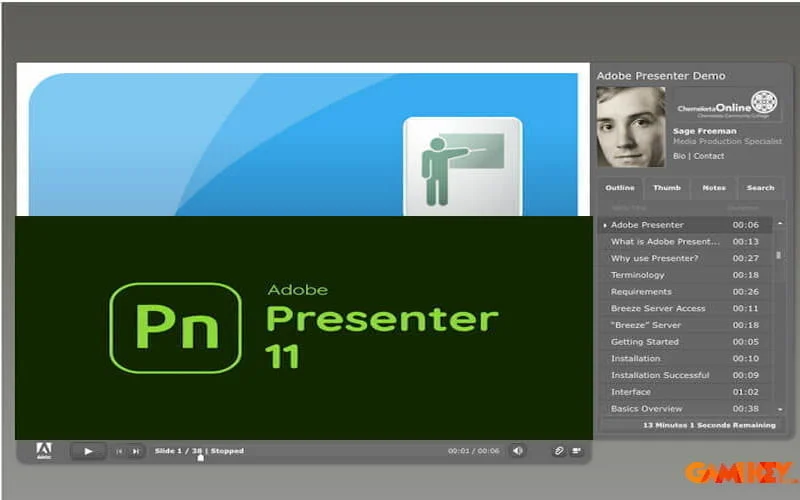
Adobe Presenter revolutionized the way PowerPoint presentations were transformed by adding layers of interactivity and engagement. It allowed users to convert static slides into fully responsive HTML5 modules, ensuring compatibility across desktops, tablets, and mobile devices. This shift was crucial during the rise of remote and hybrid learning environments, where accessibility and learner retention became paramount.
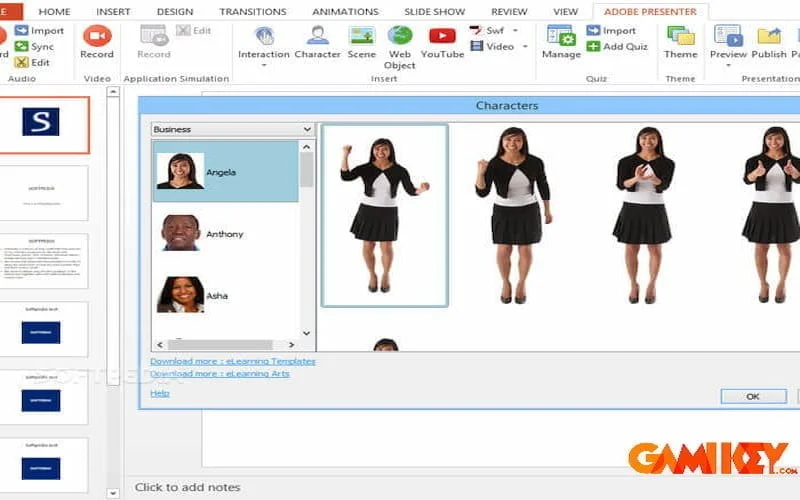
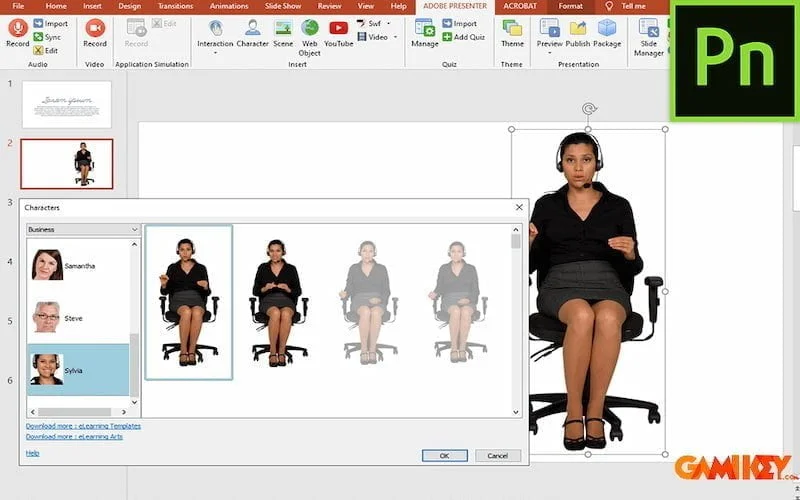
At its core, Adobe Presenter functioned as an extension within PowerPoint, enabling seamless workflow without the need to switch between multiple applications. Creators could record narrations, synchronize animations, and embed rich media directly from the familiar PowerPoint interface. This integration minimized the learning curve, making it accessible for subject matter experts who might not have advanced technical skills in e-learning authoring tools.
Core Capabilities and Standout Features of Adobe Presenter
The strength of Adobe Presenter lay in its robust set of features tailored for creating compelling educational content. These tools went beyond basic slide creation, focusing on interactivity to boost knowledge retention and participant involvement.
- Effortless conversion of PowerPoint slides into interactive e-learning modules, with full preservation of text, shapes, transitions, and embedded audio.
- Advanced quiz and assessment creation, including multiple-choice, true/false, fill-in-the-blank, and short answer formats, complete with branching logic for personalized learning paths.
- Integration of engaging interactions such as pyramids, hangman games, accordions, process cycles, and jigsaw puzzles to make abstract concepts more tangible and memorable.
- High-quality video recording and editing, allowing simultaneous capture of screen activity, webcam footage, and narration for professional video lectures.
- Support for SCORM, AICC, and xAPI standards, enabling seamless tracking of learner progress within popular Learning Management Systems (LMS).
- Multi-language compatibility and accessibility features to reach diverse global audiences.
- Importation of existing questions, creation of question banks, slide branching for non-linear navigation, and easy insertion of external web content or YouTube videos.
- Publication options to HTML5 for broad device support, or as standalone packages for offline use.
These features collectively enabled creators to produce content that not only informed but actively engaged learners, fostering better comprehension and long-term recall. The tool’s emphasis on automation—such as pre-built templates and ready-to-use interactions—significantly reduced development time while maintaining high production quality.
One particularly innovative aspect was the inclusion of Adobe Presenter Video Express, a companion tool for crafting polished screencasts and tutorial videos. Users could record their desktop alongside webcam input, apply effects, add in-video questions, and export high-definition outputs suitable for platforms like YouTube or Vimeo.
Enhancing Learner Engagement Through Interactivity
Interactivity was a hallmark of Adobe Presenter. Traditional presentations often suffer from passive consumption, leading to lower engagement. By incorporating quizzes at strategic points, creators could assess understanding in real-time, provide immediate feedback, and adapt the flow based on responses. This gamification element turned learning into an active process, significantly improving outcomes in educational and training scenarios.
Multimedia Integration for Rich Experiences
The seamless handling of audio, video, and animations allowed for multimedia-rich modules. Narrated slides, synchronized with visual cues, catered to auditory learners, while embedded videos demonstrated complex procedures that static images could not convey effectively.
Key Advantages That Set Adobe Presenter Apart
Adobe Presenter offered several compelling benefits that made it a preferred choice for e-learning development prior to its retirement:
It excelled at transforming ordinary PowerPoint files into captivating online courses, complete with video lectures that maintained viewer interest and reduced monotony. The rapid video creation process, combined with screen recording and webcam overlays, enabled quick production of professional-grade instructional materials.
Robust assessment tools integrated with industry standards ensured accurate tracking of knowledge acquisition and skill mastery. Creators could monitor completion rates, quiz scores, and interaction patterns to refine content iteratively.
Additional strengths included intuitive timeline-based video editing, background replacement for studio-like results, and analytics to gauge viewer behavior. These capabilities streamlined workflows for trainers delivering distance education, flipped classrooms, or corporate onboarding programs.
Time Efficiency and Professional Polish
By automating many aspects of interactive design, Adobe Presenter allowed experts to focus on content quality rather than technical implementation, resulting in faster deployment of high-impact materials.
Cross-Device Compatibility
HTML5 output ensured that courses rendered beautifully on various platforms, supporting the growing demand for mobile learning without compromising features.
Comparing Adobe Presenter to Microsoft PowerPoint: Fundamental Distinctions
While both tools originate from slide-based creation, Adobe Presenter extended PowerPoint’s capabilities dramatically for e-learning purposes. The following table highlights critical differences:
| Criteria | Microsoft PowerPoint | Adobe Presenter |
|---|---|---|
| Primary Focus | Designing and delivering live or static slide presentations for meetings and seminars. | Developing interactive e-learning courses suitable for self-paced online training and remote education. |
| Presenter Requirement | Typically requires a live presenter to narrate and explain slides during delivery. | Supports independent learner navigation with recorded audio, video, and automated interactions. |
| Interactivity Level | Limited to basic hyperlinks and animations; mostly passive viewing. | Extensive support for quizzes, surveys, gamified elements, and branching scenarios. |
| Multimedia Support | Manual insertion of images, videos, and audio with basic synchronization. | Advanced integration including HD video recording, webcam overlays, and effortless embedding. |
| Publishing and Distribution | Exports to PDF, video, or live sharing; limited online learning integration. | Native HTML5, SCORM, and LMS-compliant outputs for tracked, accessible courses. |
| Advanced Functionalities | Focused on visual slide design and transitions. | Learner progress tracking, analytics, and adaptive content delivery. |
| Target Users | Business professionals, teachers for in-person sessions, and general office users. | E-learning specialists, corporate trainers, and educators in online or hybrid settings. |
| Strengths | Widespread availability, ease of use, and abundant templates. | High engagement, self-paced learning support, and robust LMS connectivity. |
| Limitations | Minimal built-in interactivity for independent study. | Higher specialization; steeper initial setup for non-PowerPoint experts (though now discontinued). |
This comparison underscores how Adobe Presenter bridged the gap between simple presentations and full-fledged digital courses, addressing needs that standard PowerPoint could not fulfill alone.
Legacy and Current Context of Adobe Presenter
Although Adobe Presenter was officially discontinued in June 2022, its influence on e-learning tools persists. Adobe has shifted focus toward modern solutions like Adobe Express with its AI-powered Generate Presentation feature, Adobe Captivate for advanced authoring, and enhanced tools in Acrobat for quick slide generation.
For those seeking similar functionality today, exploring Adobe’s current Creative Cloud offerings—particularly in presentation and video creation—provides updated alternatives with AI assistance, seamless templates, and broad device support.
In summary, Adobe Presenter played a pivotal role in advancing interactive digital education, offering tools that empowered creators to deliver engaging, measurable learning experiences. Its legacy continues to inform contemporary e-learning strategies and software development.
For the latest in Adobe’s presentation and e-learning innovations, consider reviewing resources on Adobe Express, Captivate, or related Creative Cloud applications.