


Google AI Ultra – Smart Assistant
Price range: 29.00$ through 79.00$
This section provides a detailed comparison of the features included in two Google AI plans (applicable when purchasing a standalone account). For upgrade-based options, certain limitations may apply. Please contact customer support before placing your order.
|
Criteria |
Google AI Pro |
Google AI Ultra |
|---|---|---|
|
Price |
$19.99/month |
$249.99/month (50% discount for the first 3 months for new users) |
|
Main AI model |
Gemini 2.5 Pro |
Gemini 2.5 Pro Deep Think (enhanced reasoning capabilities) |
|
AI video creation (Flow) |
Limited access via Veo 2 |
Full access to Veo 3 with 1080p video support and advanced camera controls |
|
Whisk (image to video) |
Veo 2 with restricted duration |
Veo 2 with higher limits and Whisk Animate support |
|
NotebookLM |
Basic access |
Higher usage limits and advanced model capabilities |
|
Gemini integration |
Available in Gmail, Docs, Vids, and Chrome (US only) |
Same as Pro, plus early access and priority features |
|
Project Mariner |
Not included |
Included – automate up to 10 tasks simultaneously |
|
Storage |
2 TB (Google Drive, Gmail, Photos) |
30 TB |
|
YouTube Premium |
Not included |
Included – individual plan |
|
Best suited for |
Individual users, students, and entry-level content creators |
Developers, researchers, filmmakers, and power users |
✅ Which option fits you best?
-
Google AI Pro: An excellent choice for individuals, students, or beginner content creators who want access to powerful AI tools at a reasonable cost.
-
Google AI Ultra: Designed for advanced users such as developers, researchers, and filmmakers who require cutting-edge AI capabilities and large storage capacity.
Account-based purchase
After payment, you will receive login credentials for a Google account that already includes the Google Pro plan.
- You must first sign in on a mobile device, then you may log in on other devices.
- Do not modify any account information. Any changes will void Gamikey’s warranty support.
- The account comes with Google One, including 2 TB of storage.
- You may share storage benefits with up to 5 additional members (Google One storage only; Gemini features are not shared).
Important notice: After receiving the account, do not change login details, payment methods, passwords, or any other information. Compliance with these rules is required to remain eligible for warranty support from Gamikey.
Upgrade-based option
- You will be added to a Family group managed by Gamikey.
- You can use Gemini Advance privately on your own Google account.
- After payment, Gamikey will send an email invitation to join the Family group. Simply accept and confirm.
- Your storage quota may increase to 2 TB (for Pro); however, this storage is shared among 6 members and is not guaranteed.
Note:
- With a fully provided account, all Google Pro features are available.
- With a Family slot, features are limited. In particular, Veo 3 can only be accessed through Gemini and is capped at 3 uses per day.
Product information
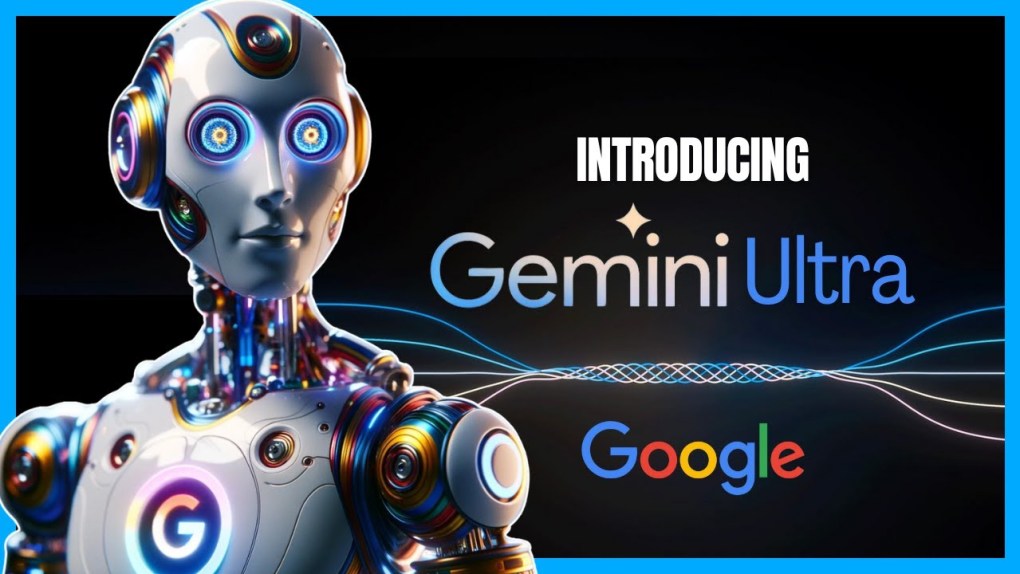
Google AI Ultra: Everything You Need to Know About Google’s Most Premium AI Subscription
In the rapidly evolving world of artificial intelligence, Google has raised the bar with its latest offering. Unveiled at Google I/O 2025, Google AI Ultra represents the pinnacle of Google’s AI subscription ecosystem. Priced at $249.99 per month (with a 50% discount for the first three months), this ultra-premium tier builds on the former AI Premium (now rebranded as Google AI Pro). It’s designed for power users who demand the best in AI capabilities, massive storage, and integrated entertainment perks.
Currently available only in the United States, Google plans to expand Google AI Ultra to over 70 countries soon. Despite the regional limitations, interest is surging globally, especially among filmmakers, developers, content creators, and AI startups. If you’re wondering whether this high-end AI package is worth the investment, read on for a complete breakdown.
Why Did Google Launch AI Ultra?
Google’s introduction of AI Ultra isn’t just a product update—it’s a strategic move in the competitive AI landscape:
- Monetizing AI Investments: Following the explosive growth of tools like ChatGPT, Copilot, and Claude, Google is accelerating its revenue streams from AI research.
- Catering to Advanced Users: Professionals in coding, research, and creative fields need higher limits and more sophisticated models than what’s available in free or basic plans like Google AI Pro ($19.99/month).
- All-in-One Bundling for Edge: By combining top-tier AI with 30TB storage and YouTube Premium, Google creates a comprehensive package that’s hard to match, bundling services that could cost over $164/month if purchased separately.
This launch positions Google as a leader in premium AI subscriptions, emphasizing value through integration rather than standalone features.
Key Features of Google AI Ultra
Google AI Ultra packs a suite of cutting-edge tools powered by Google’s latest advancements. Here’s what sets it apart:
- Gemini 2.5 Pro Deep Think: An enhanced version of Gemini with superior reasoning, complex math solving, and analysis of thousands of lines of code. It supports multimodal inputs (text, images, audio) for deeper insights.
- Flow & Veo 3 – Your Virtual Film Studio: Flow is a new AI filmmaking tool that integrates Veo 3, Imagen, and Gemini to create 1080p videos. Control camera angles, lighting, sound, and music via natural language prompts. Ideal for storyboarding, editing drafts, and iterative refinements.
- Whisk Animate (Powered by Veo 2): Transform a single image into an 8-second animated clip—perfect for quick social media visuals and brainstorming.
- Enterprise-Level NotebookLM: Unlock the highest limits for analyzing up to 1,500 pages of documents with instant citations. Great for academic research, legal reviews, and in-depth reports.
- Project Mariner – Multi-Task AI Agent: This prototype agent handles up to 10 tasks simultaneously, from booking flights to compiling research or online shopping.
- Seamless Gemini Integration Across Google Services: Enjoy priority access in Gmail (drafting and summarizing), Docs (writing and translation), Vids (scripting), and Chrome (explaining webpages or homework).
- 30TB Google One Storage + YouTube Premium: Get massive cloud space for Drive, Photos, and Gmail, plus ad-free YouTube with offline downloads—valued at a significant premium if subscribed individually.

These features make Google AI Ultra a powerhouse for productivity, creativity, and automation.
Pricing, Discounts, and Comparisons
| Plan | List Price | Promotions | Key Notes |
|---|---|---|---|
| Google AI Ultra | $249.99/month | 50% off first 3 months for new users | Supports Google Pay and U.S. credit cards |
| Google AI Pro | $19.99/month | 1-month free trial; Free for students until 2026 | 2TB storage; Standard Gemini 2.5 Pro |
| Microsoft Copilot Pro | $20/month | None | GPT-4/Turbo; No bundled storage |
Google AI Ultra is notably pricier—over 12x AI Pro and 10x Copilot Pro—but the bundled perks justify it for heavy users. Quick comparison:
- AI Models: Ultra’s Gemini 2.5 Pro Deep Think vs. Pro’s standard mode vs. Copilot’s GPT-4/Turbo.
- Video AI: Full Flow (1080p) and Veo 3 in Ultra; Limited Veo 2 in Pro; None in Copilot.
- Storage: 30TB in Ultra; 2TB in Pro; Zero in Copilot (requires separate OneDrive).
Who Should Get Google AI Ultra? Benefits and Ideal Users
This premium AI subscription shines for specific audiences:
- Filmmakers and Creators: Use Flow and Veo 3 to produce storyboards, teasers, and music videos without a full production team.
- Advanced Developers: Deep Think excels at code generation, optimization, and debugging complex logic.
- Researchers and Journalists: NotebookLM handles massive document analysis with precise sourcing.
- SMBs and AI Startups: Bundle AI tools with 30TB storage for cost-effective cloud, video editing, and marketing automation.
- Busy Entrepreneurs: Project Mariner automates routine tasks, freeing up time for high-level strategy.
Overall, it delivers unmatched efficiency, saving hours on creative and analytical work.
Controversies Surrounding Google AI Ultra
Despite its innovations, AI Ultra has sparked debates:
- Sticker Shock Pricing: At $249.99/month, it’s been called “outrageously expensive” by tech sites. An Android Authority poll showed 87% of readers agree.
- U.S.-Only Availability: International users, including those in Vietnam, are left waiting, fueling frustration.
- Lack of Flexibility: If you already have YouTube Premium or ample Drive storage, there’s no a la carte option—you pay full price.
- No Mid-Tier Option: The jump from $19.99 to $249.99 leaves a gap; no $50–100/month plan exists.
- Competition Dynamics: Critics argue Google inflated the price to protect cloud revenue, unlike pure AI-focused rivals like Copilot Pro or ChatGPT Team.
These issues highlight the trade-offs in Google’s bundled approach.
How to Sign Up for Google AI Ultra
Getting started is straightforward, but restricted to U.S. users:
- Requirements: A U.S. Google account and valid payment method (Visa/Mastercard or Google Pay).
- Step 1: Visit the Google AI Ultra page on Google One and click “Get started.”
- Step 2: Review the plan and apply the 50% discount if eligible.
- Step 3: Complete payment and activate in apps like Gemini, Flow, or NotebookLM.
Note: Existing Google One 2TB or YouTube Premium subscribers get automatic upgrades without duplicate charges, but the total remains $249.99/month.
Conclusion: Is Google AI Ultra Worth It?
Google AI Ultra is a bold step for those needing top-tier AI, expansive storage, and premium entertainment in one package. While the price may deter casual users, it’s a game-changer for professionals pushing AI boundaries. For more details, check the official Google Blog or Google One plans.
If you’re exploring affordable alternatives to premium AI tools like Google AI Ultra, consider shared access plans that cut costs by up to 60% while maintaining reliability and support. Stay tuned for more guides on maximizing AI for your business or creative projects.
Related products






Reviews (0)
No comments yet
Review Google AI Ultra – Smart Assistant
There are no reviews yet.