

Are you on the hunt for reliable applications and tools to proofread and refine your English writing skills? With countless options flooding the market, each promising precise error detection and correction, selecting a trustworthy and effective solution can be challenging. Rest assured, this comprehensive guide from buyaitools explores the best English grammar checker software options, highlighting the top five most accurate and dependable choices available right now.
The Consequences of Spelling Mistakes in English Writing for Your Content
Among the four core English language skills—listening, speaking, reading, and writing—many learners find writing to be the most demanding. This is largely because it’s easy to fall into traps like spelling inaccuracies, awkward phrasing, or grammatical slip-ups. Even native speakers occasionally stumble over spelling, making it a common hurdle for non-natives. Spelling precision is crucial, especially in formal contexts such as academic essays, professional reports, or high-stakes examinations, where errors can undermine credibility.
Spelling errors can subtly or dramatically alter the intended meaning of a sentence, leading to confusion or misinterpretation. English is rife with homophones and words that look similar but carry different connotations. For instance, consider these pairs and triplets that often trip up writers:
- Affect (to influence) versus Effect (a result or outcome)
- Loose (not tight) versus Lose (to misplace or fail to win)
- Desert (a barren area) versus Dessert (a sweet course after a meal)
- Principal (a school leader or main) versus Principle (a fundamental truth or rule)
- Their (possessive form of they) versus There (a place) versus They’re (contraction for they are)
- To (indicating direction) versus Too (also or excessively) versus Two (the number)
- Its (possessive form of it) versus It’s (contraction for it is or it has)
- Then (indicating time sequence) versus Than (used in comparisons)
- Your (possessive form of you) versus You’re (contraction for you are)
Such mistakes not only distort communication but can also result in point deductions in evaluations like the IELTS writing section, where examiners prioritize clarity and accuracy. Beyond exams, in professional settings, these errors might convey carelessness, potentially harming your reputation or the persuasiveness of your arguments. To mitigate these risks, integrating best English grammar checker software into your routine can be transformative, offering real-time feedback and fostering better habits over time.
Furthermore, persistent spelling issues can erode reader trust. Imagine submitting a business proposal riddled with errors—it might suggest a lack of attention to detail, deterring potential clients or partners. In creative writing, such flaws can disrupt the narrative flow, pulling readers out of the story. Even in casual emails or social media posts, consistent mistakes might lead others to question your proficiency. By understanding these impacts, you can appreciate why tools like the best English grammar checker software are indispensable for anyone aiming to polish their written English. They not only correct immediate errors but also educate users on patterns to avoid, ultimately elevating overall writing quality.
>>> Discover more: Purchase Grammarly accounts
Discover the Top 5 Best English Grammar Checker Software for Precision Today
The digital landscape is brimming with solutions for proofreading and editing English text, but not all deliver on their promises. In this detailed roundup, buyaitools spotlights the five most highly rated best English grammar checker software tools, based on user feedback, accuracy, and overall reliability. We’ll delve into their features, strengths, limitations, and how they can enhance your writing process.
Grammarly
- Access Link: https://app.grammarly.com/
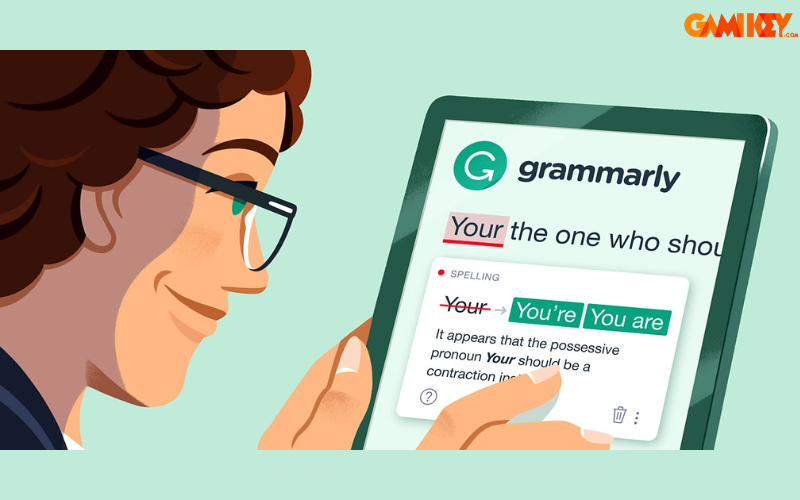
Grammarly stands out as a leading platform for scrutinizing grammar and spelling in English compositions. It empowers users to elevate their writing by identifying inaccuracies and suggesting improvements, making it a go-to resource for students, professionals, and casual writers alike.
- Advantages of Grammarly
- This versatile tool excels at spotting a wide array of issues, from basic spelling and grammar to punctuation, stylistic choices, and vocabulary enhancements, making it invaluable for comprehensive editing.
- Beyond mere detection, it offers in-depth suggestions for corrections, often explaining the rationale behind each recommendation to help users learn from their mistakes.
- By providing ongoing feedback, Grammarly actively contributes to skill development, encouraging writers to refine their techniques and produce more polished work over time.
- It caters to diverse needs with multiple editions, including a no-cost basic version and premium tiers packed with advanced features like plagiarism detection and tone adjustments.
- Integration is seamless across platforms, such as browser extensions, desktop apps, and mobile keyboards, ensuring accessibility wherever you write.
- Users benefit from performance reports that track progress, highlighting common errors and suggesting areas for improvement, which is particularly useful for long-term learning.
- The premium version includes genre-specific writing checks, tailoring suggestions for academic, business, or creative writing, enhancing relevance and effectiveness.
- Drawbacks of Grammarly
- The free tier is somewhat restricted, focusing only on fundamental errors and lacking deeper insights available in paid versions.
- Occasionally, its algorithms may propose corrections that don’t perfectly align with contextual nuances, requiring user discretion.
- Heavy reliance on the tool might hinder independent writing confidence, as some users could become overly dependent on its automated assistance.
- Privacy concerns arise since it processes text data, though the company emphasizes secure handling and user control over data.
- For non-English native speakers, some advanced suggestions might feel overwhelming without additional context or tutorials.
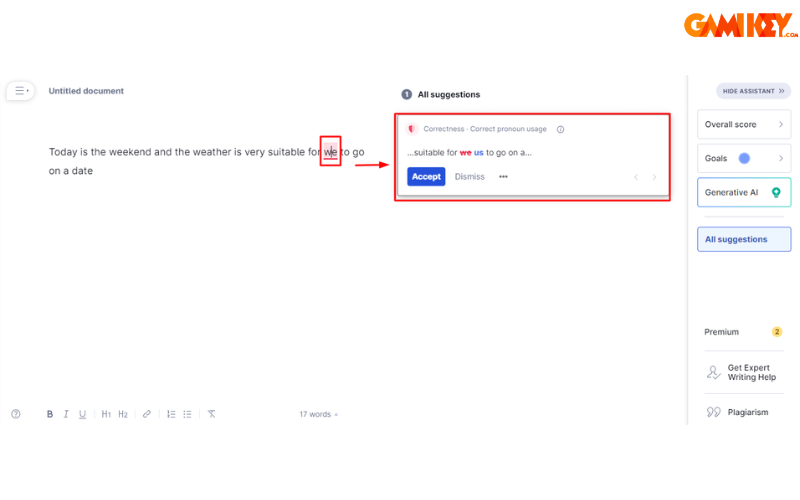
Grammarly’s popularity stems from its user-friendly interface and robust AI-driven analysis. For beginners, it serves as an educational companion, breaking down complex grammar rules into digestible explanations. Professionals appreciate its ability to maintain consistent tone and style across documents, which is essential for branding or formal communications. However, to maximize its potential, users should combine it with personal review practices, ensuring that suggestions align with their unique voice. In educational settings, teachers often recommend Grammarly to students preparing for exams like TOEFL or SAT, where precise language is key. Its mobile app extends functionality to on-the-go editing, perfect for quick emails or notes. Despite minor flaws, Grammarly remains a cornerstone in the realm of best English grammar checker software, continually updating its algorithms based on user data and linguistic advancements.
Hemingway Editor
- Access Link: https://hemingwayapp.com/
Hemingway Editor is an online text refinement tool designed to promote clarity, brevity, and readability in your writing, drawing inspiration from the straightforward style of Ernest Hemingway.
- Advantages of Hemingway Editor
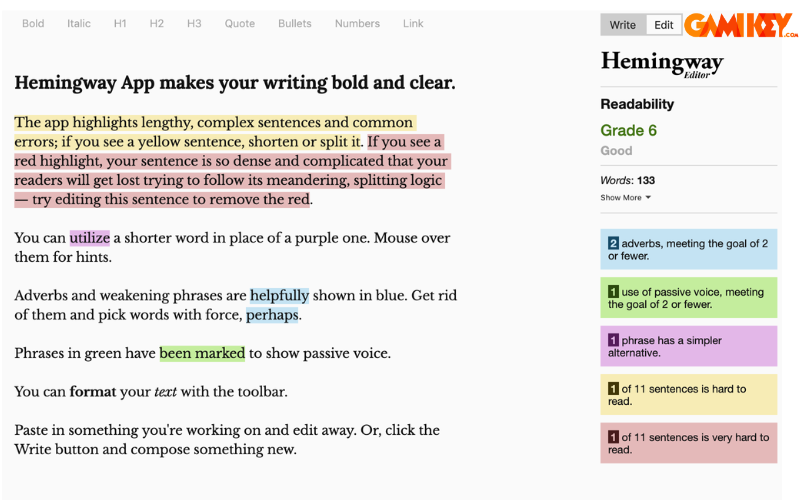
- It employs a color-coded system to assess readability, highlighting complex sentences in yellow or red to prompt simplification.
- The tool emphasizes conciseness by flagging adverbs, passive voice, and lengthy constructions, encouraging punchier, more direct prose.
- Overall, it refines writing style, resulting in content that’s more engaging and accessible, with an intuitive interface that suits novices and experts alike.
- Free online access makes it budget-friendly, and it supports exporting to various formats like HTML or Markdown for seamless integration into blogs or websites.
- Readability scores based on grade levels help tailor content for specific audiences, such as making technical reports understandable for non-experts.
- It’s particularly effective for journalistic or web content, where brevity captures attention in a fast-paced digital world.
- Drawbacks of Hemingway Editor
- Limited to readability and style analysis, it lacks robust grammar or spelling correction features found in more comprehensive tools.
- For specialized writing involving jargon or intricate ideas, its suggestions might oversimplify, potentially diluting technical accuracy.
- No offline mode in the free version, requiring an internet connection, which can be inconvenient for users in remote areas.
- It doesn’t offer personalized feedback or learning resources, so users must independently research why certain changes are recommended.
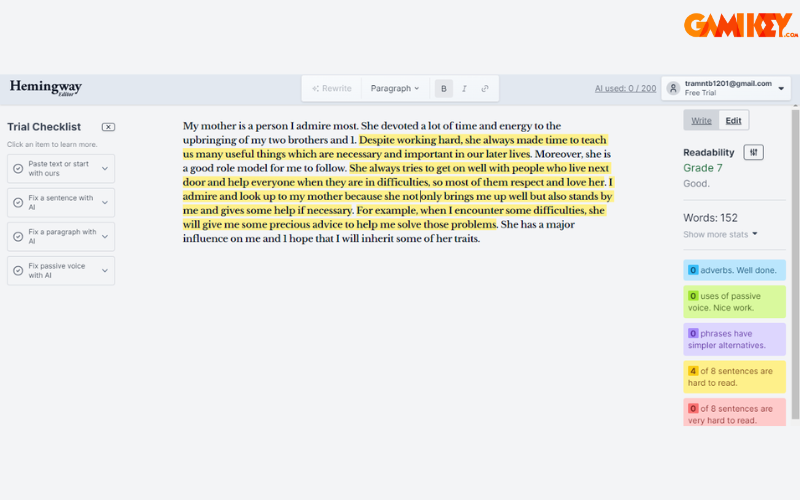
Hemingway Editor shines in scenarios where simplicity is paramount, such as crafting compelling blog posts or marketing copy. Its minimalist design avoids overwhelming users with options, focusing instead on core improvements that make text more dynamic. Writers often pair it with other best English grammar checker software for a holistic approach—using Hemingway for style after initial grammar fixes. For authors revising novels or short stories, it helps eliminate fluff, tightening narratives without sacrificing essence. Educators use it to teach concise writing principles, assigning students to reduce readability scores on drafts. While not a full-fledged editor, its niche focus on readability makes it an essential companion for anyone striving for impactful, straightforward English communication. Regular use can train writers to naturally adopt a more efficient style, reducing revision time in the long run.
After the Deadline
- Access Link: https://www.afterthedeadline.com/
After the Deadline provides a cost-free service for examining English grammar and spelling, assisting users in honing their composition abilities through error identification and remedial advice.
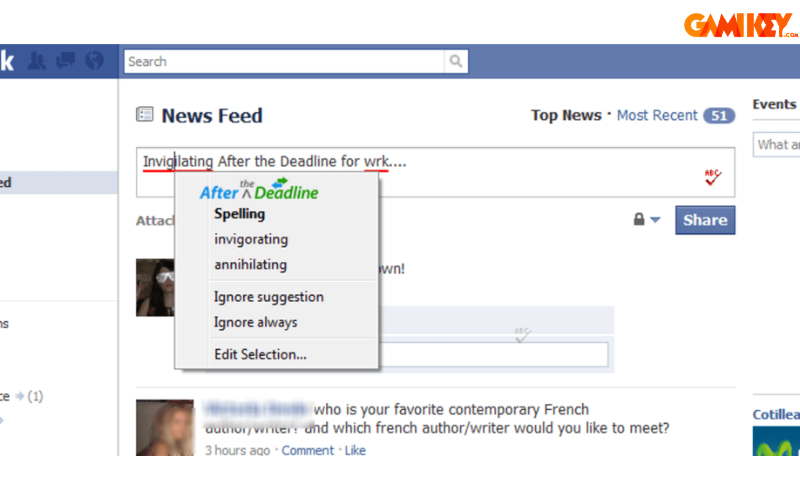
- Advantages of After the Deadline
- Completely free to use, it’s accessible online or as a browser extension, democratizing high-quality proofreading for all users.
- It covers an extensive range of errors, including spelling, grammar, punctuation, stylistic inconsistencies, and vocabulary suggestions for better expression.
- Detailed correction proposals come with explanations, aiding users in understanding and avoiding future mistakes.
- Open-source nature allows community contributions, ensuring ongoing improvements and adaptability.
- Integration with platforms like WordPress enhances its utility for bloggers and content creators.
- Drawbacks of After the Deadline
- The complimentary version caps checks at 10,000 words per session, which may limit larger projects.
- Suggestions aren’t always spot-on, occasionally missing context or proposing irrelevant fixes.
- Lacks advanced features like plagiarism checking or style guides found in premium alternatives.
- Interface feels dated compared to modern tools, potentially deterring tech-savvy users.
As an open-source gem, After the Deadline appeals to budget-conscious individuals and developers who value customization. It’s especially handy for quick reviews of emails, articles, or code comments, where basic accuracy is paramount. Users in non-profit or educational sectors often favor it for its no-cost model, integrating it into collaborative workflows. While it may not rival the sophistication of paid best English grammar checker software, its core functionality provides solid support for everyday writing tasks. For those willing to contribute to its development, it offers a sense of community involvement, with plugins available for various text editors. In summary, it’s a reliable starting point for learners building confidence in English writing without financial barriers.
WhiteSmoke
- Access Link: https://www.whitesmoke.com/
WhiteSmoke serves as a premium utility for inspecting English grammar and spelling, equipped to boost users’ writing proficiency by pinpointing and rectifying various inaccuracies.
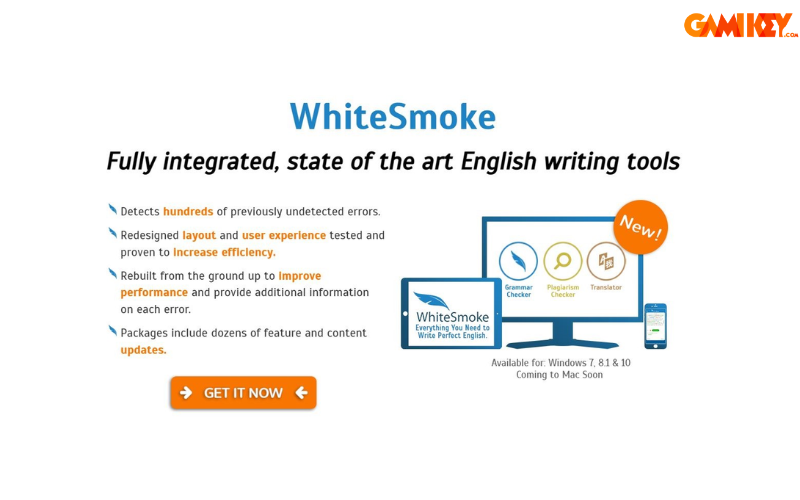
- Advantages of WhiteSmoke
- It adeptly identifies diverse errors, spanning spelling, grammar, punctuation, style, and word choice for thorough revisions.
- Insightful correction ideas include alternatives and rationales, fostering better writing decisions.
- Additional tools like plagiarism scanners, translation services, and email templates add significant value for multifaceted users.
- Multilingual support covers over 50 languages, ideal for global professionals or polyglots.
- Desktop and online versions ensure flexibility, with integrations for Microsoft Office and browsers.
- Video tutorials and writing templates guide users in various genres, from resumes to academic papers.
- Drawbacks of WhiteSmoke
- As a paid service without a free trial option, it requires upfront commitment, which might deter cautious buyers.
- The user interface can seem cluttered and less intuitive, posing a learning curve for newcomers.
- Occasional performance lags on older devices, affecting efficiency during extensive edits.
- Limited mobile support compared to competitors, restricting on-the-go usage.
WhiteSmoke caters to serious writers seeking an all-in-one suite, particularly in business environments where professional correspondence is frequent. Its translation feature is a boon for international teams, ensuring accurate cross-language adaptations. Academics value the plagiarism checker for maintaining integrity in research. Despite the cost, its comprehensive toolkit justifies the investment for those prioritizing depth over simplicity. When compared to other best English grammar checker software, WhiteSmoke’s strength lies in its bundled extras, making it a versatile choice for diverse writing needs. Users often report improved productivity after mastering its features, with customizable settings allowing tailored experiences.
LanguageTool
- Access Link: https://languagetool.org/fr
LanguageTool is an open-source, complimentary checker for English grammar and spelling, designed to aid in writing enhancement by detecting flaws and offering fixes.
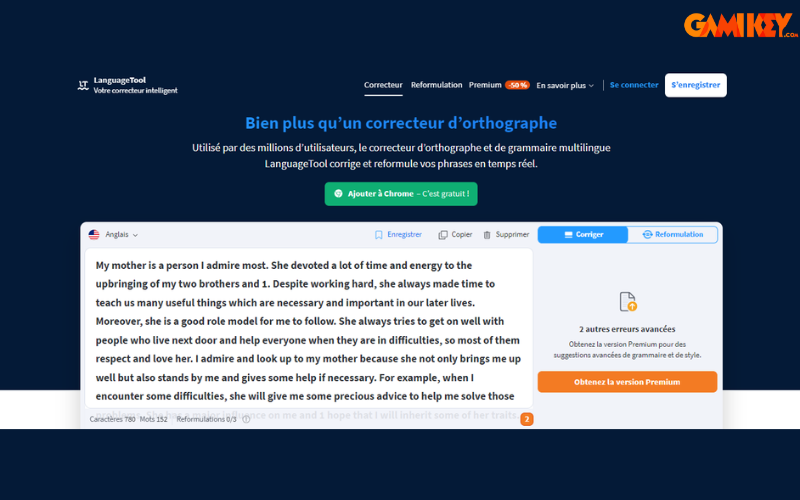
- Advantages of LanguageTool
- Free access online or via extensions, with premium upgrades for enhanced limits and features.
- Broad error detection encompasses spelling, grammar, punctuation, style, and vocabulary across multiple contexts.
- Precise suggestions include alternatives and brief explanations for educational value.
- User-friendly design supports over 20 languages, making it versatile for multilingual users.
- Open-source framework invites community enhancements, ensuring evolving accuracy.
- Offline capabilities in some versions provide flexibility without constant connectivity.
- Drawbacks of LanguageTool
- Free edition restricts checks to 20,000 characters, necessitating premium for larger texts.
- Recommendations may occasionally be off-mark, especially in nuanced or idiomatic expressions.
- Limited integrations compared to giants like Grammarly, though extensions help bridge the gap.
- No built-in plagiarism or tone analysis in the base version.
LanguageTool’s appeal lies in its balance of accessibility and sophistication, ideal for open-source enthusiasts and casual users. It’s widely used in Europe for its strong multilingual support, aiding translators and international students. Developers appreciate the API for embedding into custom applications. As part of the best English grammar checker software lineup, it excels in providing reliable, no-frills proofreading. For writers focused on technical accuracy, its rule-based system offers transparency not always found in AI-driven tools. Community forums provide additional support, helping users navigate complex queries.
In conclusion, this overview from buyaitools has introduced you to the top five best English grammar checker software solutions for unparalleled accuracy. We hope this in-depth analysis assists you in selecting the ideal tool to rectify spelling and grammar issues, thereby boosting your writing prowess. For more insights into various accounts and resources, check out the “News” section on buyaitools.com.
Explore other learning platforms at buyaitools:
What is Scribd
What is Quizlet
What is Quizizz
What is Elsa Speak
What is Grammarly