

In the ever-evolving digital landscape, maintaining online privacy and accessing unrestricted content have become essential for internet users worldwide. Turbo VPN stands out as a popular virtual private network service that promises seamless, secure browsing experiences. This comprehensive guide delves deeply into what makes Turbo VPN a go-to choice for millions, exploring its core functionalities, strengths, limitations, standout features, and practical usage instructions across various platforms. Whether you’re new to VPNs or seeking a reliable tool for everyday use, understanding Turbo VPN can empower you to navigate the web with greater confidence and freedom.
Understanding What Turbo VPN Is
Turbo VPN is a robust virtual private network (VPN) application designed to create encrypted tunnels between your device and remote servers located in numerous countries around the globe. By routing your internet traffic through these servers, Turbo VPN effectively masks your real IP address, replacing it with one from the chosen server location. This fundamental mechanism not only shields your online activities from prying eyes—such as internet service providers, government surveillance, or potential cybercriminals—but also enables you to circumvent geographical restrictions imposed on certain websites and services.
One of the appealing aspects of Turbo VPN is its dual-tier structure: a fully functional free version and a premium subscription model. The free tier offers unlimited data usage without bandwidth caps, making it accessible for casual users. However, it comes with trade-offs, including slower connection speeds and a limited selection of servers. In contrast, the premium version unlocks high-speed connections, an expansive server network, and additional perks like ad-free browsing, catering to power users who demand optimal performance.
Beyond basic privacy protection, Turbo VPN excels in scenarios where content access is restricted by region. For instance, travelers or expatriates can use it to stream hometown media, while researchers and journalists benefit from unfiltered access to global information sources. Its cross-platform compatibility—spanning mobile devices, desktops, and even browsers—further enhances its versatility in today’s multi-device world.

Evaluating the Pros and Cons of Turbo VPN
Key Advantages of Choosing Turbo VPN
- Advanced Data Encryption: At the heart of Turbo VPN‘s security framework is AES-256 encryption, a military-grade standard widely regarded as unbreakable by current computing power. This ensures that all transmitted data—whether browsing history, login credentials, or file downloads—remains impenetrable to interception attempts by malicious actors.
- No Leak Vulnerabilities: Rigorous independent tests have consistently shown that Turbo VPN prevents IP, DNS, and WebRTC leaks, providing reassurance for users connecting via public Wi-Fi networks in cafes, airports, or hotels where risks are heightened.
- Torrenting Support: Unlike many free VPNs that throttle or block peer-to-peer activities, Turbo VPN permits torrent downloads without restrictions, appealing to users who engage in legal file sharing or large media transfers.
- Streaming Unblocking Capabilities: Premium subscribers particularly benefit from reliable access to geo-restricted libraries on platforms like Netflix, allowing seamless enjoyment of international movies, series, and live events without buffering interruptions.
- Accessible Free Plan: The no-cost option lowers the entry barrier, ideal for beginners testing VPN waters or occasional users who prioritize basic privacy over lightning-fast speeds.
- Intuitive User Interface: Designed with simplicity in mind, the app features a clean layout that requires minimal technical knowledge—one-tap connections make it suitable for all age groups and expertise levels.
- Extensive Server Infrastructure: The paid tier boasts thousands of servers across dozens of countries, optimizing for low latency and high availability to deliver consistent performance worldwide.
Potential Drawbacks to Consider with Turbo VPN
- Ambiguous Logging Practices: Despite strong encryption, concerns persist regarding data retention policies. Some reviews suggest that anonymized logs might be collected or shared with third parties, potentially undermining the no-logs promise expected from top-tier VPNs.
- Absence of Kill Switch: A critical safety feature missing in Turbo VPN is an automatic kill switch, which would sever internet access if the VPN connection drops unexpectedly, preventing accidental exposure of your real IP.
- Advertisement Intrusions: Free users frequently encounter pop-up ads, which can disrupt workflow and diminish the overall experience, especially during intensive sessions.
- Jurisdiction Concerns: Headquartered in a region with stringent internet regulations, Turbo VPN raises questions about potential compliance with data requests from authorities, affecting perceptions of trustworthiness.
- Variable Speed Performance: Connections to distant servers often result in noticeable slowdowns, making it less ideal for high-bandwidth tasks like 4K streaming or competitive gaming compared to elite competitors.
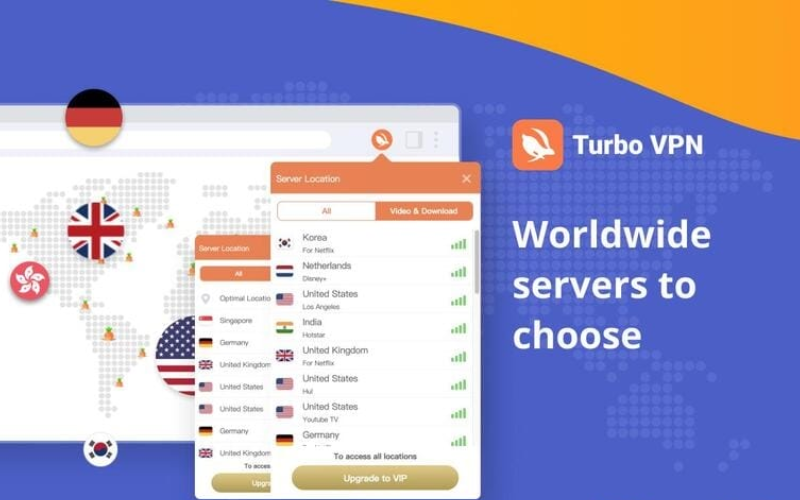
Highlighting Standout Features of Turbo VPN
- Superior Encryption Standards: Leveraging AES-256 alongside secure protocols, Turbo VPN fortifies your digital footprint against sophisticated threats, including man-in-the-middle attacks and data sniffing on unsecured networks.
- Geo-Restriction Bypass: Effortlessly unlock a world of content, from exclusive streaming catalogs on services like Disney+, BBC iPlayer, or regional sports broadcasts, to censored news outlets and social platforms in restrictive environments.
- Rapid One-Tap Connectivity: Optimized servers ensure quick handshakes, minimizing wait times and allowing instant protection with minimal configuration—perfect for on-the-go users.
- Tiered Subscription Flexibility: Start with the gratis version for essential safeguards, then upgrade to VIP for enhanced speeds, dedicated streaming servers, and priority support, tailoring the service to your evolving needs.
- Robust Privacy Safeguards: Comprehensive leak protection and IP concealment enable truly anonymous browsing, safeguarding sensitive activities like online banking or confidential communications.
- User-Centric Design: The minimalist interface prioritizes ease, featuring global server maps, connection status indicators, and smart server recommendations for optimal performance.
These features collectively position Turbo VPN as a versatile tool, balancing accessibility with functional depth. For users prioritizing streaming and basic anonymity, it delivers commendable results, though discerning individuals may supplement with additional privacy tools for mission-critical applications.
Detailed Guide to Using Turbo VPN Effectively
Setting Up and Using Turbo VPN on Windows for IP Masking
Deploying Turbo VPN on a Windows PC is straightforward, transforming your desktop into a secure browsing hub.
- Step 1: Navigate to the official Turbo VPN website and locate the “Download for PC” button to acquire the Windows installer.
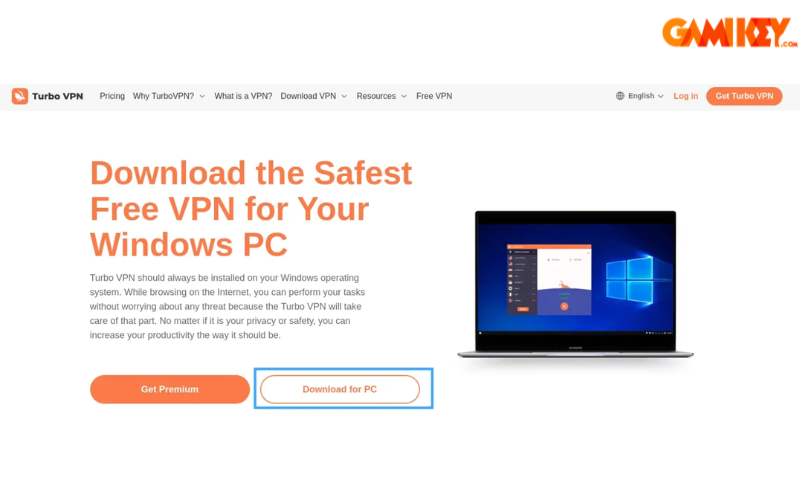
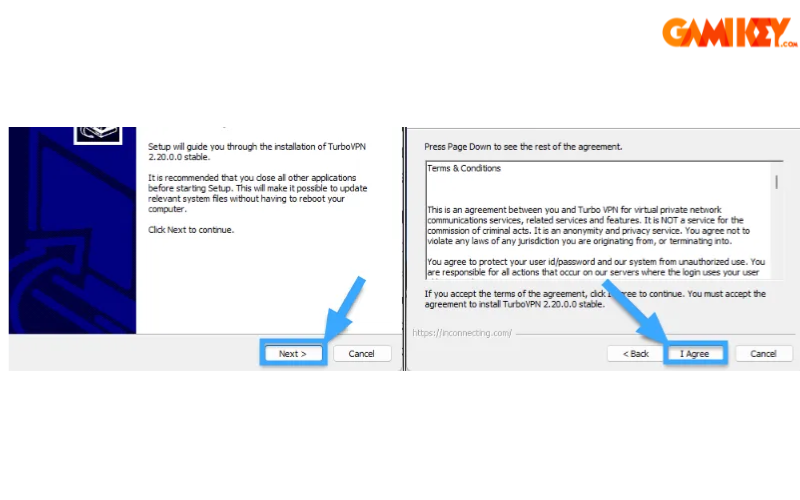
- Step 2: Execute the downloaded .exe file, proceed through the setup wizard by clicking “Next,” and accept the terms to continue.
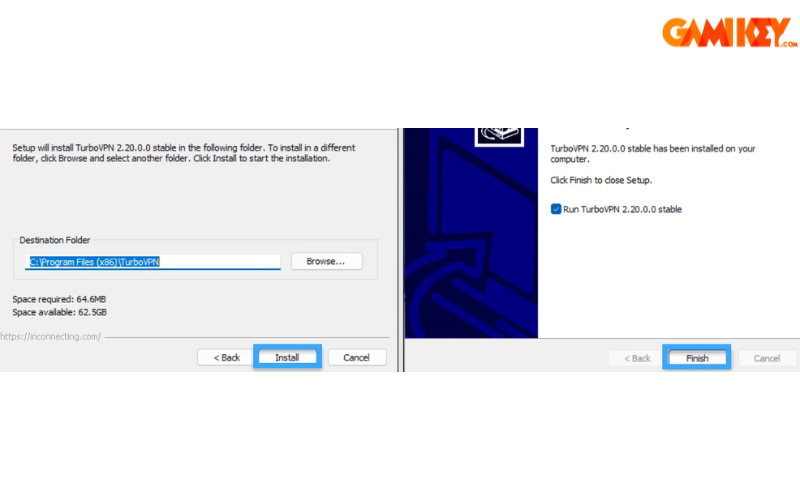
- Step 3: Specify your preferred installation directory, initiate the process with “Install,” and finalize by selecting “Finish.”
- Step 4: The application launches automatically; skip any premium prompts by navigating back using the arrow icon.
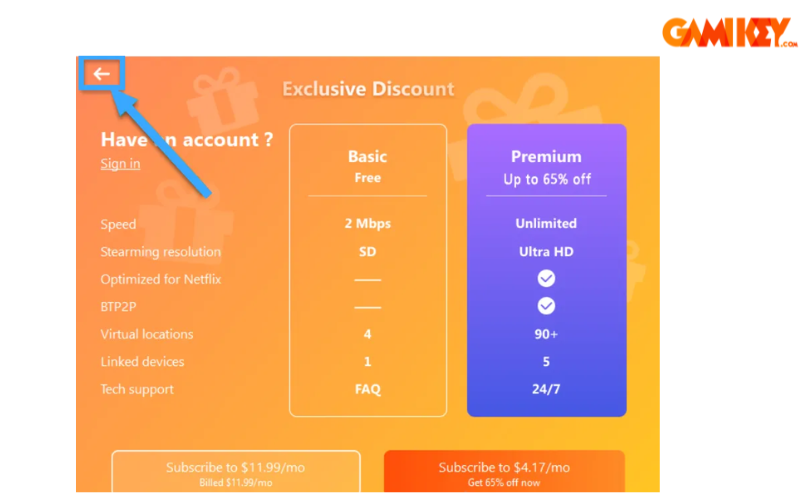
- Step 5: Select an available free server—options typically include Germany, Singapore, or the United States. For users in Southeast Asia, Singapore often yields the fastest, most stable connection due to proximity.
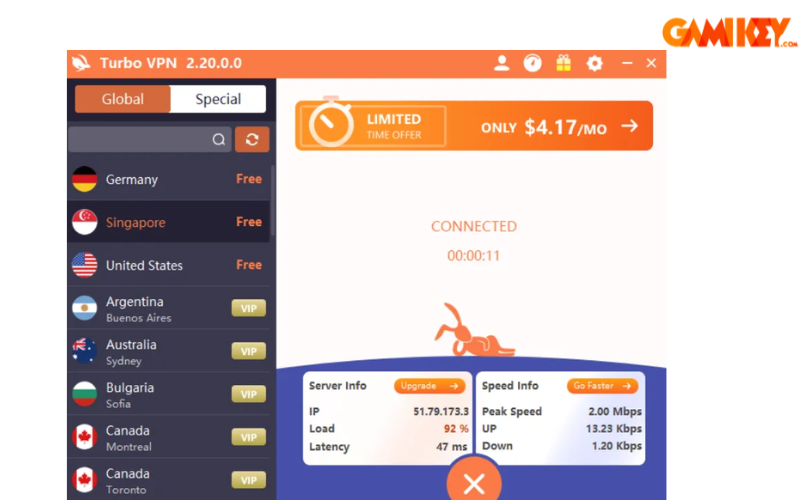
Note: Once connected, a central icon indicates active status. Disconnect anytime by tapping the prominent X button for immediate cessation of the VPN tunnel.
Configuring Turbo VPN on Android and iOS Devices for Mobile IP Changes
Mobile deployment ensures protection on smartphones and tablets, where public network usage is commonplace.
- Step 1: Download Turbo VPN directly from the Google Play Store for Android or the Apple App Store for iOS, then complete the installation.
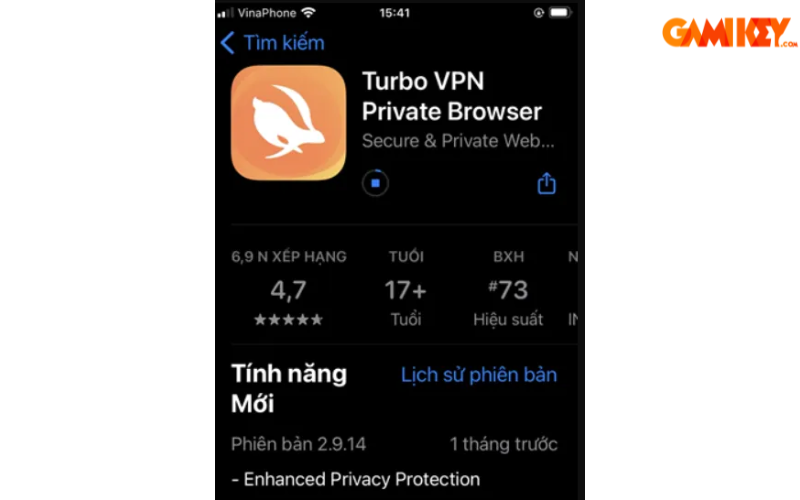
- Step 2: Launch the app, agree to the terms, and dismiss any upgrade offers by closing the prompt.
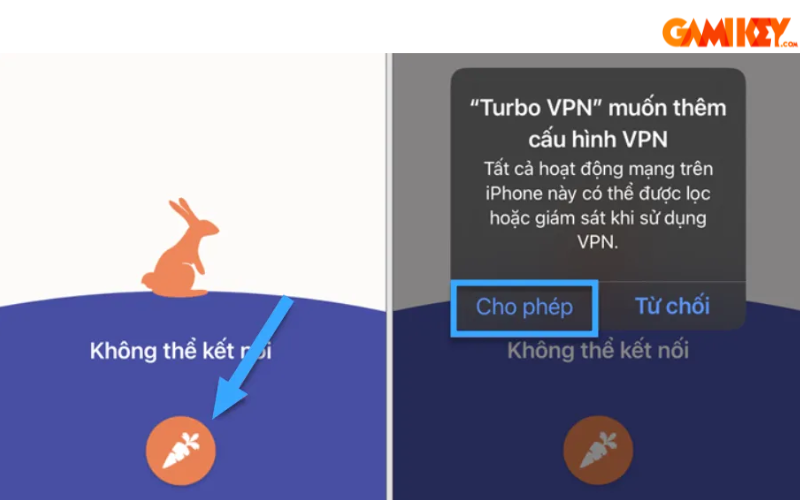
- Step 3: On the main dashboard, tap the central carrot icon to initiate server selection and connection.
- Step 4: Authorize the VPN profile addition via your device’s biometric authentication or passcode for secure configuration.
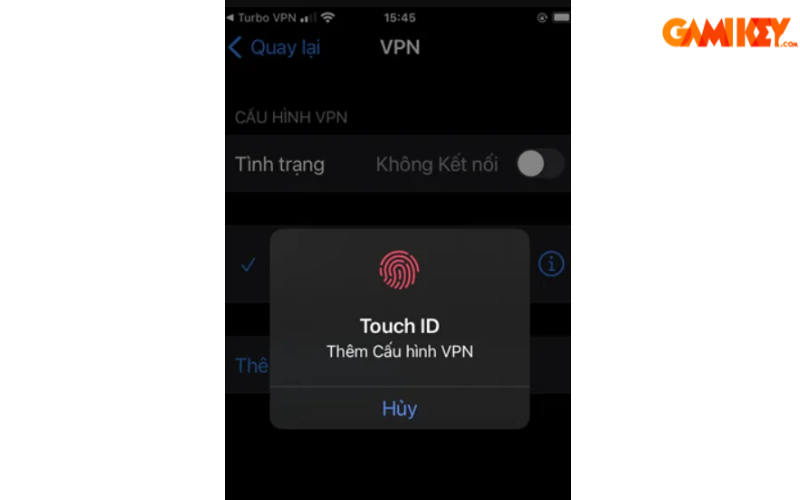
- Step 5: Upon successful linkage, enjoy protected browsing. Terminate the session by selecting the disconnection option displayed prominently.

Mastering Turbo VPN equips you with a powerful ally in the quest for digital security and freedom. While it shines in ease of use and content access, weighing its privacy nuances against your specific requirements is advisable. For those venturing deeper into VPN ecosystems, exploring complementary resources on setup variations, troubleshooting common issues, and comparing alternatives can further enhance your online safeguards. Ultimately, Turbo VPN represents a solid entry point into encrypted networking, fostering safer, more open internet experiences for users across the spectrum.