

For professionals immersed in graphic design and digital creativity, the name Adobe resonates as an industry cornerstone. However, newcomers to the field often encounter it as an unfamiliar yet intriguing concept. This comprehensive guide delves deeply into the essence of Adobe, exploring its legacy, flagship offerings, and transformative impact on modern creative workflows.
Exploring the Adobe Corporation
Adobe Inc. stands as a premier American multinational software company, established in December 1982 by visionary founders John Warnock and Charles Geschke. Headquartered in San Jose, California, the company has evolved into one of the world’s top ten software providers, renowned for pioneering tools that redefine digital content creation.
As of 2025, Adobe continues to lead the creative technology landscape through groundbreaking innovations. Iconic applications such as Photoshop, Illustrator, and Acrobat remain staples, complemented by an expanding ecosystem of cloud-based services. The integration of artificial intelligence and machine learning technologies further enhances user capabilities, streamlining complex processes and unlocking new levels of efficiency in design, photography, video production, and document management.
The company’s commitment to pushing boundaries has solidified its position as an indispensable partner for millions of creators worldwide, from independent artists to large-scale enterprises.
Understanding Adobe Creative Cloud
Prior to the cloud era, Adobe dominated the market with the Adobe Creative Suite—a bundled collection of desktop applications that revolutionized professional design. In 2013, the company made a pivotal shift by introducing Adobe Creative Cloud (commonly abbreviated as Adobe CC), transitioning from one-time purchases to a flexible subscription model that better aligns with contemporary digital demands.
Adobe Creative Cloud represents a sophisticated suite of premium services, building upon the foundation of its predecessor while embracing cloud computing. It encompasses an extensive array of tools dedicated to image manipulation, vector graphics, video editing, web design, and beyond. By hosting resources on remote servers, users gain seamless access to their projects and libraries from any connected device, fostering unprecedented mobility and collaboration.
This platform supports major operating systems including Windows and macOS for desktops and laptops, with select applications extending to mobile environments on iOS and Android tablets and smartphones. Such cross-platform compatibility ensures creators can maintain productivity regardless of their preferred hardware.
Key Applications in Adobe Creative Cloud All Apps
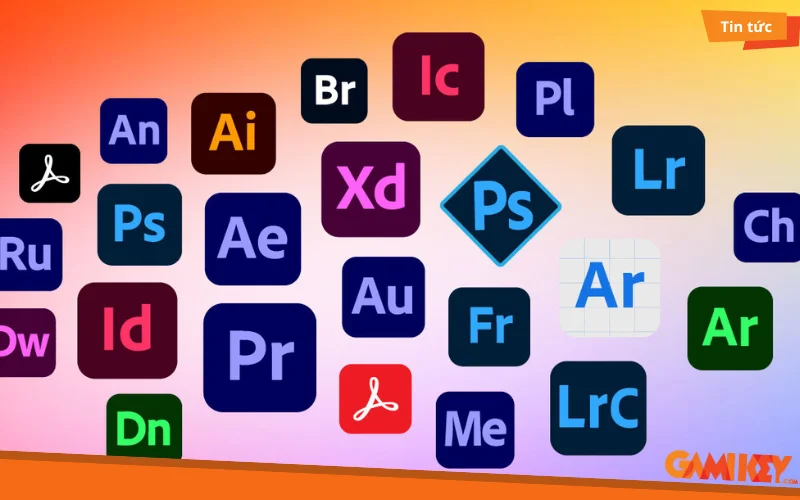
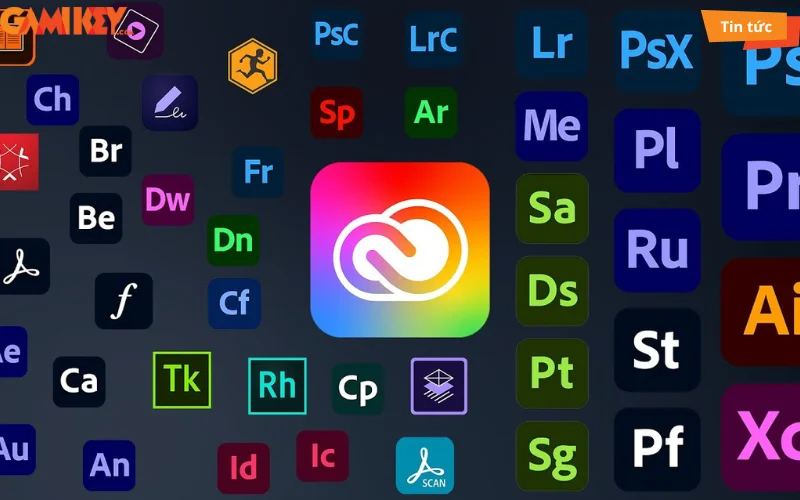
The All Apps subscription unlocks over 20 interconnected, multi-platform tools designed to complement one another seamlessly. This integrated approach empowers users to craft polished, professional-grade outputs by leveraging specialized functionalities across disciplines. Whether subscribing to individual apps or the complete package, creators benefit from unparalleled versatility.
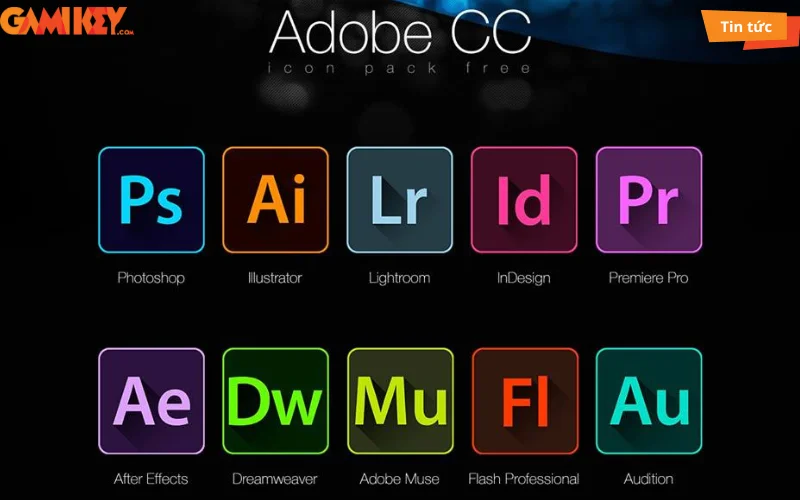
- Adobe Photoshop: The gold standard for raster image editing and digital painting, offering advanced layers, masks, filters, and AI-powered tools for precise photo retouching and composite creation.
- Adobe Illustrator: Premier vector graphics editor ideal for logos, icons, typography, and intricate illustrations, supporting scalable designs with sophisticated path manipulation and effects.
- Adobe InDesign: Professional layout and publishing software for crafting magazines, books, ebooks, and interactive PDFs with meticulous typography and multi-page management.
- Adobe Dreamweaver: Robust environment for web development, enabling code editing, visual design, and responsive site building across multiple programming languages.
- Adobe Premiere Pro: Industry-leading video editing suite featuring timeline-based workflows, color grading, audio mixing, and multi-camera support for cinematic productions.
- Adobe After Effects: Powerful motion graphics and visual effects tool used extensively in film, television, and animation for compositing, tracking, and particle simulations.
- Adobe Lightroom: Specialized photo management and non-destructive editing application emphasizing batch processing, presets, and tonal adjustments for photographers.
- Adobe XD: Dedicated prototyping tool for UI/UX designers, facilitating wireframing, interactive mockups, and collaborative feedback on web and mobile interfaces.
- Adobe Audition: Comprehensive audio workstation for recording, mixing, restoration, and sound design in podcasts, music, and broadcast media.
- Adobe Animate: Versatile platform for 2D animation, interactive content, and game assets, supporting HTML5 canvas and traditional frame-by-frame techniques.
- Adobe Dimension: 3D rendering and compositing software for creating photorealistic product mockups and scene visualizations without advanced modeling expertise.
- Adobe Express: Streamlined graphic design tool for quick social media assets, flyers, and videos, accessible to beginners yet powerful for rapid iterations.
These applications interconnect through shared libraries, fonts, and cloud synchronization, enabling fluid transitions between tasks—such as importing Illustrator vectors into After Effects or refining Lightroom edits in Photoshop.
Benefits of Adobe Creative Cloud for Modern Creators
Adobe Creative Cloud transcends traditional software by delivering a dynamic ecosystem that adapts to evolving creative needs. Its advantages extend far beyond mere functionality, enhancing productivity and inspiration at every level.
- Extensive Adobe Stock Library: Access millions of royalty-free photos, vectors, videos, templates, and 3D assets directly within applications, accelerating ideation and ensuring high-quality resources.
- Generous Cloud Storage: Standard 100GB allocation (expandable) safeguards projects, enables version history, and facilitates real-time collaboration across teams and devices.
- Accessibility for All Skill Levels: Intuitive interfaces combined with extensive tutorials, community presets, and AI-assisted features lower barriers for novices while satisfying expert demands through regular updates.
- Streamlined Installation and Updates: Centralized Creative Cloud desktop app manages downloads, installations, and automatic patches, minimizing downtime and compatibility issues.
- Vibrant Global Community: Integration with Behance for portfolio showcasing, forums for troubleshooting, and collaborative review tools connect users with peers, mentors, and potential clients worldwide.
- Cross-Device Synchronization: Fonts, brushes, color palettes, and project files sync instantly, allowing seamless switches between desktop power and mobile convenience.
- Advanced AI Integration: Features like Generative Fill in Photoshop, neural filters, and automated subject selection harness machine learning to expedite repetitive tasks and spark innovative outcomes.
Collectively, these elements position Adobe Creative Cloud as an investment in sustained creative growth rather than isolated tools.
Step-by-Step Guide to Installing Adobe Creative Cloud Suite
Deploying the full Adobe Creative Cloud collection requires careful preparation to ensure smooth operation. Follow this detailed procedure for optimal results:
- Disable Security Interference: Temporarily turn off Windows Firewall and any third-party antivirus to prevent installation blocks.
- Acquire the Installer: Download the Creative Cloud desktop application from the official Adobe website or authorized sources.
- Extract and Launch: Unzip the package if necessary and execute the setup executable with administrative privileges.
- Initiate Installation: Select “Install” to begin the process.
- Handle Dependencies: Allow automatic installation of required Visual C++ redistributables if prompted.
- Customize Settings: Specify installation directory, preferred language, and additional components before proceeding.
- Complete and Verify: Await completion, then launch the Creative Cloud app to sign in and download desired applications.
Post-installation, enable security software again and explore the intuitive dashboard for managing subscriptions and updates.
Comparing Adobe Subscription Plans
Adobe offers tailored plans to accommodate diverse user needs and budgets:
Individual Plan
- Target: Solo creators and freelancers seeking full access.
- Pricing: Approximately $52.99 monthly (annual commitment).
- Highlights: Complete application suite, 100GB storage, Adobe Fonts, and portfolio hosting.
Business Plan
- Target: Teams and organizations requiring centralized management.
- Pricing: Variable based on licenses and features.
- Highlights: Admin console, enhanced security, shared asset libraries, and dedicated support.
Student and Teacher Plan
- Target: Eligible educational users.
- Pricing: Significant discount, often around $19.99 monthly.
- Highlights: Identical features to Individual plan at reduced cost, promoting skill development.
Selecting the appropriate plan maximizes value while aligning with specific creative objectives.
In summary, Adobe Creative Cloud embodies the pinnacle of digital creativity tools, empowering users to transform ideas into reality with unmatched sophistication. For those considering authentic licenses, reputable providers ensure reliable access backed by comprehensive support.