

What Exactly Is Adobe Flash Player?
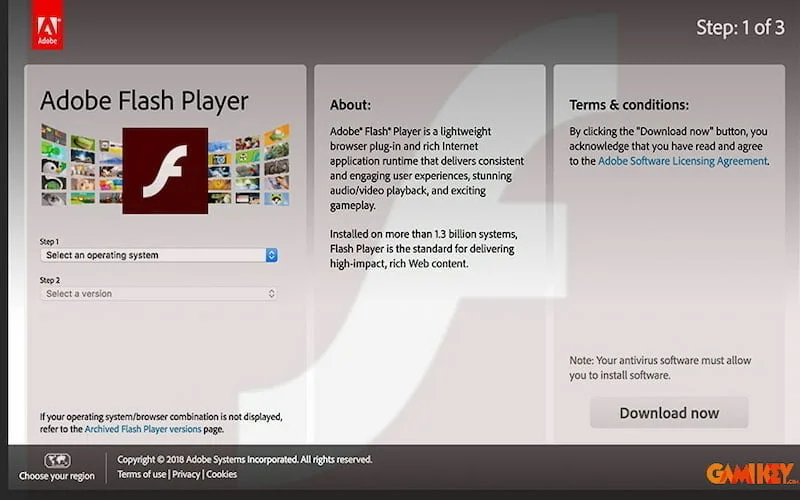
For many years, Adobe Flash Player served as a cornerstone technology that powered rich multimedia experiences across the internet. Developed by Adobe Systems, this software plugin enabled web browsers to display animated content, interactive applications, streaming video, and online games through a combination of vector graphics, raster images, and scripting capabilities. At its peak, it was nearly ubiquitous, installed on billions of devices worldwide and integral to countless websites.
Essentially, Adobe Flash Player functioned as a runtime environment that interpreted SWF (Shockwave Flash) files—compact multimedia packages created using Adobe’s authoring tools. It allowed developers to embed sophisticated animations, audio playback, and even full-fledged games directly into web pages without requiring users to download separate applications. This made the early web far more dynamic and engaging than static HTML pages alone could achieve.
However, on December 31, 2020, Adobe officially ended support for Adobe Flash Player, marking the conclusion of its lifecycle. By early 2021, major browsers including Chrome, Firefox, Edge, and Safari completely disabled or removed built-in support for the plugin. Today, attempting to run Flash content triggers warnings or outright blocks due to insurmountable security risks. Modern web standards have fully supplanted it, delivering superior performance, safety, and compatibility.
Key Features and Historical Contributions of Adobe Flash Player
During its dominance from the late 1990s through the 2010s, Adobe Flash Player introduced several groundbreaking capabilities that shaped online interactivity.
Delivering Superior Visual and Audio Quality
One of the primary strengths of Adobe Flash Player lay in its advanced handling of media assets. It supported high-fidelity playback of compressed video streams using codecs like Sorenson Spark and later VP6, enabling smooth streaming even on modest broadband connections of the era. Developers could incorporate lossless audio, layered animations, and transparency effects that were difficult or impossible with basic HTML and JavaScript alone.
The platform excelled at rendering vector-based graphics, which scaled perfectly across different screen resolutions without pixelation. This made it ideal for logos, illustrations, and user interfaces in web applications. Additionally, bitmap effects such as alpha blending, gradients, and filters allowed creators to produce visually stunning experiences comparable to desktop software.
Accelerating Web Browsing and Streaming Performance
Contrary to later criticisms, early versions of Adobe Flash Player were optimized to minimize load times. By caching assets locally and using efficient bytecode execution, it reduced server requests and improved perceived page speed. For users on dial-up or early broadband, Flash-delivered advertisements, banners, and mini-games loaded quickly while enhancing engagement.
On desktop systems, hardware acceleration via DirectX or OpenGL became available in later releases, offloading rendering tasks from the CPU to the GPU. This resulted in smoother frame rates for complex animations and video playback.

Enhancing Text Rendering and Typography
Adobe Flash Player incorporated sophisticated text engines, including the Saffron Type System in later versions, which provided sub-pixel anti-aliasing and embedded font support. This ensured crisp, readable text even at small sizes or when rotated and animated—features critical for rich internet applications (RIAs) and digital publications.
Developers could specify custom fonts without worrying about user installation, maintaining brand consistency across platforms. Advanced typographic controls like kerning, ligatures, and bidirectional text support made Flash suitable for multilingual interfaces and professional layouts.
Enabling Seamless Online Gaming
Perhaps most famously, Adobe Flash Player revolutionized browser-based gaming. Thousands of popular titles—from simple puzzles to elaborate multiplayer experiences—were built using ActionScript, Flash’s ECMAScript-based programming language.
Its robust event model, sprite management, and physics libraries allowed developers to create responsive games with sound effects, particle systems, and real-time multiplayer networking via technologies like Adobe’s RTMP protocol. Sites like Newgrounds, Miniclip, and Kongregate thrived on Flash games, attracting millions of daily players without requiring downloads.
Real-time filters and blending modes added polish: glows around characters, motion blurs, bevel effects on buttons, and dynamic shadows elevated production values far beyond what contemporary Java applets could offer.

Standout Advantages That Made Adobe Flash Player Dominant
During its heyday, several compelling benefits cemented Adobe Flash Player‘s position as the go-to solution for interactive web content.
First, its cross-platform consistency was unparalleled. Content authored once ran identically on Windows, macOS, and Linux desktops, delivering a uniform experience regardless of underlying operating system. This “write once, run anywhere” philosophy appealed greatly to enterprises deploying intranet applications and e-learning modules.
The ecosystem surrounding Flash was robust: professional authoring tools like Adobe Animate (formerly Flash Professional) offered timeline-based animation, code editors, and debugging capabilities. Extensive libraries and components accelerated development, while a vast community shared assets, tutorials, and open-source code.
File sizes remained remarkably compact thanks to aggressive compression algorithms. A feature-rich animation or game could occupy mere kilobytes, crucial when bandwidth was limited and expensive. Export options extended beyond the web—standalone projectors (.exe on Windows, .app on Mac) allowed distribution on CD-ROMs or as desktop executables.
Integration with server-side technologies via XML sockets, AMF (Action Message Format), and later RTMP enabled data-driven applications: video streaming platforms like early YouTube relied heavily on Flash for reliable delivery before HTML5 video matured.
Critical Shortcomings That Led to the Demise of Adobe Flash Player
Despite its innovations, Adobe Flash Player accumulated significant drawbacks that ultimately sealed its fate.
Security vulnerabilities represented the most damning issue. Throughout the 2010s, Flash became a prime target for malware exploits. Zero-day attacks frequently leveraged buffer overflows, use-after-free bugs, and memory corruption to execute arbitrary code. Adobe issued patches almost monthly, yet attackers consistently discovered new vectors. High-profile incidents, including breaches at major corporations, underscored the risks of maintaining an always-enabled plugin with deep system access.
Performance overhead grew problematic as web content complexity increased. Flash’s single-threaded runtime consumed substantial CPU cycles, leading to fan noise, heat buildup, and sluggish browsing—especially during video playback or intensive animations. On laptops, it drastically shortened battery life, sometimes halving runtime compared to native HTML experiences.
Mobile support proved inadequate. Battery drain and thermal issues were amplified on smartphones and tablets. More critically, Apple CEO Steve Jobs publicly denounced Flash in 2010, refusing to allow it on iOS devices citing performance, security, and touch-friendliness concerns. Without iPhone and iPad compatibility, Flash lost relevance as mobile browsing exploded. Android offered limited support until eventually dropping it as well.
Accessibility limitations hindered adoption in enterprise and educational settings. Screen readers struggled with dynamic Flash content, complicating compliance with standards like Section 508 or WCAG. Closed-captioning and keyboard navigation were often afterthoughts rather than built-in features.
Finally, the rise of open web standards eroded Flash’s monopoly. HTML5 introduced native <video>, <audio>, <canvas>, and WebGL elements that matched or exceeded Flash capabilities without requiring third-party plugins. JavaScript engines became dramatically faster through optimizations like JIT compilation, while frameworks such as WebAssembly enabled near-native performance for games and applications.
These converging factors—security crises, resource inefficiency, mobile exclusion, and superior alternatives—compelled Adobe, browser vendors, and content creators to abandon Flash entirely.
In retrospect, Adobe Flash Player played an indispensable role in evolving the web from static documents into an interactive multimedia platform. Its legacy persists in design principles, animation techniques, and even preserved archives of classic games and creative works. Yet its obsolescence serves as a reminder of how rapidly technology progresses and the importance of prioritizing security and openness in foundational internet tools.
Today, developers achieve everything once exclusive to Flash—and far more—using modern, standards-based approaches that are faster, safer, and universally accessible across all devices.