

Adobe Max stands as one of the premier gatherings in the creative industry, drawing together enthusiasts of design, digital arts, and cutting-edge technology from around the globe. Hosted annually by Adobe Systems, this event transcends a typical conference, offering an immersive journey for individuals eager to enhance their expertise in creative domains. In this comprehensive guide from buyaitools, we’ll delve into what Adobe Max truly represents, highlight the key events and sessions, and explore compelling reasons for your participation.
Overview of Adobe Max
Launched initially in 2003, Adobe Max was conceived to foster connections among designers, developers, and creative aficionados. Over the years, it has evolved into a massive phenomenon, attracting thousands of attendees annually. Beyond merely unveiling new products, the conference serves as a platform for participants to gain insights from leading industry experts.
Typically held in major U.S. cities such as Los Angeles or San Francisco, Adobe Max has recently expanded to include virtual formats, making it accessible to a global audience. The event is usually scheduled for October each year, aligning with the fall season to maximize engagement.
To truly appreciate Adobe Max, it’s essential to understand its roots. Adobe, a pioneer in creative software, recognized the need for a dedicated space where users could not only learn about updates but also network and collaborate. This vision has grown into a multifaceted experience that combines education, inspiration, and innovation. Attendees often describe it as a catalyst for professional growth, where emerging trends in digital creativity are dissected and demonstrated.
Historically, Adobe Max has been instrumental in shaping the creative landscape. For instance, early editions focused on the transition from traditional design to digital tools, while recent ones emphasize artificial intelligence and machine learning integrations. This progression mirrors the industry’s shift towards more efficient, AI-driven workflows, making Adobe Max a barometer for future developments in creative technologies.
Moreover, the hybrid model adopted in recent years has democratized access, allowing remote participants to join live streams, interactive sessions, and virtual networking. This inclusivity has broadened the event’s reach, enabling creative professionals from diverse backgrounds to contribute and benefit without geographical constraints.
Highlight Activities at Adobe Max
Adobe Max is renowned for its diverse array of activities that cater to various interests within the creative spectrum. These include hands-on workshops, insightful presentations, and interactive exhibitions, each designed to inspire and educate.
Engaging Workshops
A cornerstone of Adobe Max involves interactive workshops led by top-tier experts. These sessions deliver in-depth knowledge on leveraging Adobe’s suite of tools, such as Photoshop for image manipulation, Illustrator for vector graphics, Premiere Pro for video editing, and After Effects for motion graphics. Participants engage in practical exercises, receiving real-time feedback to refine their techniques and workflows.
These workshops often explore advanced topics like layer management in complex designs or integrating AI for automated edits, providing actionable skills that attendees can immediately apply in their projects. For example, a session might demonstrate how to create stunning visual effects using After Effects, complete with step-by-step guidance and troubleshooting tips.
Beyond technical skills, workshops at Adobe Max emphasize creative problem-solving. Instructors might challenge participants to redesign a brand logo using Illustrator’s new features, encouraging innovative thinking and collaboration among peers. This hands-on approach not only builds proficiency but also fosters a community of like-minded creators who share ideas and best practices.
Inspirational Keynote Sessions
The event features a series of keynote presentations delivered by influential figures in the creative world. These talks cover emerging trends, groundbreaking technologies, and real-world success stories from prominent designers and digital artists. Speakers often share personal journeys, highlighting how Adobe tools have revolutionized their work, from concept to completion.
For instance, a keynote might explore the impact of generative AI on graphic design, illustrating how it accelerates ideation while preserving artistic control. These sessions are not just informative; they motivate attendees to push boundaries in their own creative endeavors, often sparking discussions that continue long after the event.
Product Exhibition Zones
Another highlight is the expansive exhibition area where technology firms showcase their latest innovations. Visitors can interact with new software and hardware, discovering how these tools integrate into creative processes. This hands-on exploration helps professionals evaluate potential additions to their toolkit, such as advanced plugins for enhanced productivity.
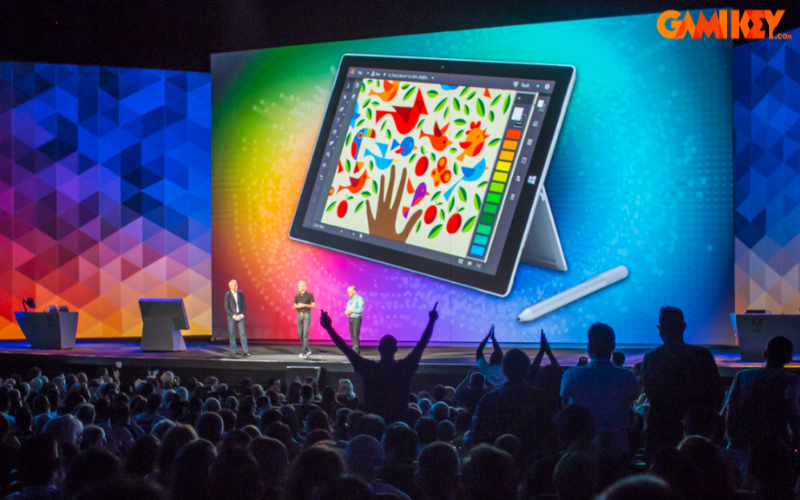
The exhibition also facilitates networking opportunities, where attendees can connect with vendors and peers to discuss integration strategies. Imagine testing a new tablet compatible with Photoshop or exploring VR tools for 3D modeling – these experiences make Adobe Max a hub for discovering game-changing technologies.
In addition to these core activities, Adobe Max often includes special events like creative challenges, where participants compete in timed design tasks, or sneak peeks at upcoming Adobe features. These elements add an element of excitement, making the conference not just educational but also entertaining and memorable.
Exploring Adobe Max Through Groundbreaking Updates in Creative Applications
The annual Adobe Max conference recently unfolded with a slew of exciting announcements regarding enhancements to the Creative Cloud suite. Core applications including Photoshop, Illustrator, Premiere Pro, and After Effects have been upgraded significantly, with a strong emphasis on artificial intelligence and machine learning to streamline creative workflows.
These updates reflect Adobe’s commitment to empowering creators with tools that enhance efficiency without compromising artistic freedom. From AI-assisted editing to advanced generative capabilities, the innovations unveiled at Adobe Max are poised to redefine how professionals approach digital content creation.
To provide a deeper understanding, let’s examine each major application’s updates in detail, exploring how they integrate AI to solve common creative challenges and open new possibilities for users across industries.
Photoshop and Firefly Technology
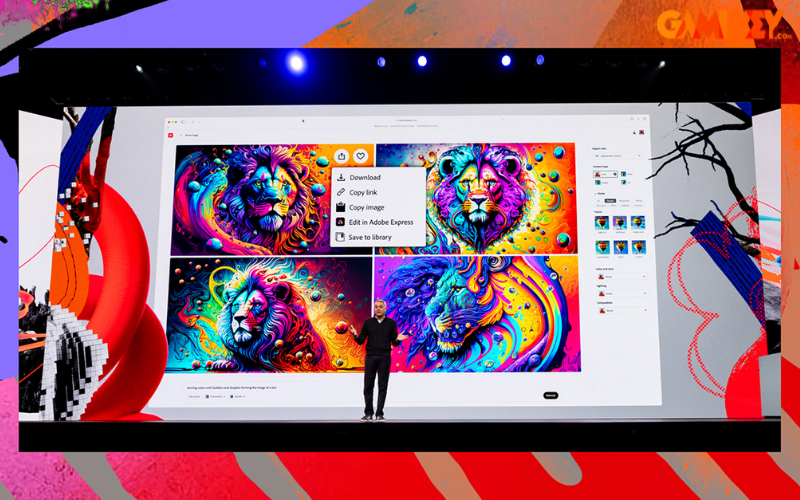
Photoshop leads the pack in incorporating Adobe’s innovative AI framework, known as Firefly. This technology seamlessly embeds into Photoshop’s layers and selection tools, granting users unparalleled control to transform imaginative concepts into tangible visuals. Features like Generative Fill and Generative Expand have quickly become staples, enabling rapid content creation and manipulation.
The latest iteration, Firefly Image Model 2, is currently in beta and promises superior image quality and customization. It introduces capabilities such as text-to-image generation and Generative Match, which allows users to produce new visuals styled after existing ones. This is particularly useful for designers needing consistent branding across multiple assets.
Consider a scenario where a graphic artist needs to expand a landscape photo for a billboard; Generative Expand can intelligently fill in missing areas while maintaining realism. Similarly, Generative Fill can replace or add elements based on textual descriptions, saving hours of manual editing.

Firefly’s ethical AI approach ensures that generated content is based on licensed data, addressing concerns about copyright and originality. This makes it a reliable tool for commercial projects, where authenticity is paramount. As Adobe Max showcased, these features are not just add-ons but integral to modern design pipelines, reducing time-to-market for creative deliverables.
Furthermore, integration with other Adobe apps allows seamless workflows; for example, exporting Firefly-generated assets directly to Illustrator for vector refinement. This interoperability enhances productivity, making Photoshop a central hub for multifaceted creative tasks.
Illustrator and AI-Assisted Tools
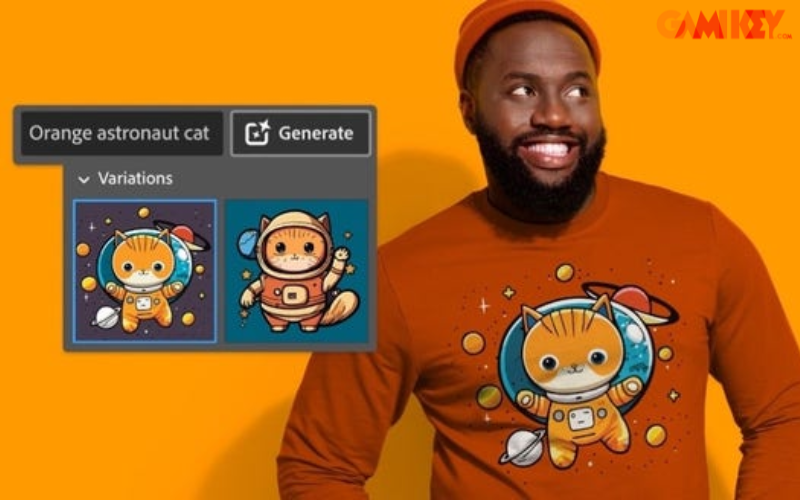
Illustrator has been enriched with AI enhancements designed to accelerate vector-based design processes. Key among them is Text to Vector Graphic, which generates editable vector art from simple text prompts, revolutionizing how concepts are prototyped.
Another standout is Retype, which converts static text in images into fully editable formats, simplifying updates to legacy designs or scanned documents. Additionally, the Model feature enables previewing vectors in real-world contexts, such as on printed merchandise, signage, apparel, or packaging, helping designers visualize applications accurately.
These tools empower illustrators to experiment rapidly; imagine inputting “vibrant city skyline at dusk” and receiving a customizable vector graphic instantly. This speeds up brainstorming and iteration, allowing more time for refinement and creativity.
In professional settings, such as advertising agencies, these AI tools reduce the tedium of repetitive tasks, freeing artists to focus on conceptual innovation. Adobe Max demonstrations highlighted real-case studies, like creating custom icons for apps in minutes, underscoring the practical value for time-sensitive projects.
Moreover, Illustrator’s updates include improved collaboration features, allowing teams to share and edit vectors in real-time, which is invaluable for remote work environments prevalent today.
Premiere Pro and Text-Based Editing
Premiere Pro’s major overhaul centers on enhanced text-based editing, now featuring automatic filler word detection. This capability swiftly removes ums, pauses, or unwanted dialogue segments in a single pass, streamlining video post-production.
Additional improvements encompass faster timeline performance, expanded color options, and refined tone mapping. The beta version of Frame.io Share for Review introduces a more intuitive collaboration platform, facilitating seamless feedback and content sharing among teams.
For video editors, this means quicker assembly of rough cuts; text-based editing allows searching and organizing clips via transcripts, making it easier to construct narratives from raw footage. Imagine editing a documentary where AI identifies and excises filler words automatically, saving precious hours.
These enhancements are particularly beneficial for content creators in fast-paced fields like social media video production, where quick turnaround is key. At Adobe Max, live demos showcased how these features integrate with other Creative Cloud apps, enabling end-to-end workflows from filming to final export.
Performance boosts also mean handling larger projects without lag, supporting 4K and even 8K editing on standard hardware, democratizing high-end video production.
After Effects and AI-Powered Roto Brush
After Effects unveils a sophisticated AI model for its Roto Brush tool, simplifying the isolation of complex elements like overlapping limbs, hair, or transparent objects from backgrounds. This advancement makes compositing more accessible and precise.
The beta version further introduces a true 3D workspace, allowing for immersive manipulation of motion graphics and visual effects. This is a boon for animators working on intricate scenes, where traditional methods were time-consuming.
In practice, the AI-enhanced Roto Brush can automatically track and mask moving subjects, reducing manual keyframing. For film effects artists, this translates to faster creation of realistic composites, such as adding digital elements to live-action footage.
Adobe Max sessions illustrated applications in VFX for movies, where precision is critical, demonstrating how AI augments human creativity rather than replacing it.
Lightroom and New AI Features
Across Lightroom, Lightroom Classic, and mobile versions, new AI tools like Lens Blur enable artistic depth-of-field effects on any image section. A revamped mobile editing interface prioritizes essential photo adjustment tools for on-the-go users.
These updates cater to photographers seeking quick enhancements; Lens Blur can simulate professional camera bokeh, elevating casual shots to portfolio quality. The mobile focus ensures accessibility, allowing edits from smartphones without losing functionality.
For professionals, this means maintaining workflow continuity across devices, with AI handling repetitive tasks like noise reduction or color correction, freeing time for artistic decisions.
Who Attends Adobe Max
Adobe Max draws a diverse crowd from various creative disciplines, creating a vibrant community of innovators. Common participants include:
- Graphic designers crafting visual identities
- Video producers shaping compelling narratives
- UX/UI specialists optimizing user experiences
- 3D artists building immersive worlds
- Social media content creators engaging audiences
This mix fosters cross-pollination of ideas, where a graphic designer might collaborate with a video editor on multimedia projects. The event’s appeal lies in its ability to unite professionals at all career stages, from novices to veterans, all united by a passion for creativity.
Networking at Adobe Max often leads to partnerships and job opportunities, with many attendees reporting career advancements post-event. It’s not uncommon for startups to scout talent or for freelancers to secure clients through casual conversations.
In this detailed exploration from buyaitools, we’ve covered what Adobe Max entails, including its groundbreaking updates across Adobe’s toolkit. For more insights into other tools in the Adobe ecosystem, visit the “News” section on buyaitools.com to stay updated with the latest developments.
Explore additional articles on other Adobe software at buyaitools:
What is Adobe Application Manager?
What is Adobe Podcast?
What is Adobe XD?
What is Adobe Captivate?
To expand further on why Adobe Max is indispensable, consider its role in professional development. Attendees gain access to exclusive beta features, allowing them to stay ahead of the curve. For businesses, sending teams to Adobe Max can boost innovation, as employees return with fresh ideas and skills that enhance productivity.
The event also addresses broader industry challenges, such as sustainability in design or ethical AI use, through panel discussions. These conversations equip participants with knowledge to navigate evolving ethical landscapes in creative work.
Looking ahead, future Adobe Max editions are expected to delve deeper into metaverse integrations and augmented reality, reflecting Adobe’s forward-thinking ethos. By participating, you’re not just attending a conference; you’re investing in the future of creativity.
In terms of preparation, prospective attendees should register early, as spots fill quickly. Virtual options provide flexibility, but in-person experiences offer unparalleled immersion. Budgeting for travel and accommodations is key for physical attendance, while virtual passes are more affordable.
Success stories abound from past Adobe Max events. For example, a freelance illustrator might discover AI tools that double their output, leading to more clients. Or a video editor learns advanced techniques that land them a role in a major production.
Ultimately, Adobe Max is more than an event; it’s a movement that propels the creative industry forward. Whether you’re a seasoned pro or just starting, it offers value that resonates long after the closing keynote.