

If you’re passionate about writing, whether as a professional, student, or enthusiast seeking to enhance your English skills, you’ve likely encountered the powerful tool known as Grammarly. For newcomers, however, questions about what Grammarly truly entails, its key features, and effective usage methods often arise. In this comprehensive guide from buyaitools, we’ll delve into essential insights on Grammarly, helping you grasp its full potential and integrate it seamlessly into your workflow. Stick around to discover how this innovative platform can elevate your writing to new heights.
What Exactly is Grammarly?
Grammarly stands as an advanced automated assistant designed to detect and correct spelling, grammar, and punctuation errors in English text. Developed by the company of the same name, headquartered in San Francisco, USA, it first launched in 2009 and has since revolutionized the way people refine their written communication.

At its core, Grammarly offers a suite of capabilities that extend beyond basic proofreading. It analyzes sentence structures, suggests vocabulary enhancements, and provides tailored recommendations to polish your content. What makes it particularly versatile is its appeal to a wide audience, including students crafting essays, professionals drafting business emails, and writers perfecting blog posts. By ensuring accuracy in grammar and spelling, it empowers users to produce polished, professional-grade text effortlessly.
Operating across various platforms, Grammarly integrates smoothly with web browsers, mobile apps, and popular word processors like Microsoft Word. This cross-compatibility means you can maintain high-quality writing standards no matter where you work. Over the years, Grammarly has evolved from a simple spell-checker into a comprehensive writing companion, leveraging artificial intelligence to understand context and intent. For instance, it can differentiate between formal and casual tones, making it invaluable for diverse writing scenarios. Imagine composing a critical business proposal; Grammarly not only flags errors but also suggests ways to make your language more persuasive and concise. This depth of functionality has garnered it millions of users worldwide, from educators to corporate executives.
Moreover, Grammarly‘s development reflects a commitment to innovation. Founded by Alex Shevchenko and Max Lytvyn, the tool draws on linguistic expertise and machine learning to continually improve its algorithms. As of recent updates, it processes billions of words daily, learning from user interactions to refine its suggestions. This adaptive nature ensures that Grammarly stays ahead in an ever-changing linguistic landscape, accommodating new slang, idioms, and regional variations in English.

In essence, Grammarly democratizes expert-level editing, making it accessible to anyone with an internet connection. Whether you’re a non-native speaker honing your skills or a seasoned writer seeking a second pair of eyes, this tool adapts to your needs, fostering confidence in every piece you create.
Key Standout Features of Grammarly
Spelling Error Detection in Grammarly
One of the foundational features available in both free and Premium versions of Grammarly is its robust spelling checker. This capability identifies up to 250 common spelling mistakes in English passages, ensuring your text is error-free. Beyond mere detection, it provides context-aware corrections, distinguishing between homophones like “their” and “there” based on sentence meaning.
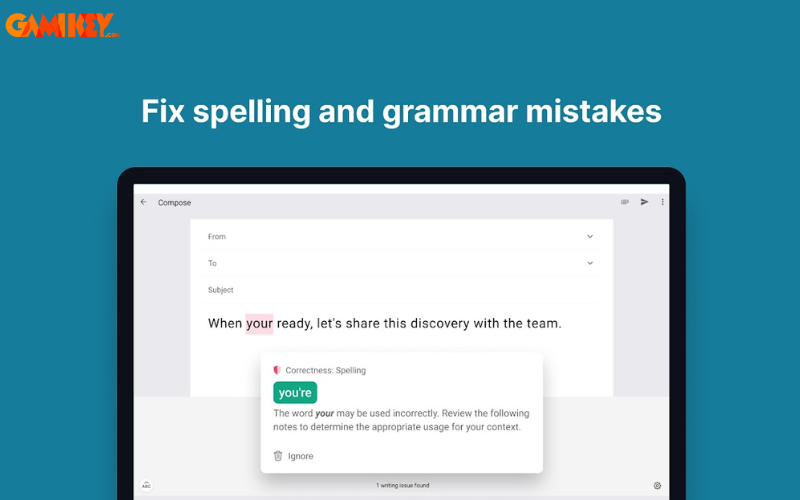
To illustrate, consider typing a business email with a misspelled word like “recieve” – Grammarly instantly highlights it and suggests “receive,” explaining the rule for easy learning. This feature is especially beneficial for learners, as it builds vocabulary over time. In educational settings, students report improved grades due to fewer spelling deductions, while professionals avoid embarrassing typos in client communications. Grammarly‘s database is continually updated to include emerging words and industry-specific terms, making it relevant for fields like technology, medicine, and law.
Checking Punctuation and Grammar Issues
In addition to spelling, Grammarly excels at scrutinizing grammar and punctuation. Common pitfalls in English writing, such as subject-verb agreement or misplaced commas, are swiftly identified. Its intelligent algorithms parse complex sentences, flagging issues like run-on sentences or fragments that disrupt flow.
For example, if you’re composing a report with a sentence like “The team works hard they achieve great results,” Grammarly will detect the missing conjunction or punctuation and propose fixes, such as adding a semicolon or restructuring for clarity. This not only corrects errors but also educates users on grammatical principles, turning novice writers into proficient ones. Premium users gain access to advanced checks for tense consistency and passive voice overuse, which can make writing more dynamic and engaging.
Suggesting Appropriate Phrasing
Once errors are spotted, Grammarly goes a step further by recommending alternative wording to enhance suitability and impact. This feature refines your text, ensuring it aligns with your intended message.
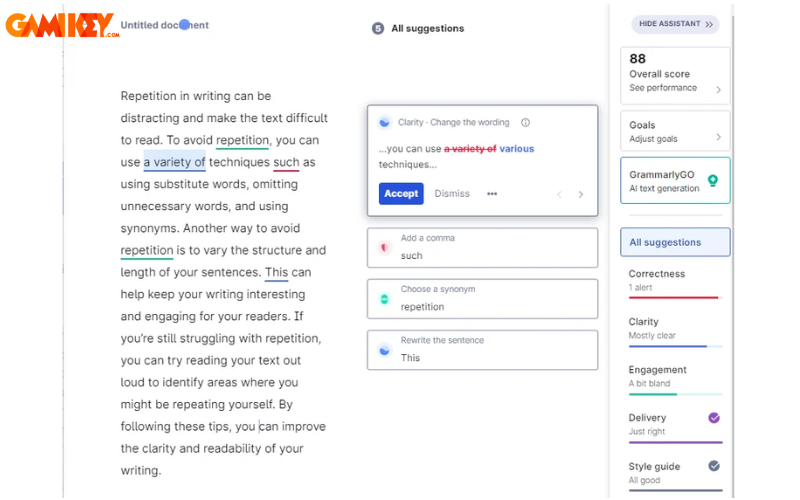
Take a redundant phrase like “very unique” – Grammarly might suggest “unique” alone, noting that “very” is unnecessary. Such refinements lead to more concise and professional output. In creative writing, it proposes synonyms to avoid repetition, enriching your narrative without altering your voice. Users often praise this for boosting readability scores, which is crucial for SEO-optimized content or academic papers.
Grammarly’s Compatibility Across Multiple Platforms
Grammarly shines in its flexibility, supporting users on desktops, Android and iOS mobiles, and browsers like Chrome, Edge, and Safari. This seamless integration means you can switch devices without losing functionality, ideal for on-the-go editing.
For mobile users, the keyboard app provides real-time corrections in apps like email or social media. On desktops, it embeds into your workflow, offering a unified experience. This versatility extends to collaborative environments, where teams can maintain consistent quality in shared documents.
Effortless Integration with Microsoft Word and Outlook Email
Grammarly acts as an add-in for Microsoft Word and Outlook, allowing direct error checking within these applications. No need for external tools – simply install and proofread as you type.
Browser extensions for Chrome and Safari further simplify usage, with intuitive interfaces that highlight issues in real-time during online composition. This convenience is a game-changer for bloggers or remote workers, ensuring every web-based draft is impeccable.
Advanced Vocabulary and Sentence Suggestions
As a reliable ally, Grammarly not only spots spelling but also enriches your lexicon by suggesting varied terms to prevent monotony. The Premium tier detects sentence structure flaws, wordy phrases, and obscure expressions, offering superior alternatives.
For instance, it might transform a passive sentence into an active one for more engaging prose. This elevates writing from good to exceptional, particularly in marketing or literary contexts where style matters.
Plagiarism Detection Feature
Grammarly‘s plagiarism checker is invaluable for content creators, researchers, and students. It scans against over 8 million web pages to verify originality, highlighting potential matches and suggesting citations.
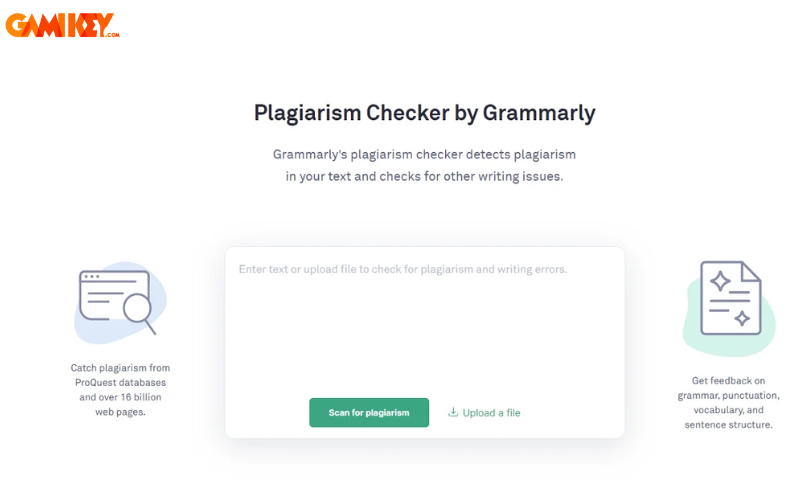
In academic writing, this tool prevents unintentional copying, promoting ethical practices. It also provides a similarity score, helping users revise before submission. Combined with its other features, it ensures content is both original and well-crafted.
Style and Tone Analysis for Writing
Grammarly Premium lets you select from over 30 writing styles (e.g., emails, reports, blogs), tailoring suggestions to your audience and context. This ensures your tone matches the occasion, from formal contracts to casual posts.
By analyzing readability and engagement, it helps craft compelling narratives. For businesses, this means more effective communication; for authors, it refines voice without compromising creativity.
>> See also: Is Grammarly Worth It? An In-Depth Review
Step-by-Step Guide to Installing Grammarly on Your Computer
- Step 1: Visit the official Grammarly website at https://www.grammarly.com/desktop and click “Free Download” to obtain the installer.
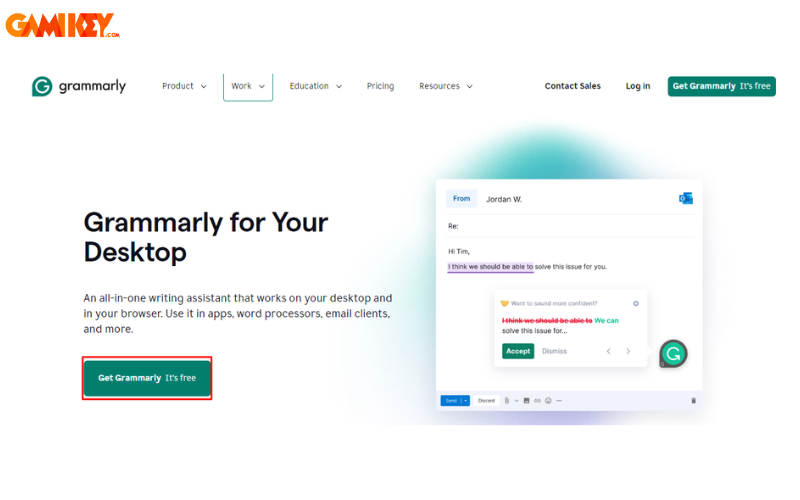
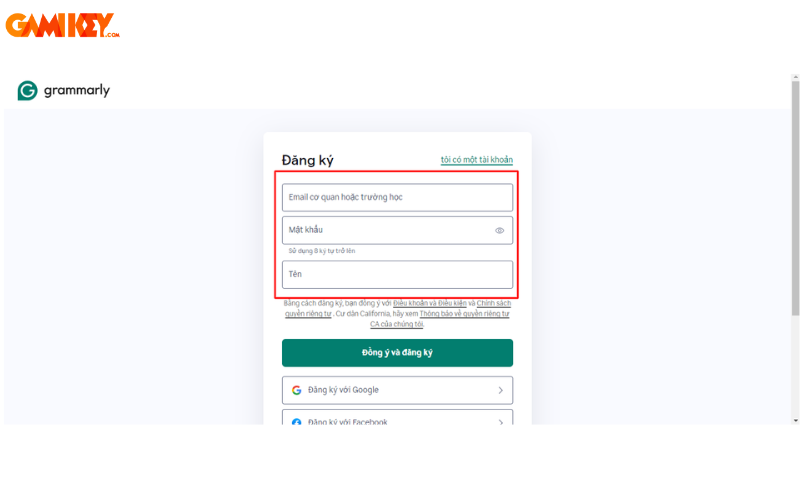
- Step 2: Create a free Grammarly account by entering your name, email, and password, then click “Sign up.”
- Step 3: Locate the “Grammarly Setup.exe” file in your downloads folder and click “Get Started” to begin installation.
- Step 4: You’ll be prompted if you want integration with Word and Outlook; select your preference and hit “Install.”
- Step 5: Log in with your newly created credentials to complete the setup and start using Grammarly.
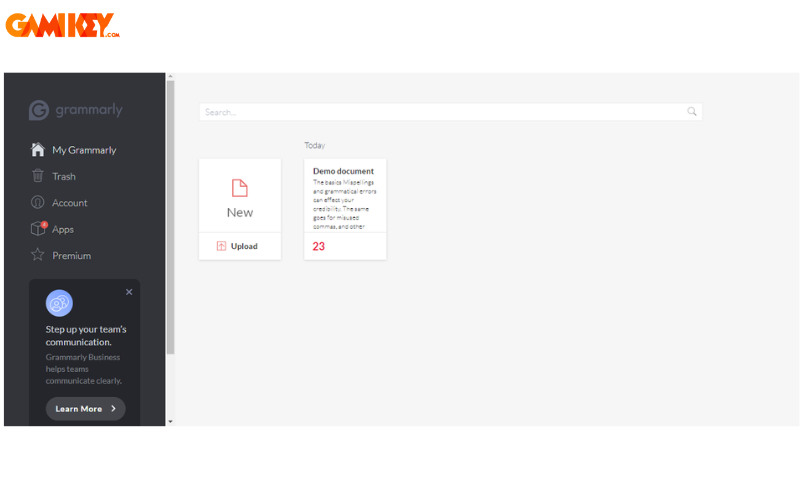
Installing Grammarly on your computer opens up a world of productivity. Once set up, explore its dashboard for personalized insights, such as weekly progress reports on your writing habits. These metrics can motivate improvements, like reducing error rates or expanding vocabulary. For power users, customizing settings to focus on specific error types tailors the experience further. Remember, regular updates ensure you benefit from the latest AI enhancements, keeping your writing sharp and contemporary.
Guide to Setting Up Grammarly in Microsoft Word
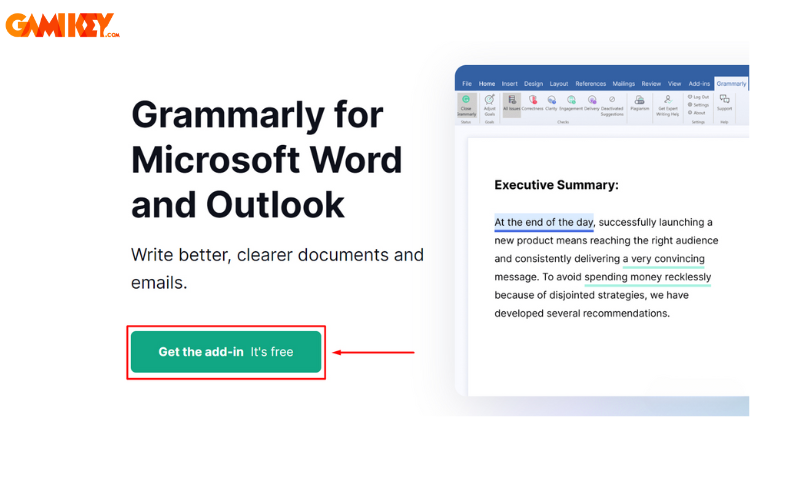
- Step 1: Go to the Grammarly site and select “Get the add-in It’s free.” Wait for the EXE file to download, then open it.
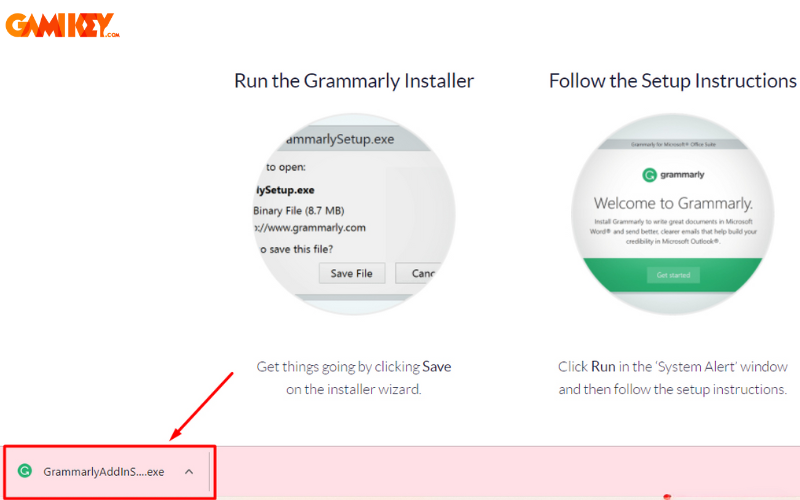
- Step 2: Click “Get Started,” check the box for Grammarly for Word, and proceed with “Install.”

- Step 3: Open Word, load a document, and click the Grammarly icon on the Ribbon to activate proofreading.

- Step 4: If prompted, log in to your Grammarly account to sync and begin using the features.
With Grammarly in Word, your document editing becomes a breeze. It provides side-panel suggestions, allowing you to accept changes with a click. For long documents, batch corrections save time, and the performance score gives an overview of your writing’s strengths. Professionals often use this for resumes or proposals, ensuring flawless presentation. To maximize benefits, combine it with Word’s built-in tools for a hybrid editing approach.
Instructions for Adding Grammarly to Chrome Browser
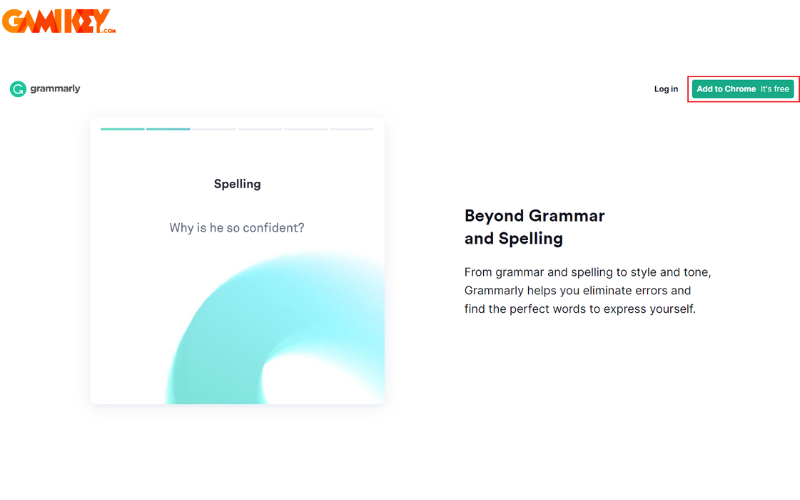
- Step 1: Navigate to Grammarly.com and choose “Add to Chrome It’s free.”
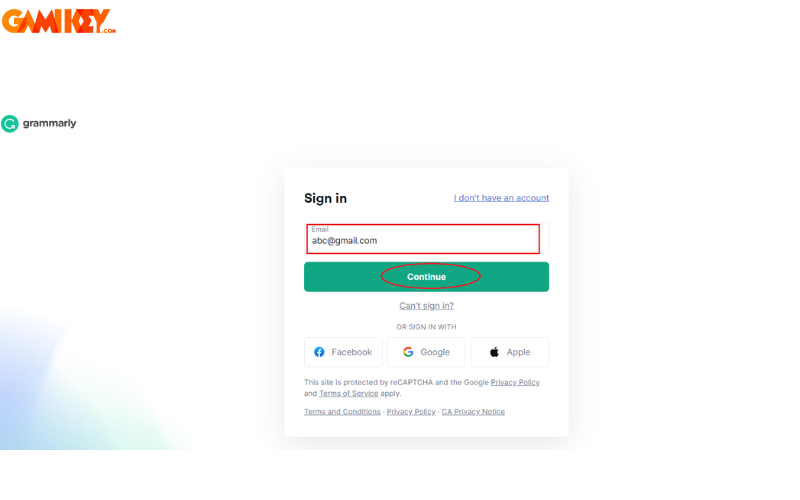
- Step 2: Sign in or register. Existing users enter email and password, then “Continue.” New users select “I don’t have an account,” provide details, and “Agree and Signup.”
- Step 3: Upon successful registration, access your Grammarly dashboard, confirming the extension is now active in Chrome.
>> Learn more: How to Download Grammarly for Chrome
In summary, this buyaitools article has explored what Grammarly is and its primary features in depth. We hope the details in our “News” section empower you to leverage this tool effectively. If you’re interested in purchasing a 1-year Grammarly account, reach out to buyaitools for expert advice, 24/7 support, and guaranteed reliability.
Explore other learning platforms at buyaitools:
What is Scribd
What is Quizlet
What is Quizizz
What is Elsa Speak
Top 5 Software for Checking and Correcting English Errors
To expand further on Grammarly‘s impact, let’s consider its role in education. Teachers integrate it into curricula to teach grammar interactively, with students receiving instant feedback on assignments. This hands-on approach accelerates learning, as errors are addressed in real-time rather than post-submission. Research shows that regular use of such tools can improve writing proficiency by up to 20%, particularly for ESL learners who struggle with nuances like prepositions or article usage.
In the corporate world, Grammarly enhances productivity by streamlining email and report creation. Teams save hours on revisions, leading to faster project turnarounds. Its tone detector, for instance, ensures messages are professional yet approachable, reducing miscommunications. Companies like LinkedIn and Zoom have praised similar tools for maintaining brand voice consistency across global teams.
For content creators, Grammarly is a secret weapon in SEO. By suggesting engaging language and checking for clarity, it helps articles rank higher on search engines. Bloggers report increased traffic after optimizing with its insights, as readable content retains visitors longer. Additionally, the plagiarism checker safeguards against duplicate content penalties, preserving site credibility.
Comparing Grammarly to alternatives like Hemingway App or ProWritingAid, it stands out for its user-friendly interface and comprehensive coverage. While Hemingway focuses on simplicity, Grammarly offers deeper AI-driven analysis. ProWritingAid provides style guides, but Grammarly‘s real-time browser integration gives it an edge for web-based work.
Tips for optimal use: Set writing goals in the app to track progress, customize genre settings for accurate suggestions, and review explanations to learn from mistakes. Premium subscribers benefit from expert writing help, where human reviewers provide detailed feedback on complex pieces.
Potential drawbacks include over-reliance, which might stifle personal style, or occasional false positives in creative writing. However, these are minor compared to its advantages. As Grammarly continues to evolve with AI advancements, future updates may include multilingual support or voice-to-text integration, broadening its appeal.
Ultimately, Grammarly transforms writing from a chore into an art, empowering users to express ideas with precision and flair. Whether for academic success, career advancement, or personal growth, it’s an indispensable tool in today’s digital age.